Using Concept Groups to Display Unknown and Abnormal Indicators
Purpose and Benefits
Unknown and abnormal indicators in forms are used to provide additional information to the observation. In the case of unknown it can be used when accurate measurements cannot be made. The abnormal indicator will be automatically checked for numeric concepts if the value entered is outside the Normal High and Normal Low limits defined in Openmrs as shown in the screenshots below.
Sections
Using Concept Groups to display Unknown Indicator
In order to configure unknown indication for any concept, there is a specific way of grouping the concepts.
- Create a root concept set of class "Concept Details" and Datatype "N/A" . Example: Diastolic Data
- Root concept should have 2 set membersOriginal concept that you want to see on the page. Example: Diastolic(Can be any concept or concept set)
- Unknown concept of type "Boolean" and class "Unknown". Example: Diastolic Unknown


This is how it appears on the page :

Using Concept Groups to display Abnormal Indicator
In order to configure abnormal indication for any concept, there is a specific way of grouping the concepts.
- Create a root concept set of class "Concept Details". Example: Pulse Data
- Root concept should have 2 set membersOriginal concept that you want to see on the page. Example: Pulse (Can be any concept or concept set)
- Abnormal concept of type "Boolean" and class "Abnormal". Example: Pulse Abnormal
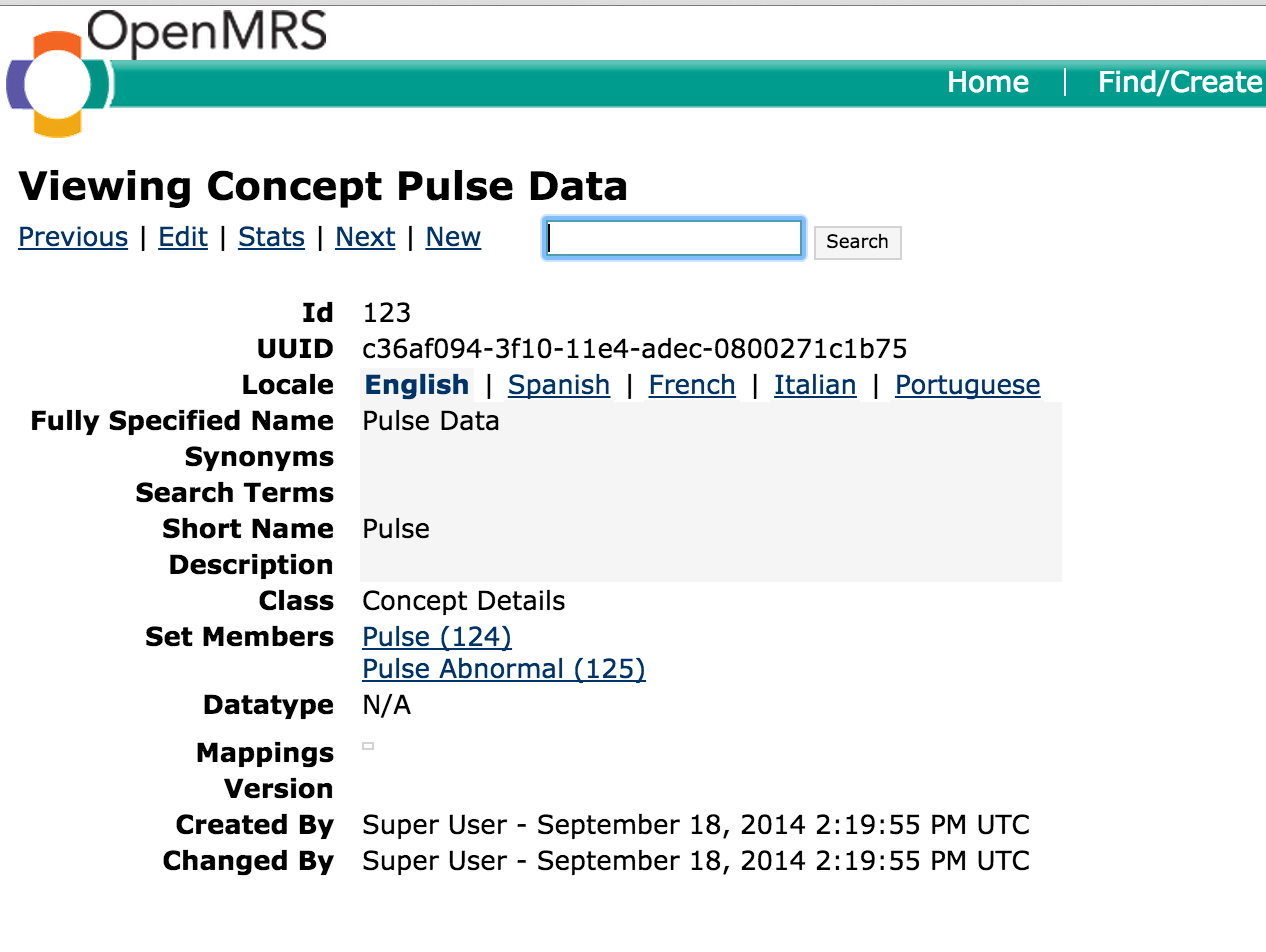
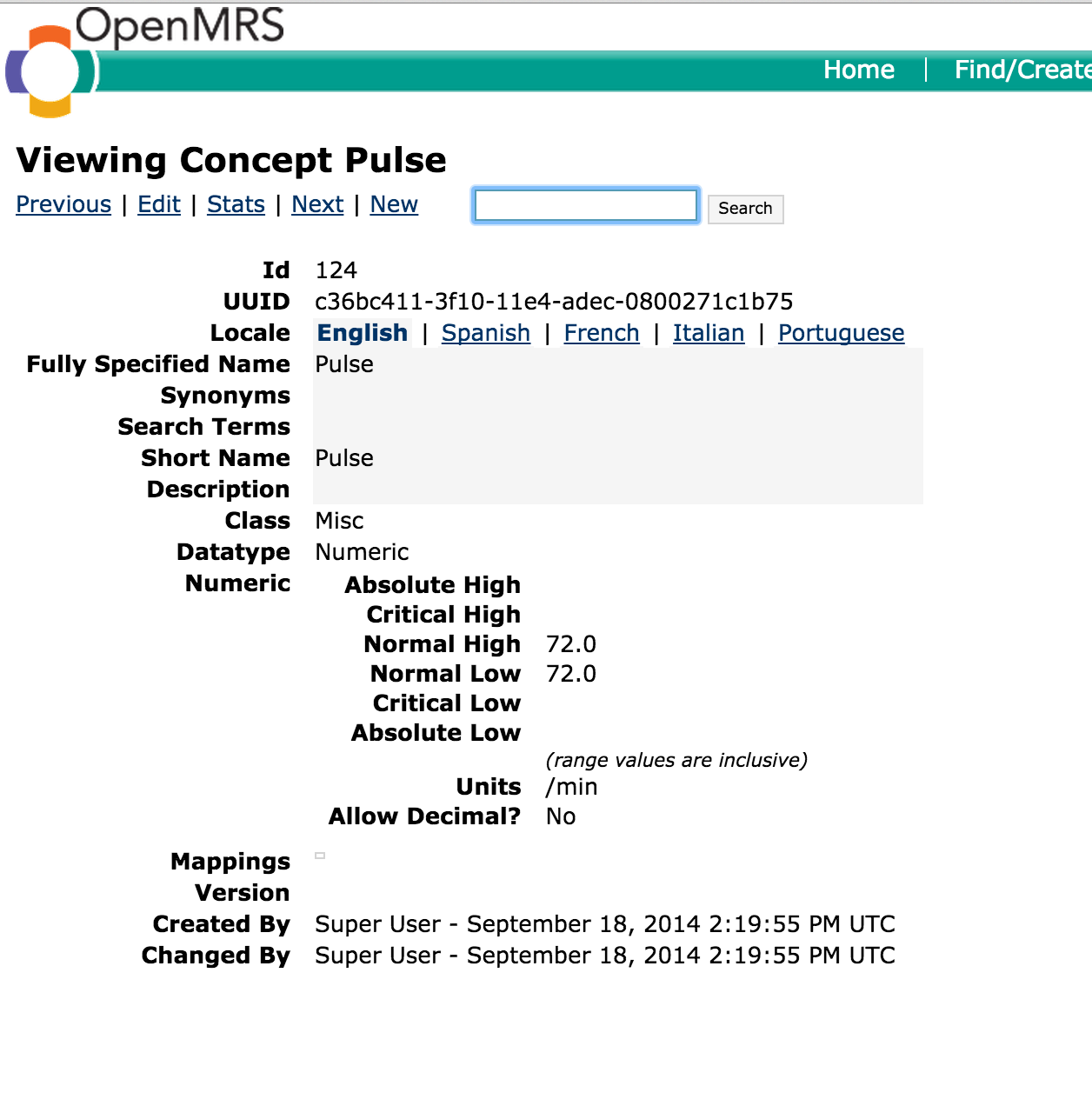
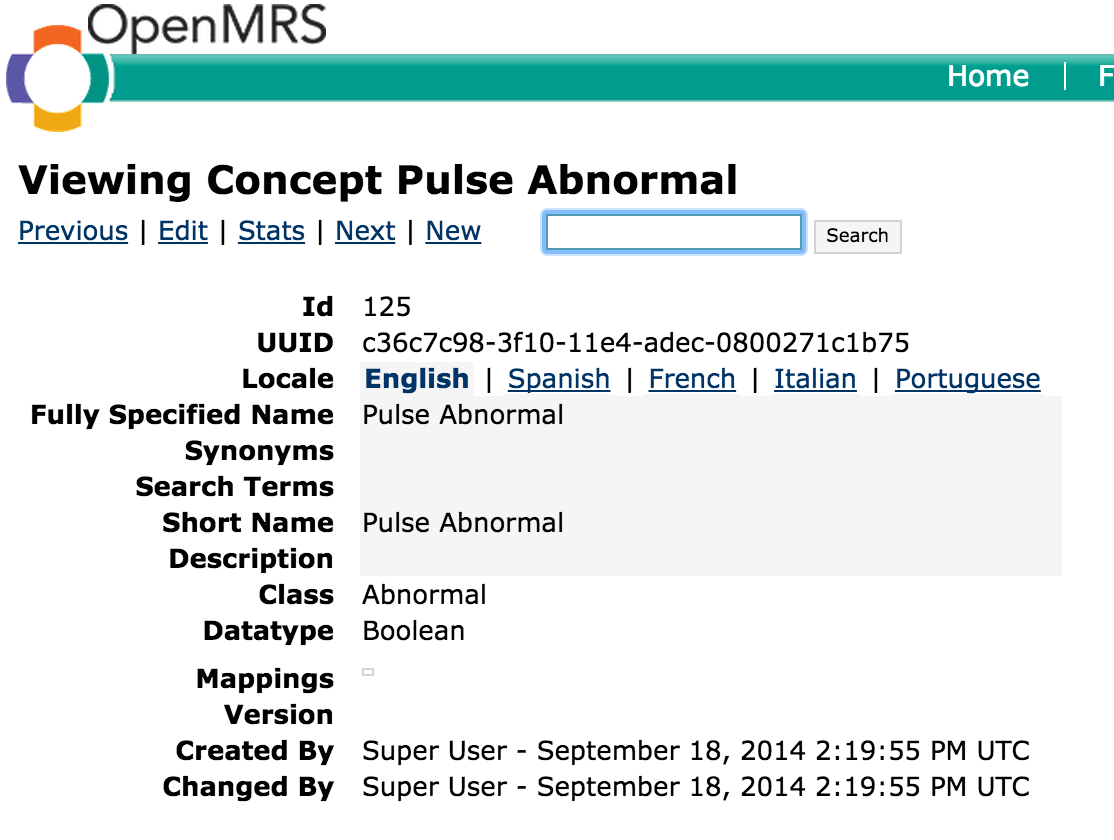
This is how it appears on the page :
Hiding Abnormal Button on Forms:
1) Showing the abnormal button on observations is configurable. To hide the abnormal button in the entire template use the following configuration format.
FullySpecifiedNameOfTemplate : {
"hideAbnormalButton" :
}
Example:
2) To hide the abnormal button for a particular group of concepts under particular concept set, following is the format.
FullySpecifiedNameOfConceptGroup : {
"hideAbnormalButton" :
}
Example:
3)To hide the abnormal button at the leaf level concept, following is the format.
FullySpecifiedNameOfLeafConcept : {
"hideAbnormalButton" :
}
Example:
4)Leaf level concept configuration will override the template level or it's parent concept configuration. For example if you want to hide all the abnormal buttons in Lab Results Haematology template except
Absolute Neutrophil Count leaf concept following is the required configuration.
Example:
If you don't mention any configuration abnormal button will display by default.
Bahmni Wiki · CC BY-SA 4.0