Bahmni–DHIS2 통합
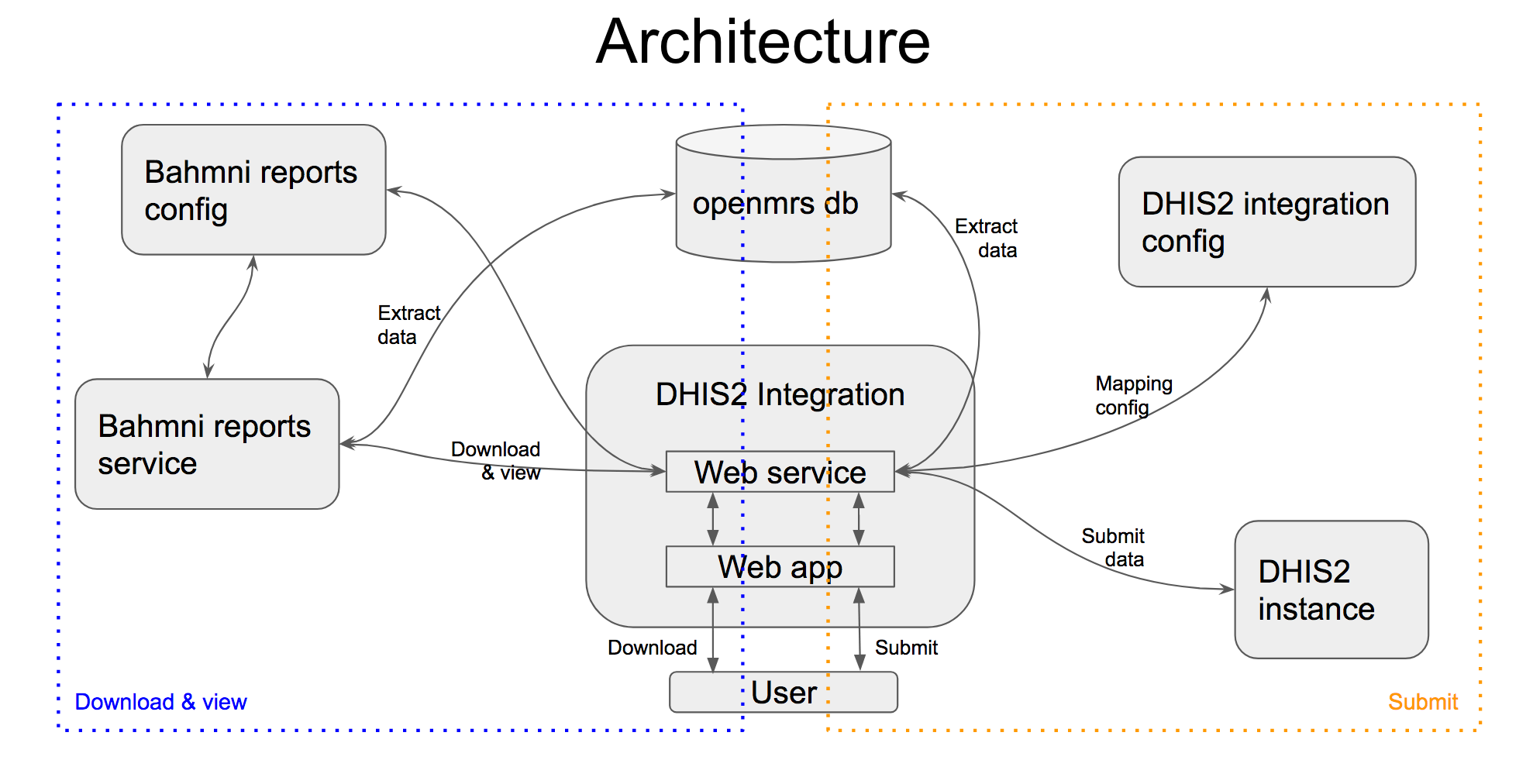
DHIS2 통합 앱 설치 및 구성
Bahmni 설치 프로그램 최신 버전이 정상 실행 중이라고 가정합니다. 0.89에서 테스트했으며 이전 버전에서도 작동할 것입니다.
- https://github.com/Possiblehealth/possible-artifacts/blob/master/90-artifacts/dhis-integration-1.0-1.noarch.rpm 에서 dhis-integration rpm을 설치하거나 https://github.com/Possiblehealth/dhis2-integration 에서 최신 버전을 빌드합니다.
yum install dhis-integration-1.0-1.noarch.rpm - '/etc/dhis-integration/dhis-integration.yml'을 수정합니다.
- openmrs.root.url: OpenMRS 서비스 URL http://localhost:8050/openmrs/ws/rest/v1
cd /etc/httpd/conf.d/ wget https://raw.githubusercontent.com/Possiblehealth/possible-config/89662e8e823fac3dbcaf111aa72713a63139bb03/playbooks/roles/possible-dhis-integration/templates/dhis_integration_ssl.conf - bahmni.login.url: 비로그인 사용자 이동 URL https://ehr.possible.org/bahmni/home/#/login?showLoginMessage
"possible_dhis_2_integration": { "id": "possible.dhis2Integration", "extensionPointId": "org.bahmni.home.dashboard", "type": "link", "label": "DHIS2 integration", "url": "/dhis-integration/index.html", "icon": "fa-book", "order": 11, "requiredPrivilege": "app:reports" } - reports.url: 보고서 URL https://ehr.possible.org/bahmnireports/report
service bahmni-reports status ##should be running - reports.json: 보고서 구성 /var/www/bahmni_config/openmrs/apps/reports/reports.json
service httpd restart
service dhis-integration restart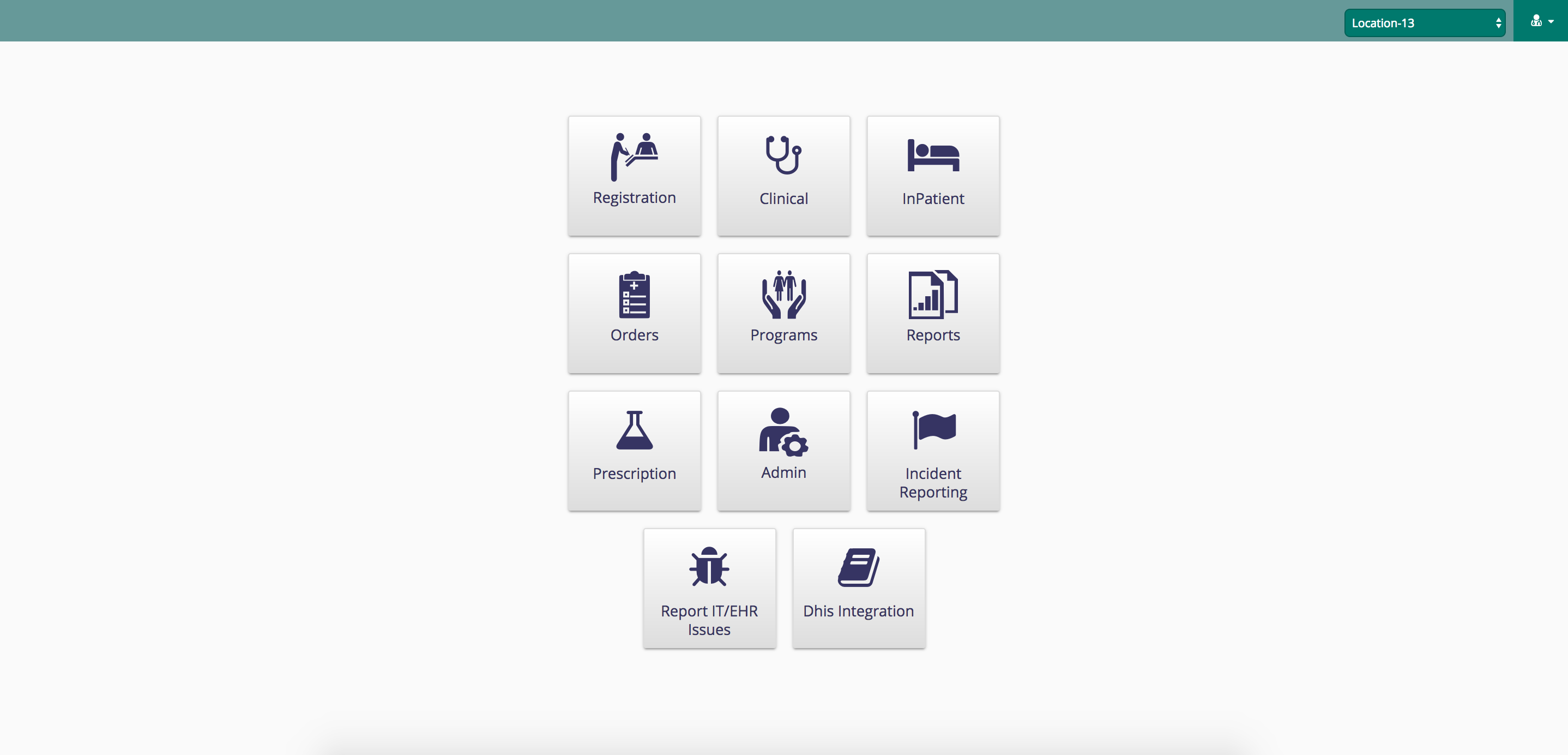
- dhis.config.directory: 프로그램별 구성 /var/www/bahmni_config/dhis2/
- dhis.url: 정부 서버 URL. 예: http://100.100.100.100:8080/ 또는 http://200.100.20.30:8888/hmistest/
- dhis.user: 사용자 이름 username
- dhis.password: 비밀번호 password
- openmrs.db.url: MySQL 연결 URL jdbc:mysql://localhost/openmrs?user=openmrs-user&password=password
- submission.audit.folder: 제출 저장 디렉터리 /dhis-integration-data
- server.port: 수신 포트 8040
- server.context-path: 요청 매핑 /dhis-integration/
- log4j.config.file: 로거 속성 파일 log4j.properties
- ssl.conf를 내려받아 배치합니다.
- 시작 페이지에 앱이 표시되도록 구성하고 '/var/www/bahmni_config/openmrs/apps/home/extension.json'에 필요한 내용을 삽입합니다.
- Bahmni reports 서비스가 정상인지 확인한 뒤 ssl 및 dhis-integration 서비스를 다시 시작합니다.
- 보고 권한이 있는 사용자는 시작 화면에서 앱을 사용할 수 있습니다.
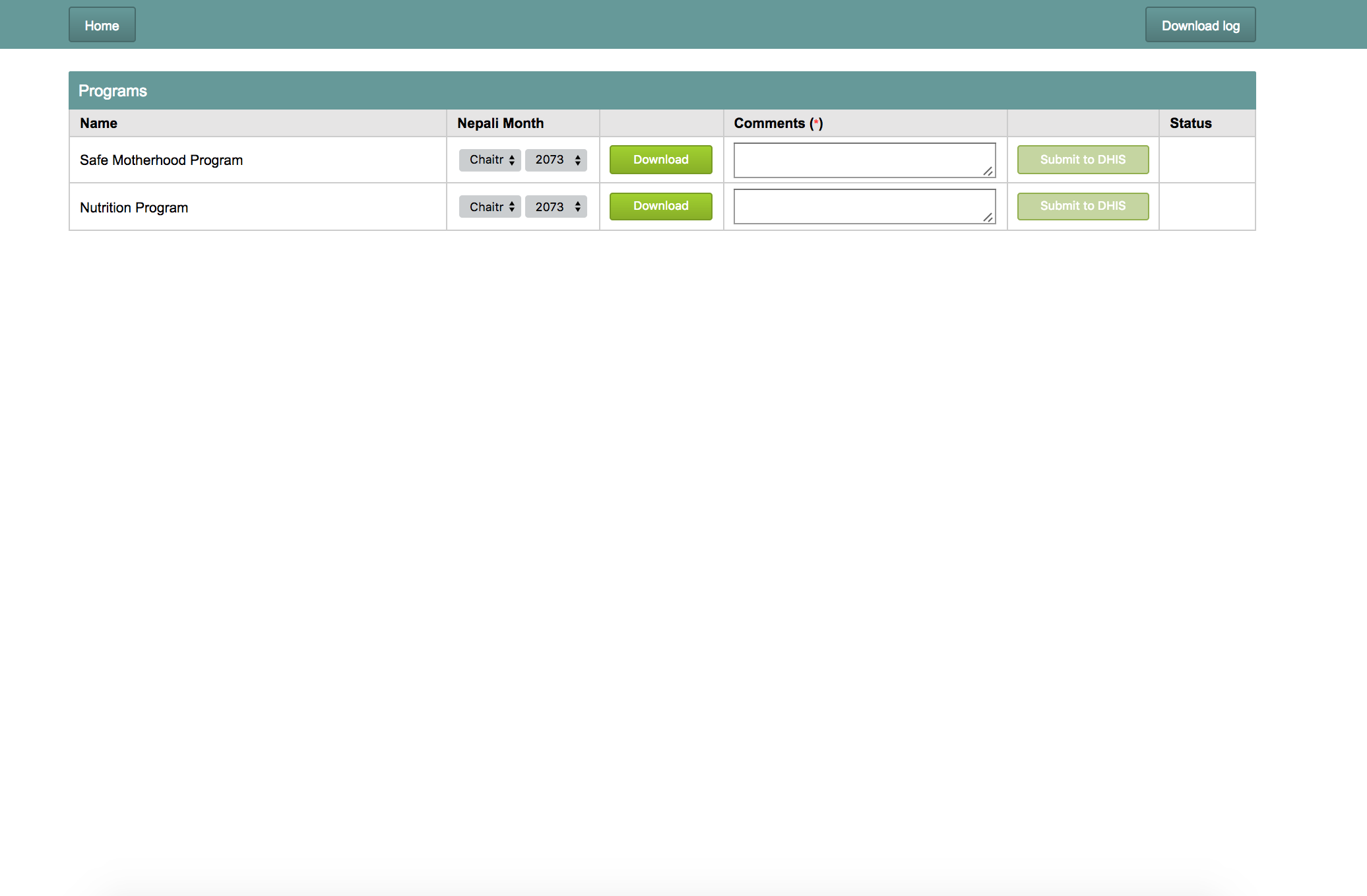
앱에서 프로그램의 월과 연도를 선택하고 의견을 입력한 뒤 보고서를 제출합니다.
새 프로그램 구성
- 프로그램의 연결 보고서를 구성하고 DHIS2 프로그램 구성을 추가합니다.
- 예: 안전한 모성 프로그램
"DHISProgram": true, - 프로그램 이름의 DHIS 구성 파일을 '/var/www/bahmni_config/dhis2/'에 만듭니다. 다른 폴더를 쓰려면 '/etc/dhis-integration/dhis-integration.yml'의 'dhis.config.directory'를 변경합니다.
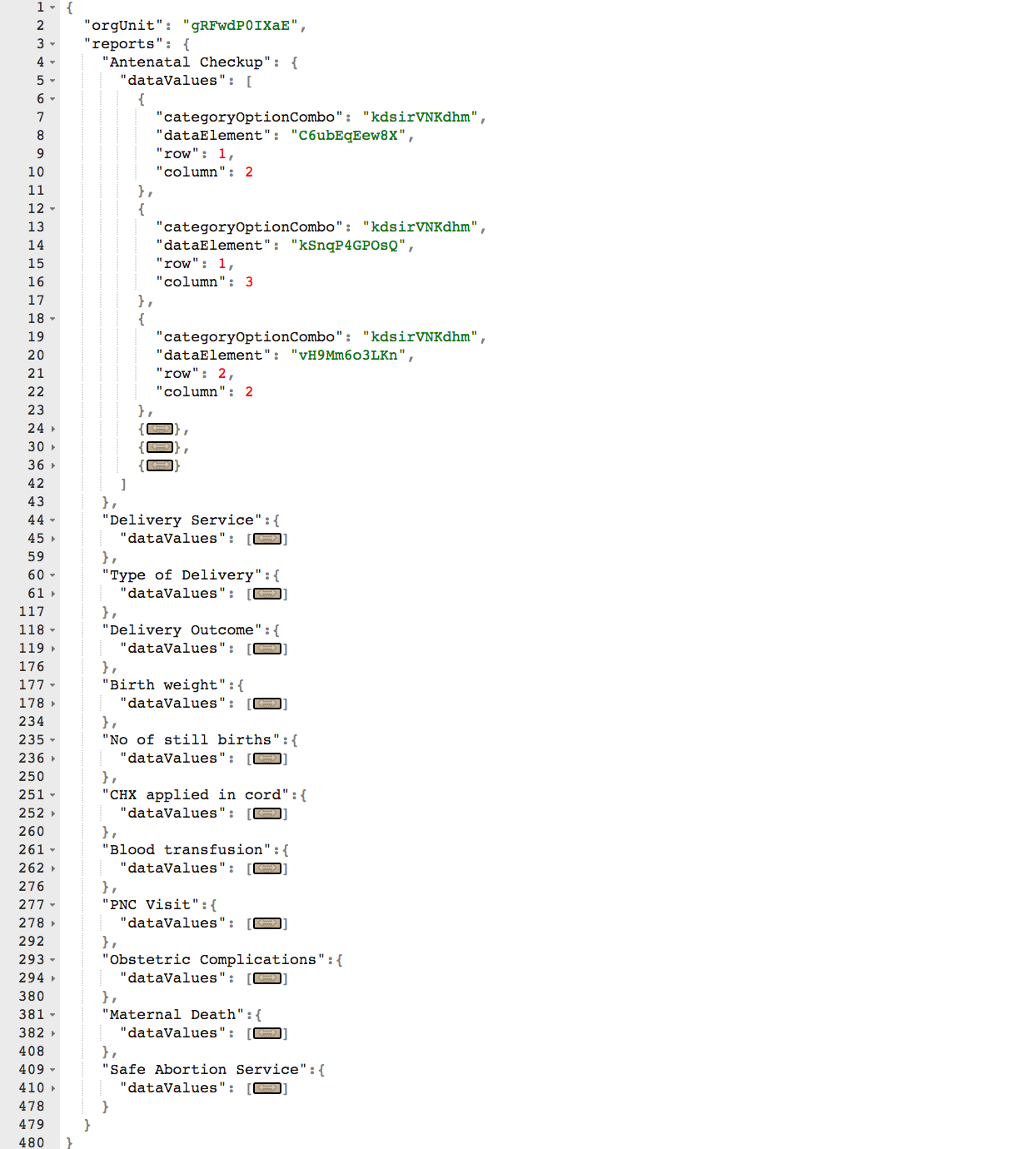
DHIS 구성 파일은 다음 구조를 가져야 합니다.
DHIS Config
{
  "orgUnit": "<orgUnitId | find it from DHIS instance>",
  "reports": {
    "<name of 1st sub report | find it from reports.json>": {
      "dataValues": [
        {
          "categoryOptionCombo": "<category option combination id | find it from DHIS instance>",
          "dataElement": "<data element id | find it from DHIS instance>",
          "row": <row number of the cell | find it from output of the SQL report>,
          "column": <column number of the cell | find it from output of the SQL report>
        },
        {
          "categoryOptionCombo": "<category option combination id | find it from DHIS instance>",
          "dataElement": "<data element id | find it from DHIS instance>",
          "row": <row number of the cell | find it from output of the SQL report>,
          "column": <column number of the cell | find it from output of the SQL report>
        },
        ............more data element mappings............
      ]
    },
    "<name of 2nd sub report | find it from reports.json>": {
	  "dataValues": [......]
    },
    "<name of 3rd sub report | find it from reports.json>": {
	  "dataValues": [......]
    },
    ............more sub report mappings............
  }
}
| Key | Description |
|---|---|
| orgUnit | This is the organisation unit ID from DHIS |
| reports | This is list of reports which are the inner reports of concatenated report of the program. Each report name is a unique key in this object.'Antenatal Checkup' is one of the inner reports configured in concatenated report, for example. |
| dataValues | This is list of data element mappings. Each mapping maps a cell in SQL output to a dataElement in DHIS. |
| categoryOptionCombo | This is the 'category option combination id' of the dataElement in DHIS. |
| dataElement | This is the 'data element id' of the dataElement in DHIS. |
| row and column | This 'row and column' numbers refers to a particular cell in the output of configured SQL. |
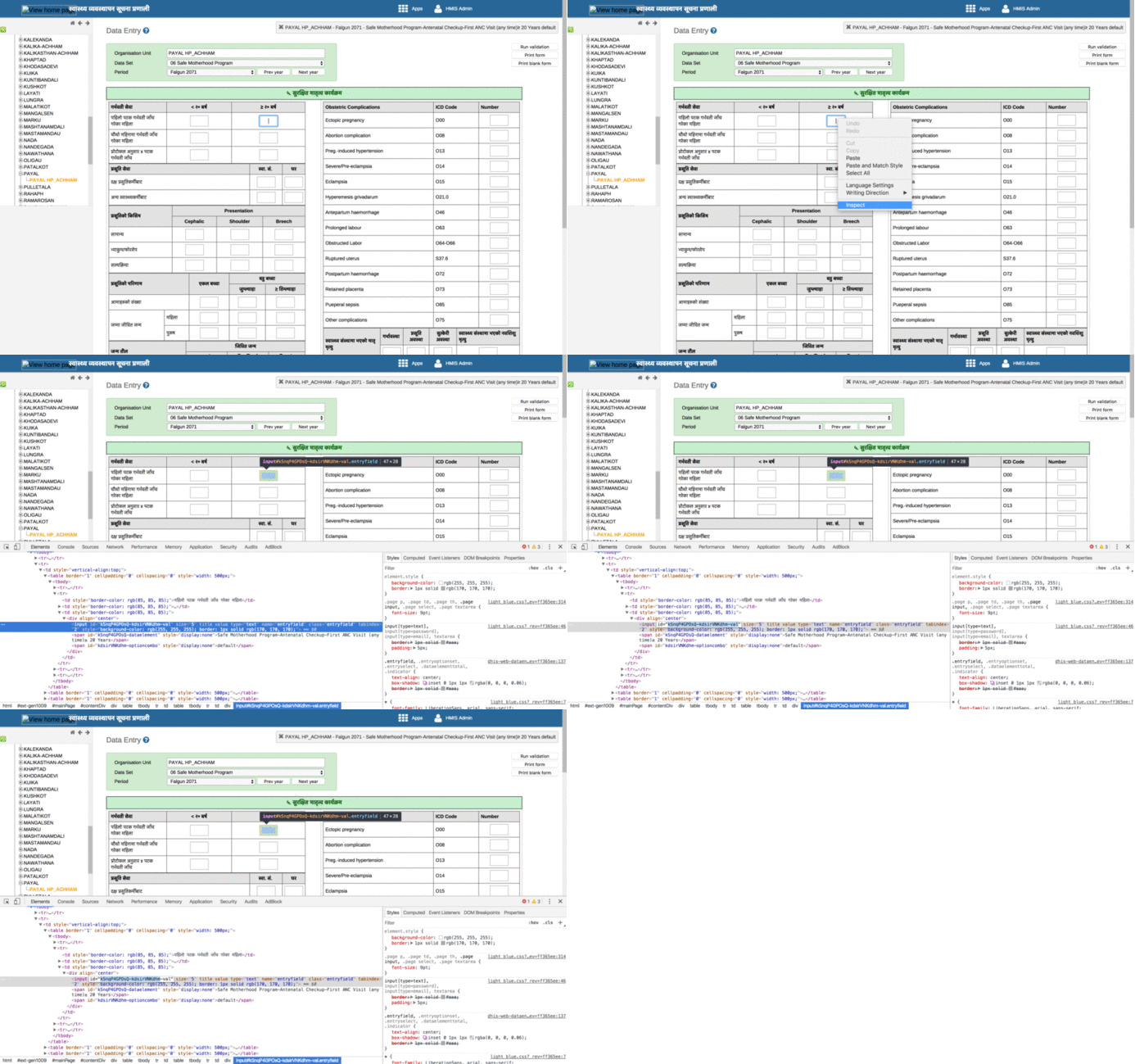
orgUnit Id, dataElement Id, category option combo Id는 다음과 같이 찾습니다.
- 브라우저에서 DHIS2 정부 서버에 접속합니다.
- 데이터 입력 앱에서 조직과 위치를 선택합니다.
- 양식의 입력란을 마우스 오른쪽 버튼으로 클릭하고 Inspect를 선택합니다.
- HTML 요소의 Id를 복사합니다. 예: "kSnqP4GPOsQ-kdsirVNKdhm-val"
- 형식은 "dataElementId - categoryOptionComboId - ...."입니다. 이 두 ID를 DHIS2 구성 파일에 사용합니다.
원문 정보
원문 보기 ↗Bahmni Wiki · CC BY-SA 4.0