Configure Bacteriology Tab
Purpose and Benefits
This tab captures Bacteriology test results for the patient, which differ from laboratory tests. Bacteriology test results include smear test results, culture test results and drug-sensitivity test results.
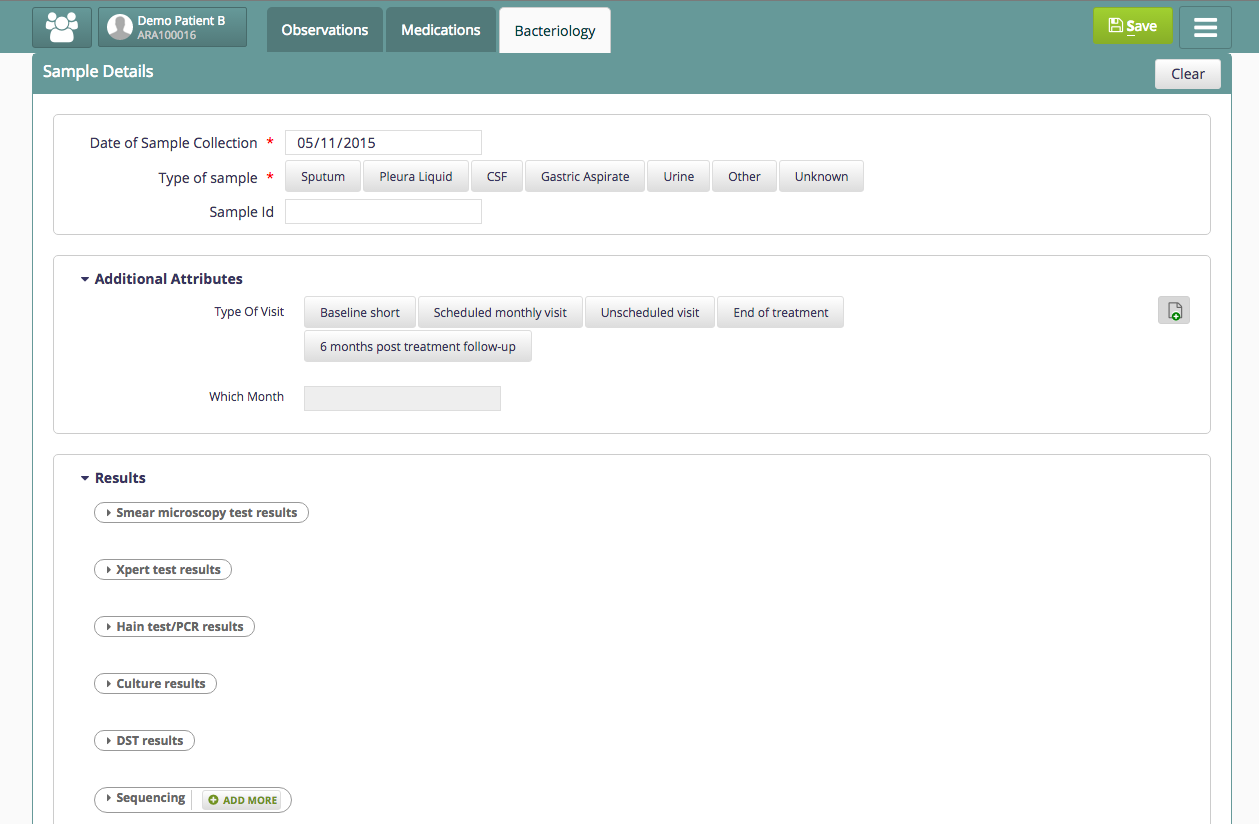
Bacteriology Tab
Steps
Configure the tab (Bacteriology)
Below is the sample code snippet to configure the tab under clinical consultation. Add the configuration under clinical/extension.json.
"bahmniClinicalConsultationBacteriology": {
  "id": "bahmni.clinical.consultation.bacteriology",
  "extensionPointId": "org.bahmni.clinical.consultation.board",
  "type": "link",
  "label": "Bacteriology",
  "translationKey":"BACTERIOLOGY_BOARD_LABEL_KEY",
  "url": "bacteriology",
  "icon": "icon-user-md",
  "order": 7
}Define the Core Fields and Result Capturing Forms
Configure Bacteriology in OpenMRS by performing the following steps:
Add core fields
These are the fields that help the page to be populated. All these fields be set members of concept set "BACTERIOLOGY CONCEPT SET".
Add the Bacteriology Results forms
These forms are for capturing the test results for bacteriology.
Sample CSVs (concepts and concept_sets) are given below.
250250
Add Additional fields
In order to configure additional fields in this Bacteriology page, add those fields as members to Bacteriology Additional Attributes Concept Set
Display Bacteriology Results
One can choose to view the Bacteriology results on a Dashboard Page in two ways :-
- Obs to Obs Flow Sheet
- Bacteriology results Display control
Obs to Obs Flow Sheet
For example, add the configuration below in clinical/dashboard.json
"Bacteriology Concept Set": {
    "displayType": "Full-Page",
    "translationKey": "DASHBOARD_TITLE_BACTERIOLOGY_RESULTS_KEY",
    "name": "obsToObsFlowSheet",
    "dashboardConfig": {
        "numberOfVisits": 1,
        "initialCount": 3,
        "latestCount": 4,
        "templateName": "BACTERIOLOGY CONCEPT SET",
        "groupByConcept": "Specimen Collection Date",
        "conceptNames": [
            "Specimen Id"
        ]
    },
    "expandedViewConfig": {
        "templateName": "BACTERIOLOGY CONCEPT SET",
        "groupByConcept": "Specimen Collection Date"
    }
}
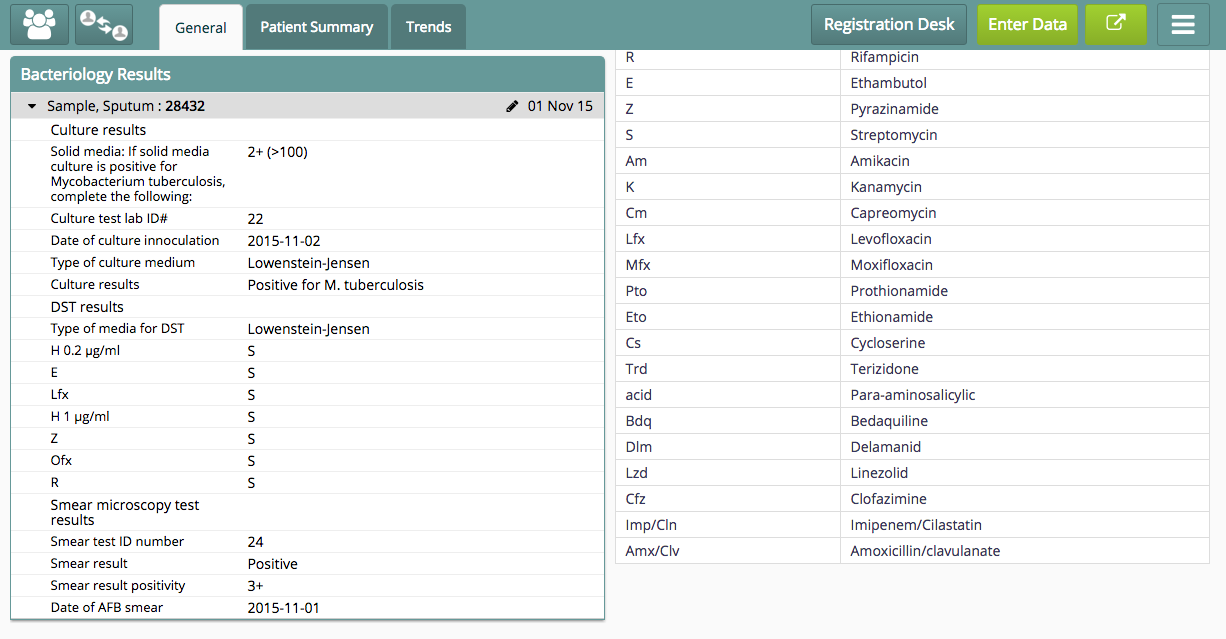
The Bacteriology results will be visible on the Patient Dashboard as shown in the screenshot below:
Bacteriology Results Display Control
For example, add the configuration below in clinical/dashboard.json
"bacteriologyResults": {
    "translationKey": "DASHBOARD_TITLE_BACTERIOLOGY_RESULTS_KEY",
    "type": "bacteriologyResultsControl",
    "scope": "All",
    "orderType": "",
    "dashboardConfig": {
        "conceptNames": [
            "BACTERIOLOGY CONCEPT SET"
        ]
    }
}
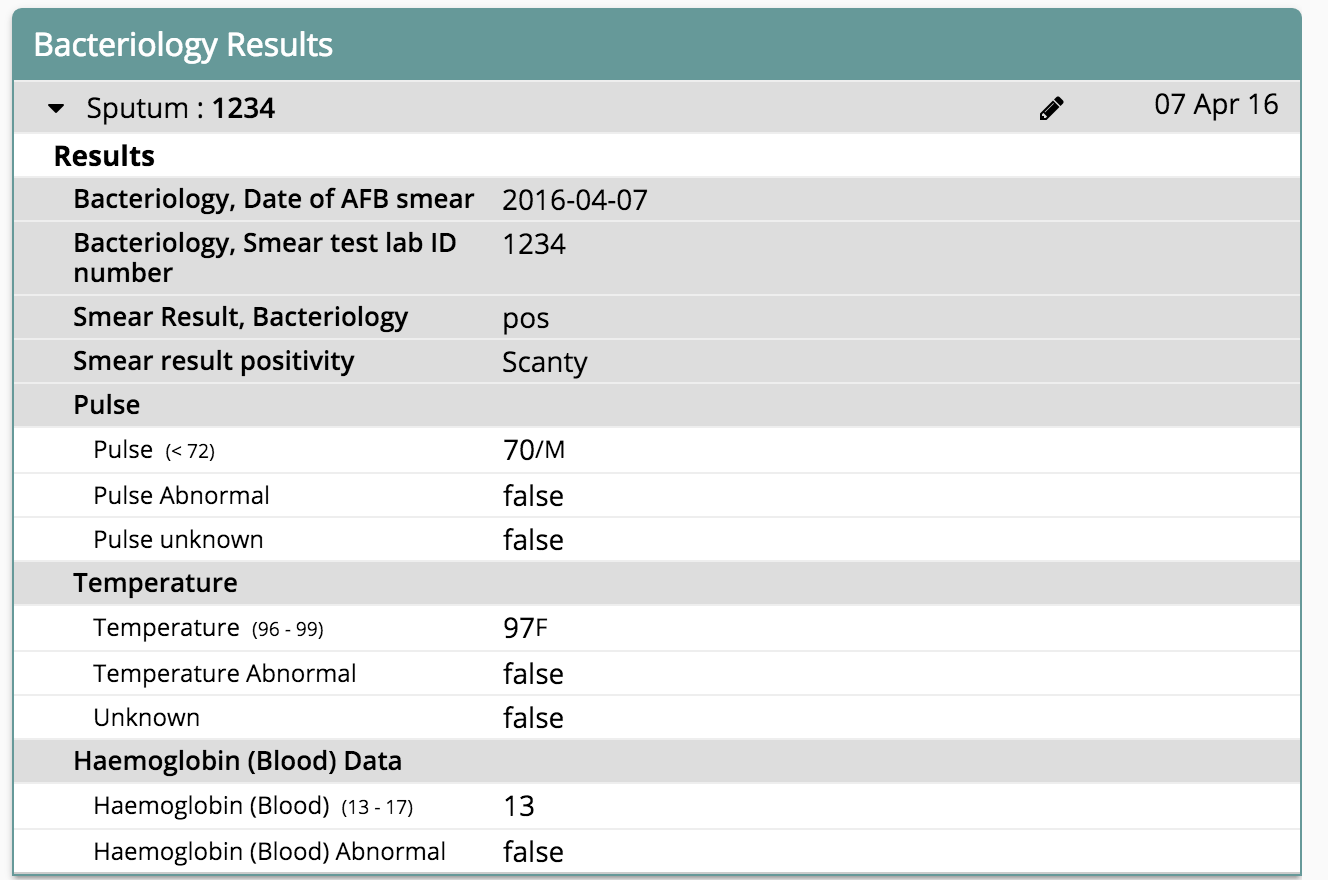
The Bacteriology results will be visible on the Patient Dashboard as shown in the screenshot below:
Bahmni Wiki · CC BY-SA 4.0