Configure Disposition Tab
Purpose and Benefits
Disposition Tab is used by the doctor to enter the status of the patient. It does not explicitly trigger a workflow, but instead can be used to determine if an action needs to be taken with respect to the disposition.
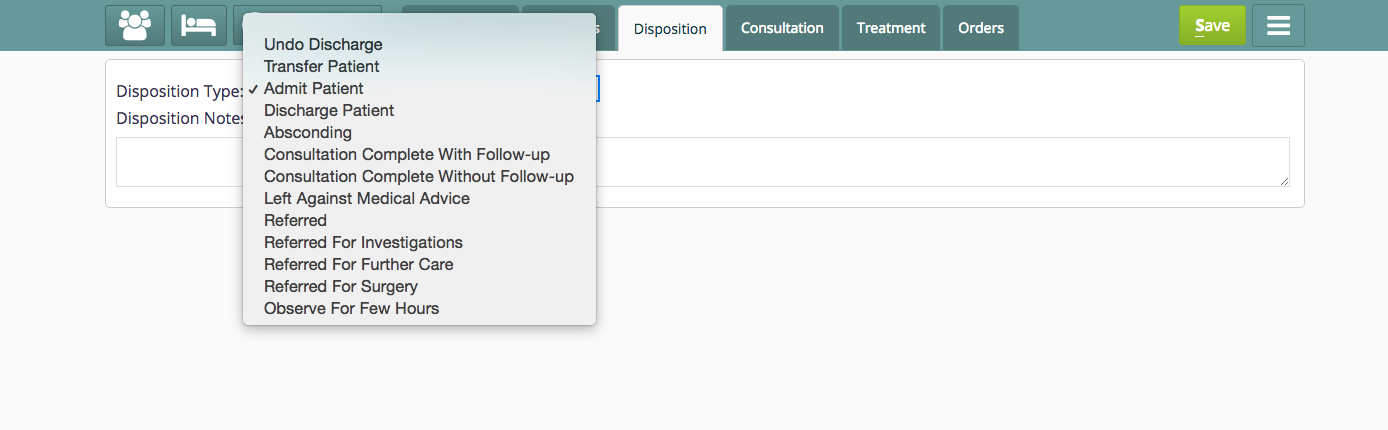
The Disposition tab in the patient dashboard
Steps
To configure Disposition Tab, place the below code in clincal/extension.json:
"disposition": {
    "id": "bahmni.clinical.consultation.disposition",
    "extensionPointId": "org.bahmni.clinical.consultation.board",
    "type": "link",
    "label": "Disposition",
    "translationKey":"DISPOSITION_BOARD_LABEL_KEY",
    "url": "disposition",
    "icon": "fa-user-md",
    "order": 3,
    "requiredPrivilege": "app:clinical:dispositionTab"
  },
Configure Disposition Concepts:
To configure disposition concepts in openmrs refer to the
원문 정보
원문 보기 ↗Bahmni Wiki · CC BY-SA 4.0