Configure Observations Tab
Purpose and Benefits
The Observations Tab captures one or multiple clinical observations for a patient.
The below screenshot displays an instance of an Observation Tab:
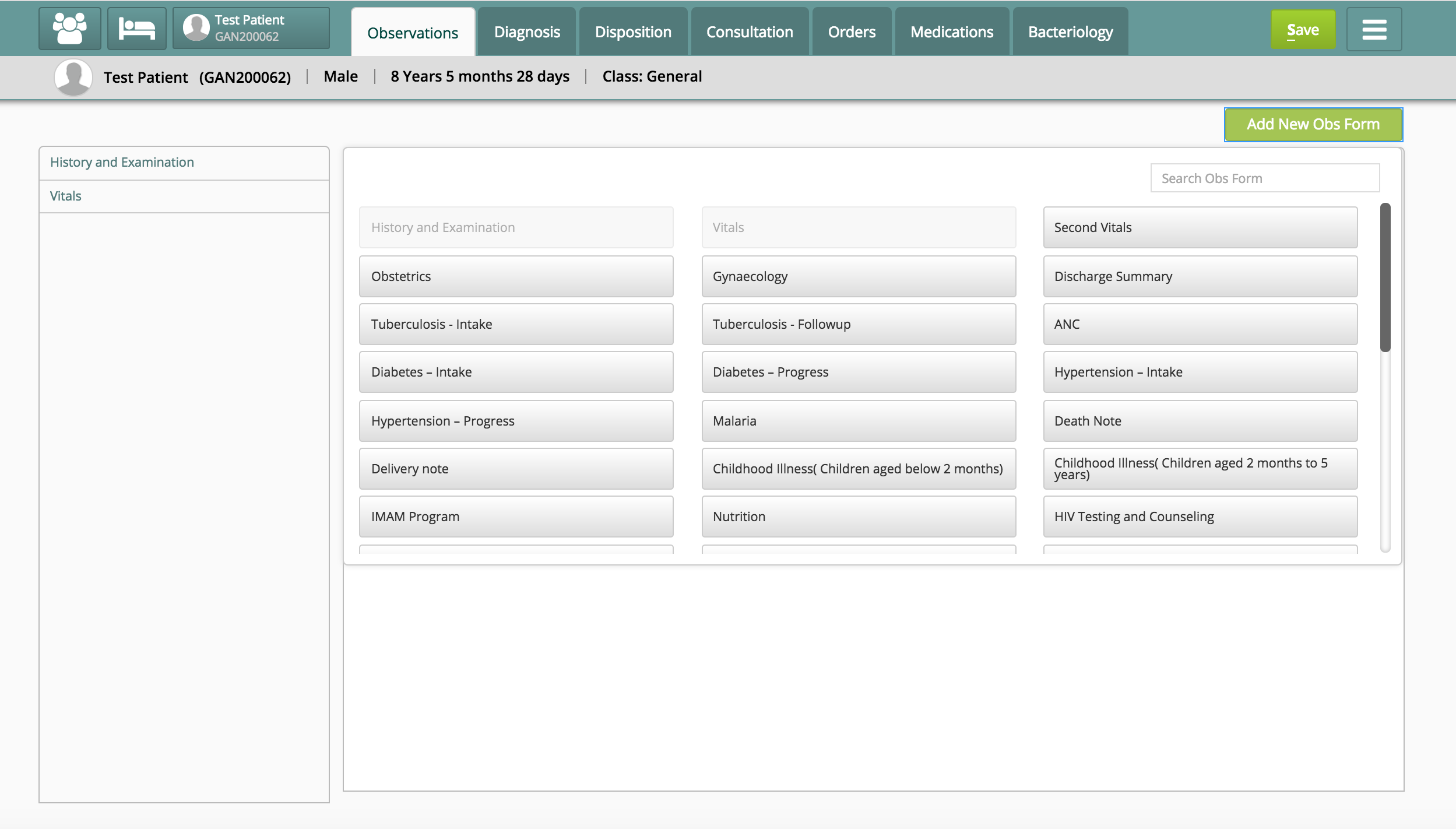
Configure Observations Tab
To configure the Observations Tab (editing or discarding it), refer to the code snippet below:
{
  "observations": {
    "id": "bahmni.clinical.consultation.observations",
    "extensionPointId": "org.bahmni.clinical.consultation.board",
    "type": "link",
    "label": "Observations",
    "url": "concept-set-group/observations",
    "default": true,
    "icon": "fa-user-md",
    "order": 1,
    "requiredPrivilege": "app:clinical:observationTab"
},Key Fields
| Key | Use | Mandatory |
|---|---|---|
| id | Unique identifier for the configuration | - |
| extensionPointId | Search Filter | - |
| type | Search filter | - |
| label | Displayed name of the tab | - |
| url | URL of the tab | - |
| default | If true, makes the tab displayed by default & vice versa | - |
| icon | Fetches the icon to be displayed (if present in code) | - |
| order | The order in which the tab will be displayed | - |
| requiredPrivilege | Bahmni privilege required for accessing the tab | - |
Data Setup
No Observation forms are provided Out of the Box in Bahmni.
There are two ways to create Observation Forms.
- Forms 2.0 - The new ReactJS based Forms
- Forms 1.0 - Using older "ConceptSet UI" based definitions. Please refer to for details on adding and/or configuring OpenMRS Observation forms.
Display Formats for Observation Forms
Observation Forms/ Templates under Observation Tab can be configured to be displayed in different formats listed below.
Traditional full page view
In this traditional full page view, all the added Observation forms/templates will be displayed as a sequence in a single page.
"conceptSetUI": {
  "All Observation Templates": {
     "showPanelView": false
  }
Panel view
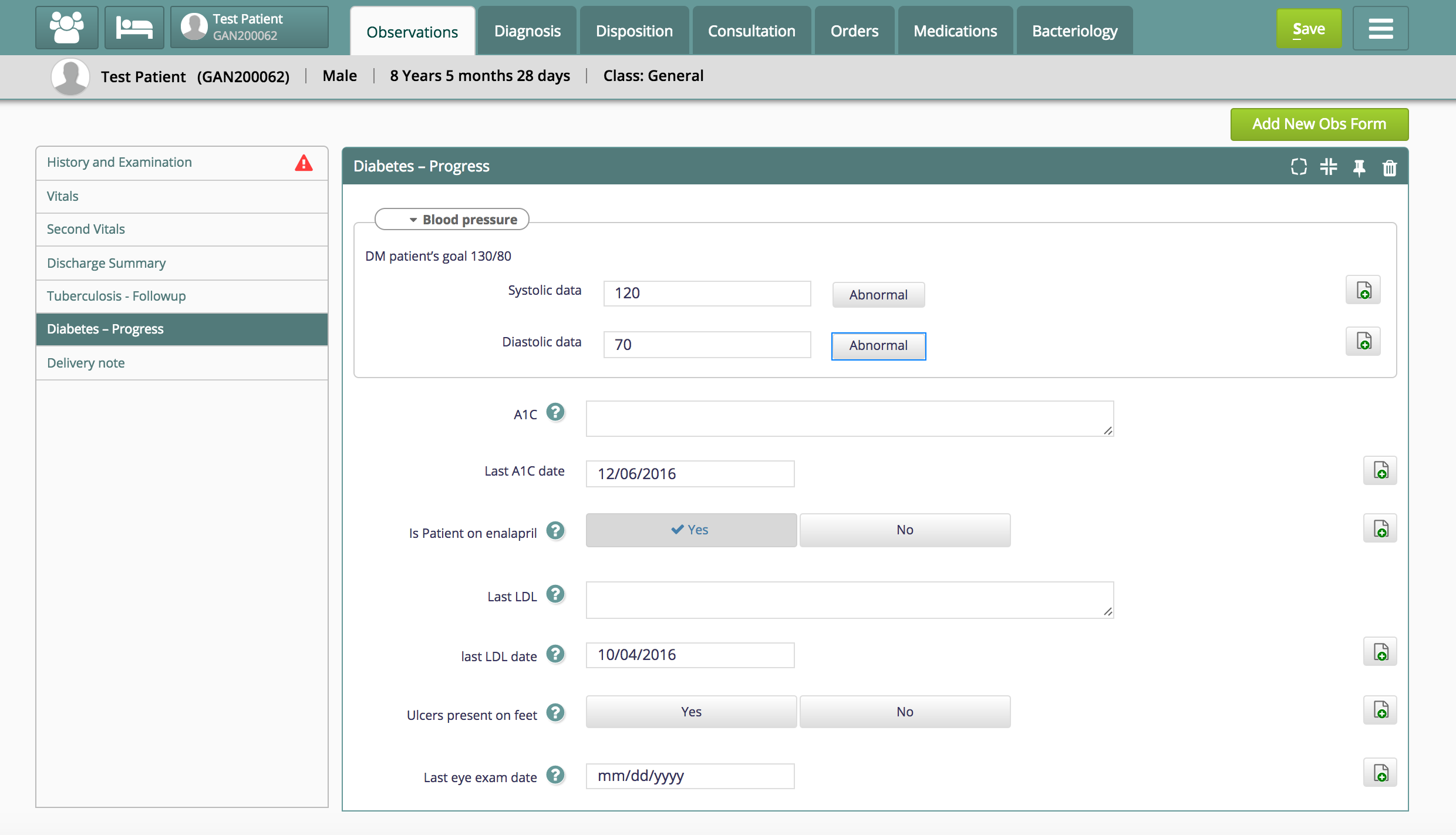
In this view, there will be left panel with all the added Observation forms. By clicking on particular form displayed on the left panel, the full form will load on right panel of the page. Hence one can choose to show only selected form at any particular instance.
"conceptSetUI": {
    "All Observation Templates": {
       "showPanelView": true
    }
Configure Default Observation forms on the left panel
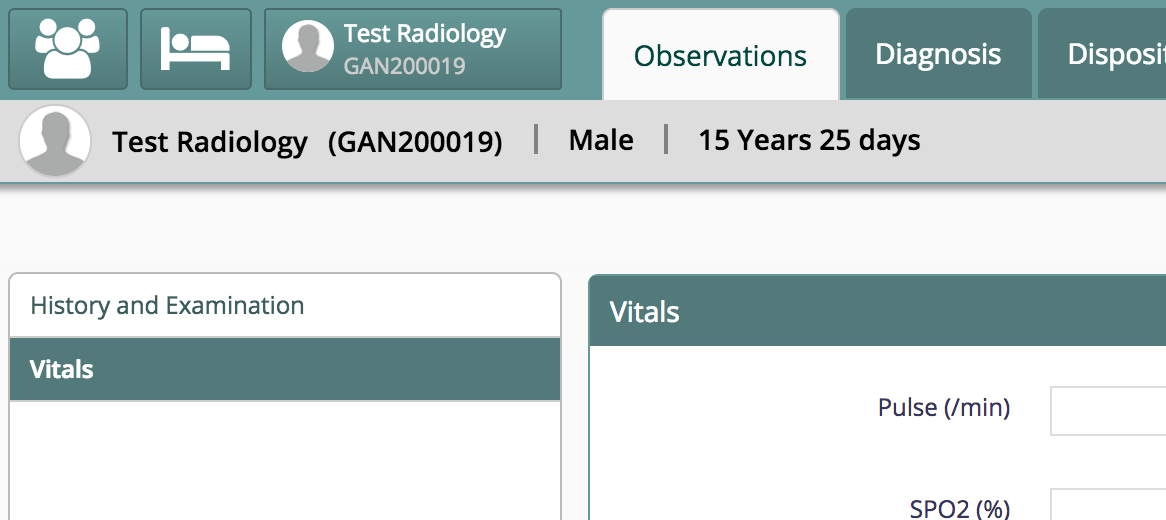
One can configure a list of forms to appear on the left panel of the observations tab. For that we need to add below configuration in the clinical/extension.json file with relevant observation form concept name. For multiple forms we need to add multiple configurations.
"bahmniClinicalConceptSetGroupObservationsVitals": {
   "id": "bahmni.clinical.conceptSetGroup.observations.vitals",
   "extensionPointId": "org.bahmni.clinical.conceptSetGroup.observations",
   "type": "config",
   "extensionParams": {
      "default": true,
      "conceptName": "Vitals" /* Observation Form Concept Name */
   },
   "order": 1,
   "requiredPrivilege": "app:clinical"
}Bahmni Wiki · CC BY-SA 4.0