기타 주문 유형 구성
목적과 이점
주문 탭에서는 환자에게 주문할 모든 제품 또는 서비스를 정의할 수 있습니다.
예를 들어 진료 화면의 ‘orders’ 탭에 ‘Counseling’을 주문 유형으로 표시하려면 아래와 같이 구성할 수 있습니다.
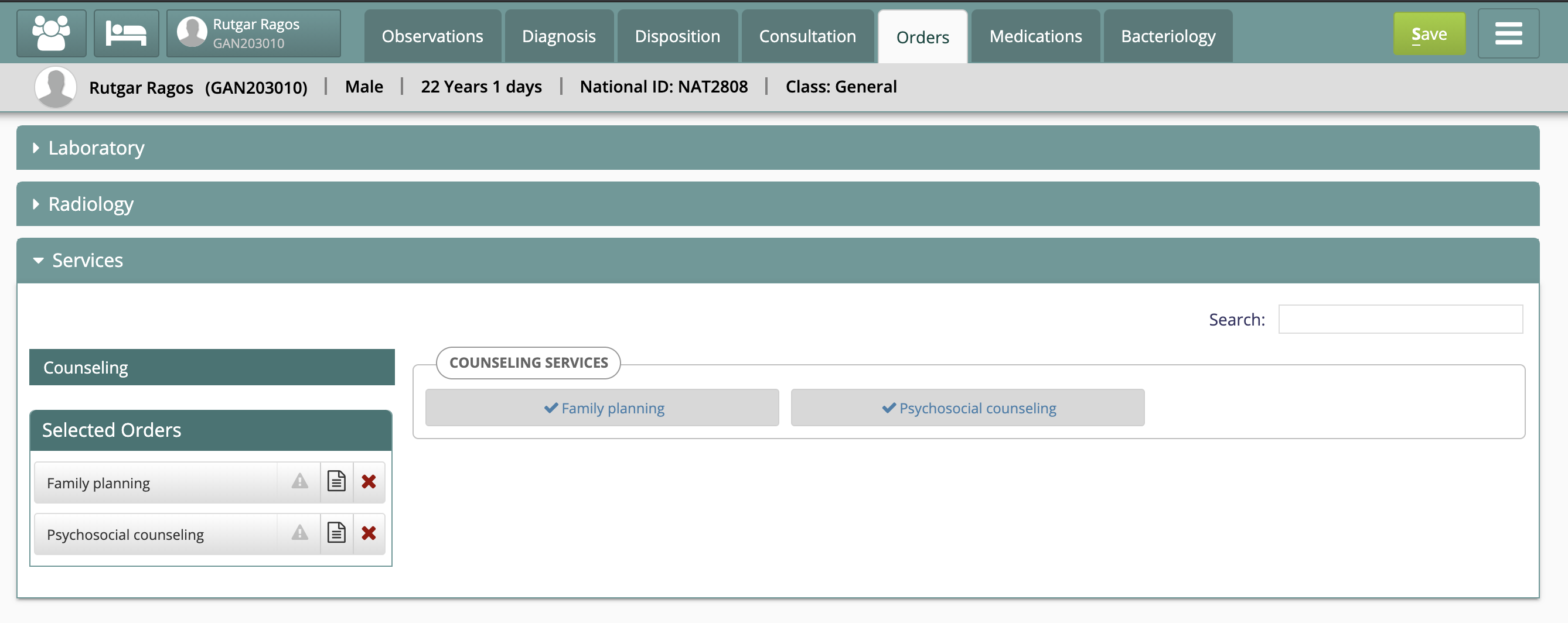
주문 생성 탭
마스터 데이터 설정
- 주문 유형을 설정합니다. 예: ‘Counseling service’ sqltrue 위 ‘order type’을 ‘Counseling service’ 전용 개념 클래스에 매핑합니다. 적합한 클래스가 없으면 OpenMRS 관리에서 ‘concept class’를 생성할 수 있습니다. sqltrue, ); ]]> OpenMRS 개념 사전에서 ‘Counseling’ 서비스를 ‘All orderables’ 아래에 묶을 개념 집합을 설정합니다. jstrue ‘Family Planning’ 개념을 정의할 때 ‘saleable’ 속성을 ‘true’로 표시하고, 위 주문 유형에 매핑한 클래스를 선택했는지 확인하십시오. 일괄 업데이트 스크립트: CSV 파일에서 개념 UUID를 읽어 saleable 속성을 true로 일괄 변경하는 스크립트가 개발되었습니다. 자세한 내용은 bahmni-scripts/metadatScripts/openmrs/set_saleable_attribute.sh 스크립트를 참고하십시오. Odoo에서 ‘Order type’과 ‘Shop mapping’을 설정합니다.
insert into order_type (name, description, creator, date_created, retired, uuid, java_class_name) values('Counseling service', 'Counseling service to patients', 1, now(), 0, uuid(), 'org.openmrs.Order');
//Use this query to find appropriate concept class
select * from concept_class;

//Now fire the insert statement to create a mapping to appropriate concept class.
insert into order_type_class_map (order_type_id, concept_class_id) values(<order type id>, <concept class id>);
All Orderables
- Other Services
--Counseling
---Family Planning
---Mental Health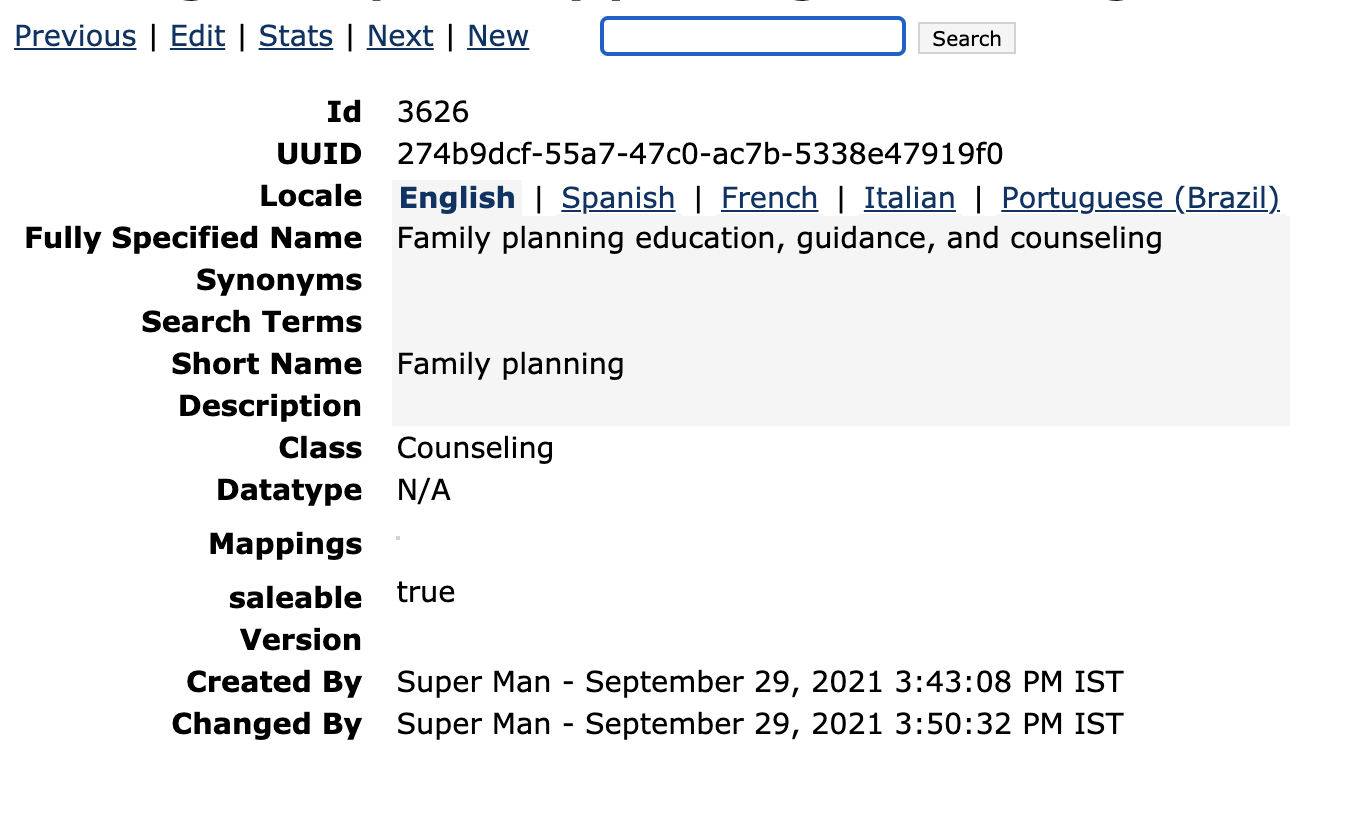
의 지침을 따르십시오.
원문 정보
원문 보기 ↗Bahmni Wiki · CC BY-SA 4.0