dashboard.json
Description
The dashboard.json contains configurations that allows different display controls to be displayed on the patient dashboard.
{
  "general": {
    "translationKey": "DASHBOARD_TAB_GENERAL_KEY",
    "displayByDefault": true,
    "maxRecentlyViewedPatients": 10,
    "sections": {},
	"printing" :{}
  },
  "trends": {
    "label": "Trends",
    "maxRecentlyViewedPatients": 10,
    "sections": {},
	"printing" :{}
  },
  "patientSummary": {
    "translationKey": "DASHBOARD_TAB_PATIENT_SUMMARY_KEY",
    "maxRecentlyViewedPatients": 10,
    "sections": {},
	"printing" :{}
  }
}
Key Fields
| Key | Info | Value Type |
|---|---|---|
| translationKey | Internationalizes the dashboard title. You can provide the key or the title itself. | Text |
| label | If internationalization is not required, then the title of the dashboard can be directly given in label. Either translationKey or a label is mandatory. | Text |
| displayByDefault | True/false. Opens the dashboard tab by default if given as true.At least one dashboard should mandatorily have this as true. | True/false |
| maxRecentlyViewedPatients | Configure the number of patients in "recently viewed patients" under the patient switch button | Number |
| sections | Any display control can be configured in this section. To configure display controls see | {} |
| printing | Key | Info |
| title | name of organisation | |
| header | name of document | |
| logo | path of hospital logo file | |
| showNameAndImage | If set to false, will hide patient name and image on the print page. By default, patient name and image are displayed on the print page | |
| Below keys are considered only when is enabled | ||
| label | name to be displayed on the QuickPrint dropdown.Default value when no configuration for labelIf label is not configured, then header is considered | |
| shortcutKey | character to be used as keyboard short cut |
{}
Adding Printing Capability to Patient Dashboard
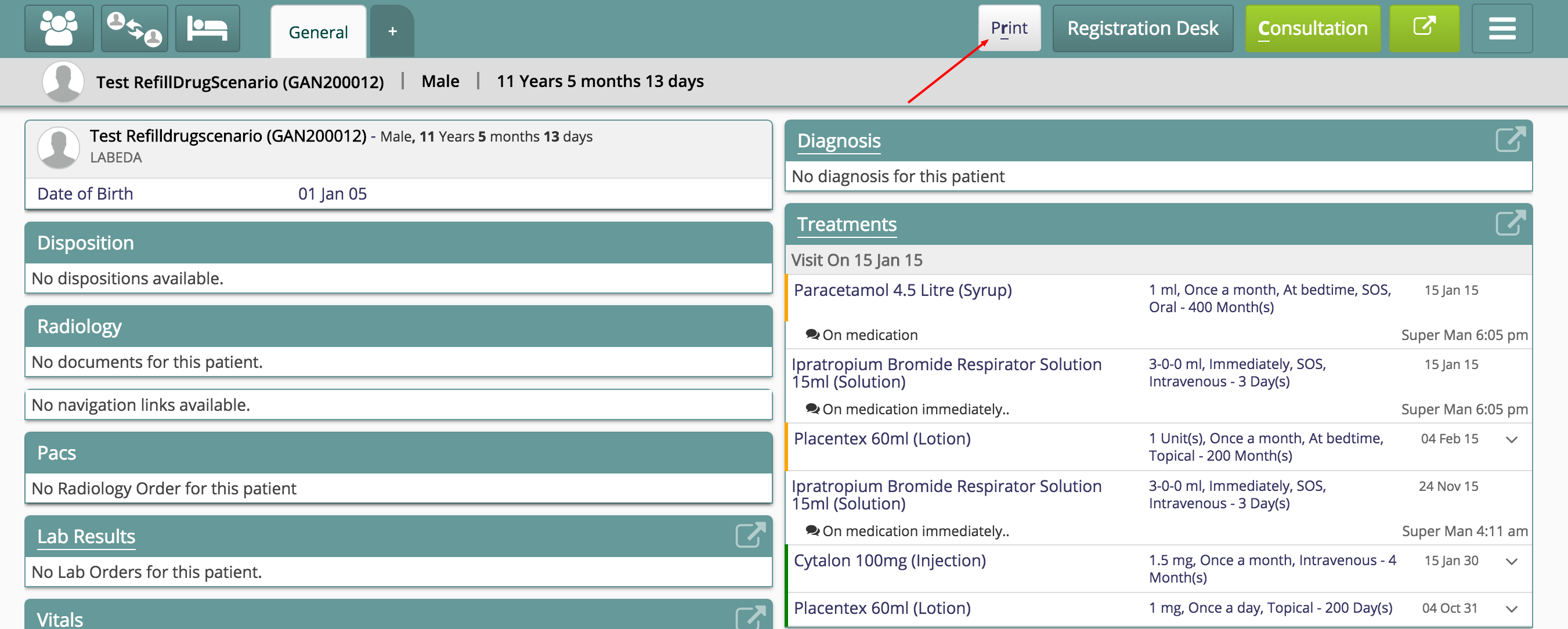
One can add a Print button on any of the dashboard tabs. For instance, see below, Print button has been added to two of the tabs (by adding the printing element to the json).
{
  "general": {
    "translationKey": "DASHBOARD_TAB_GENERAL_KEY",
    "displayByDefault": true,
    "maxRecentlyViewedPatients": 10,
    "printing": {
           "title": "ABC Hospital",
           "header": "General Report",
           "logo": "../images/bahmniLogo.png",
		   "showNameAndImage": true
       },
    "sections": {}
  },
  "trends": {
    "label": "Trends",
    "maxRecentlyViewedPatients": 10,
    "sections": {}
  },
  "patientSummary": {
    "translationKey": "DASHBOARD_TAB_PATIENT_SUMMARY_KEY",
    "maxRecentlyViewedPatients": 10,
    "printing": {
           "title": "ABC Hospital",
           "header": "Summary Report",
           "logo": "../images/bahmniLogo.png",
		   "showNameAndImage": false
       },
    "sections": {}
  }
}
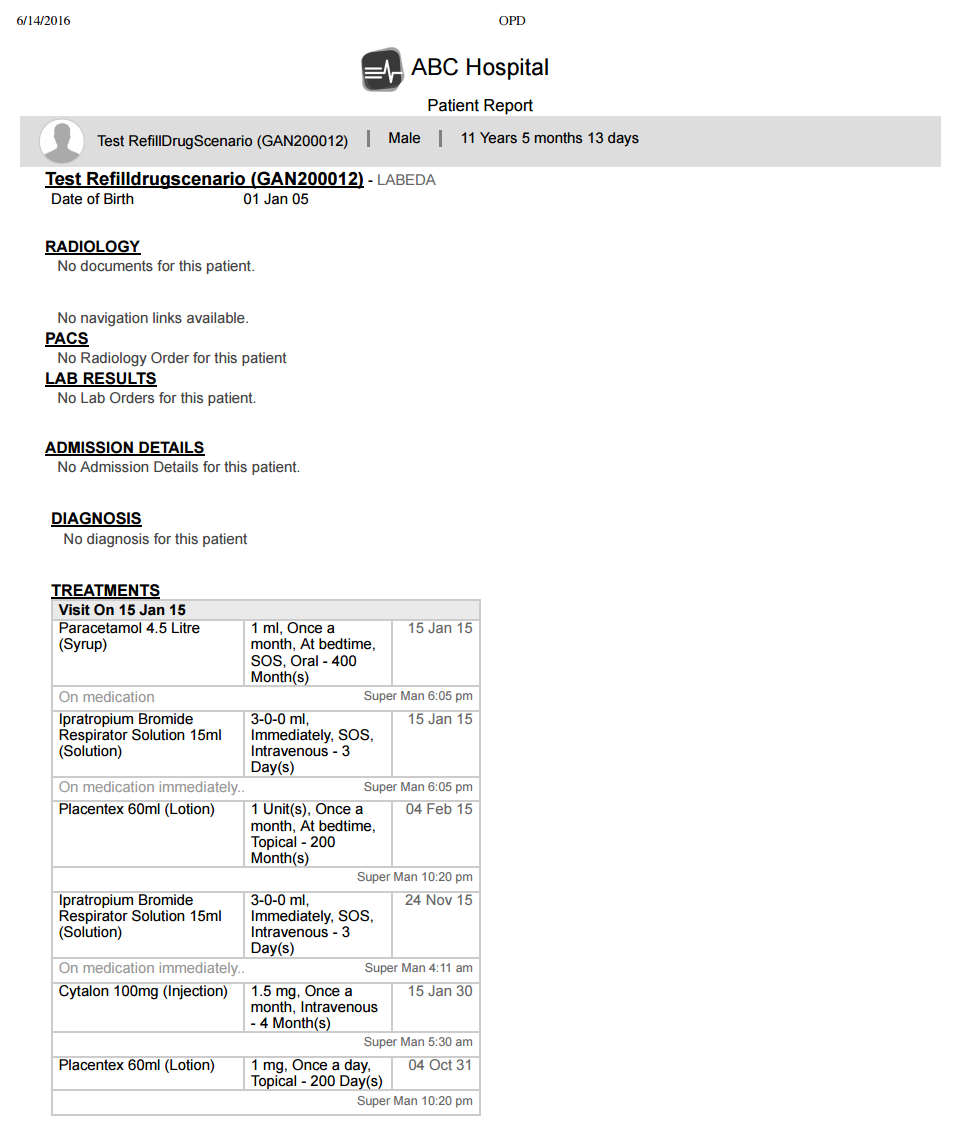
Hiding patient name and image
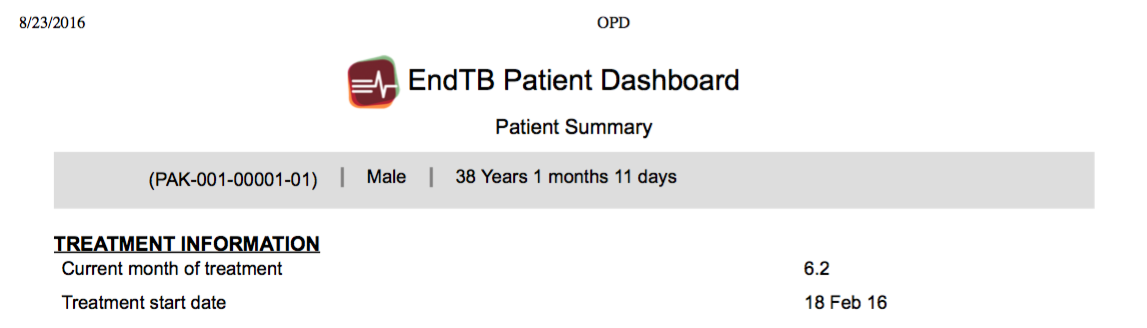
If "showNameAndImage" is set to false, the patient name and image are hidden on the print page as below.
Quick Print
Quick Prints will give the ability to print any dashboard / tab (either patient dashboard / tab or visit dashboard / tab) from patient dashboard. This functionality is extension to the normal print behaviour where one can print the page one is currently on.To enable quick prints, the configuration should be added in clinical, app.json. The default behaviour is to print the tab or page one is landed i.e.., page one has clicked print from. If quick prints is enabled, then one can choose to print any patient dashboard (if configured multiple) and any visit dashboard (if configured one or many).
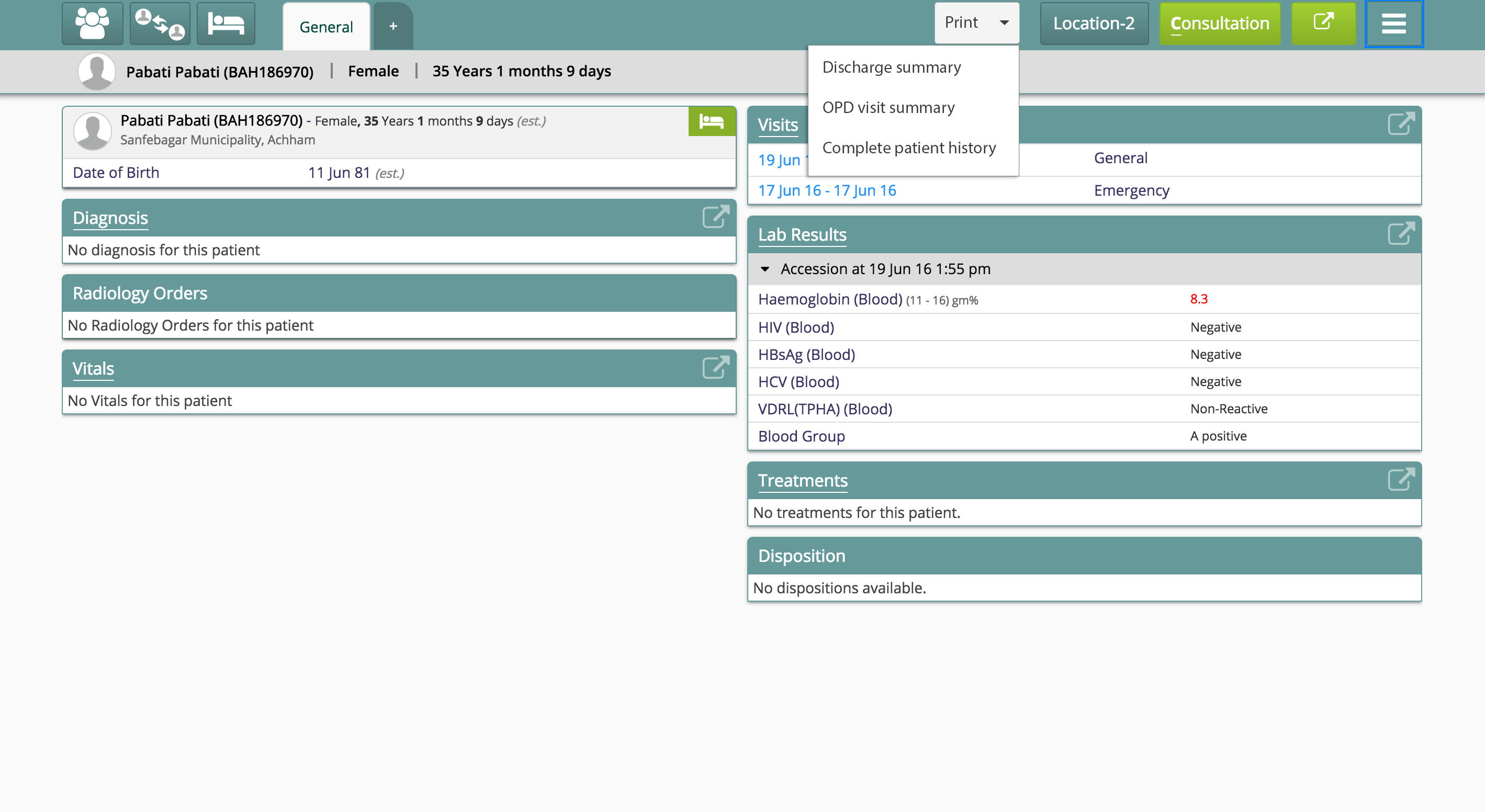
To enable quick print functionality, follow these steps
- Go to bahmni-config (an implementation-specific configuration folder). The settings are available at bahmni-config/openmrs/apps/clinical/app.json.
- Add the following piece of configuration in the 'config' section of the file.
Configuration to enable quick print
"quickPrints": trueAdding Patient Attributes to Patient Dashboard
One can add below configuration on any of the dashboard tabs under sections category. And this shows patient's age only in years on patient dashboard.
"general":{
        "translationKey":"DASHBOARD_TAB_GENERAL_KEY",
        "displayByDefault":true,
        "maxRecentlyViewedPatients":10,
        "sections":{
            "patientInformation":{
                "translationKey":"DASHBOARD_TITLE_PATIENT_INFORMATION_KEY",
                "type":"patientInformation",
                "displayOrder":0,
                "ageLimit":23
             }
        }
      }
Bahmni Wiki · CC BY-SA 4.0