dashboard.json
설명
dashboard.json에는 환자 대시보드에 여러 표시 제어를 나타내기 위한 구성이 들어 있습니다.
Sample dashboard config
{
  "general": {
    "translationKey": "DASHBOARD_TAB_GENERAL_KEY",
    "displayByDefault": true,
    "maxRecentlyViewedPatients": 10,
    "sections": {},
	"printing" :{}
  },
  "trends": {
    "label": "Trends",
    "maxRecentlyViewedPatients": 10,
    "sections": {},
	"printing" :{}
  },
  "patientSummary": {
    "translationKey": "DASHBOARD_TAB_PATIENT_SUMMARY_KEY",
    "maxRecentlyViewedPatients": 10,
    "sections": {},
	"printing" :{}
  }
}
주요 필드
| Key | Info | Value Type |
|---|---|---|
| translationKey | Internationalizes the dashboard title. You can provide the key or the title itself. | Text |
| label | If internationalization is not required, then the title of the dashboard can be directly given in label. Either translationKey or a label is mandatory. | Text |
| displayByDefault | True/false. Opens the dashboard tab by default if given as true.At least one dashboard should mandatorily have this as true. | True/false |
| maxRecentlyViewedPatients | Configure the number of patients in "recently viewed patients" under the patient switch button | Number |
| sections | Any display control can be configured in this section. To configure display controls see | {} |
| printing | Key | Info |
| title | name of organisation | |
| header | name of document | |
| logo | path of hospital logo file | |
| showNameAndImage | If set to false, will hide patient name and image on the print page. By default, patient name and image are displayed on the print page | |
| Below keys are considered only when is enabled | ||
| label | name to be displayed on the QuickPrint dropdown.Default value when no configuration for labelIf label is not configured, then header is considered | |
| shortcutKey | character to be used as keyboard short cut |
{}
환자 대시보드에 인쇄 기능 추가
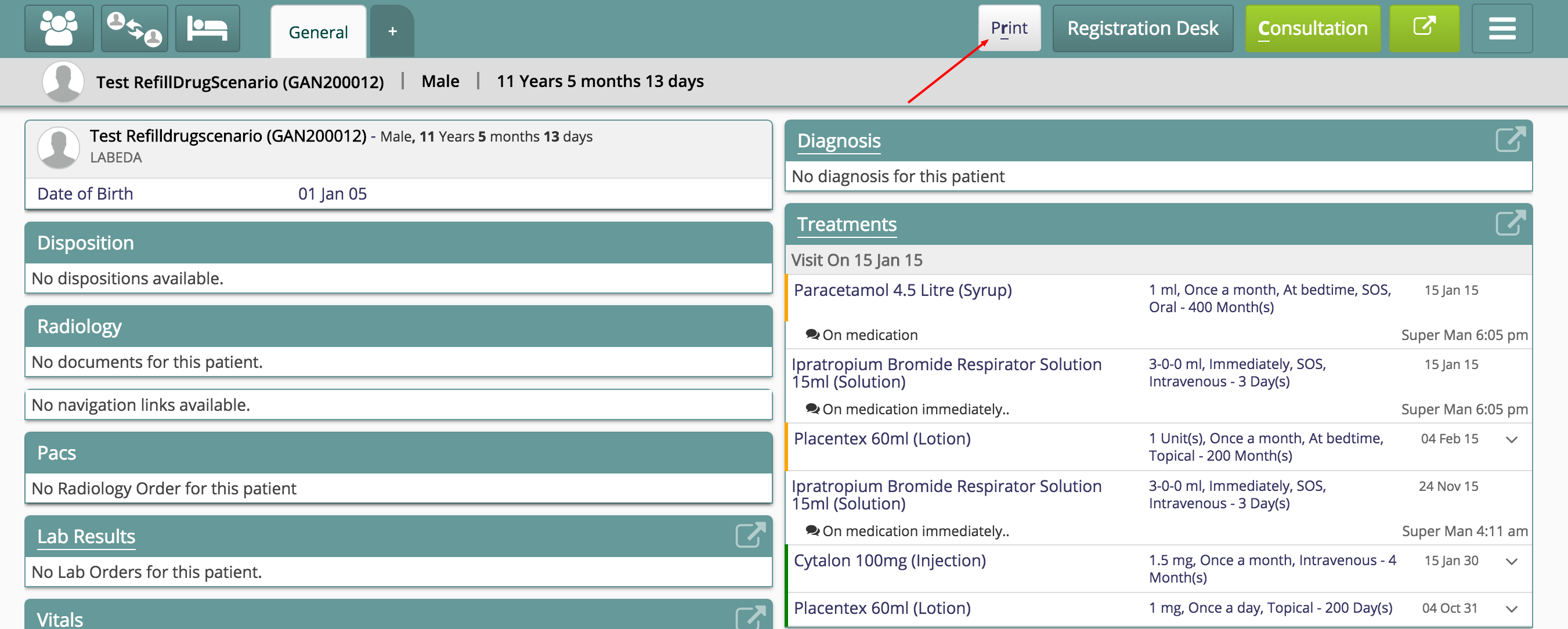
어떤 대시보드 탭에도 Print 버튼을 추가할 수 있습니다. 예를 들어 JSON에 printing 요소를 추가하여 두 탭에 Print 버튼을 표시할 수 있습니다.
Sample dashboard config
{
  "general": {
    "translationKey": "DASHBOARD_TAB_GENERAL_KEY",
    "displayByDefault": true,
    "maxRecentlyViewedPatients": 10,
    "printing": {
           "title": "ABC Hospital",
           "header": "General Report",
           "logo": "../images/bahmniLogo.png",
		   "showNameAndImage": true
       },
    "sections": {}
  },
  "trends": {
    "label": "Trends",
    "maxRecentlyViewedPatients": 10,
    "sections": {}
  },
  "patientSummary": {
    "translationKey": "DASHBOARD_TAB_PATIENT_SUMMARY_KEY",
    "maxRecentlyViewedPatients": 10,
    "printing": {
           "title": "ABC Hospital",
           "header": "Summary Report",
           "logo": "../images/bahmniLogo.png",
		   "showNameAndImage": false
       },
    "sections": {}
  }
}
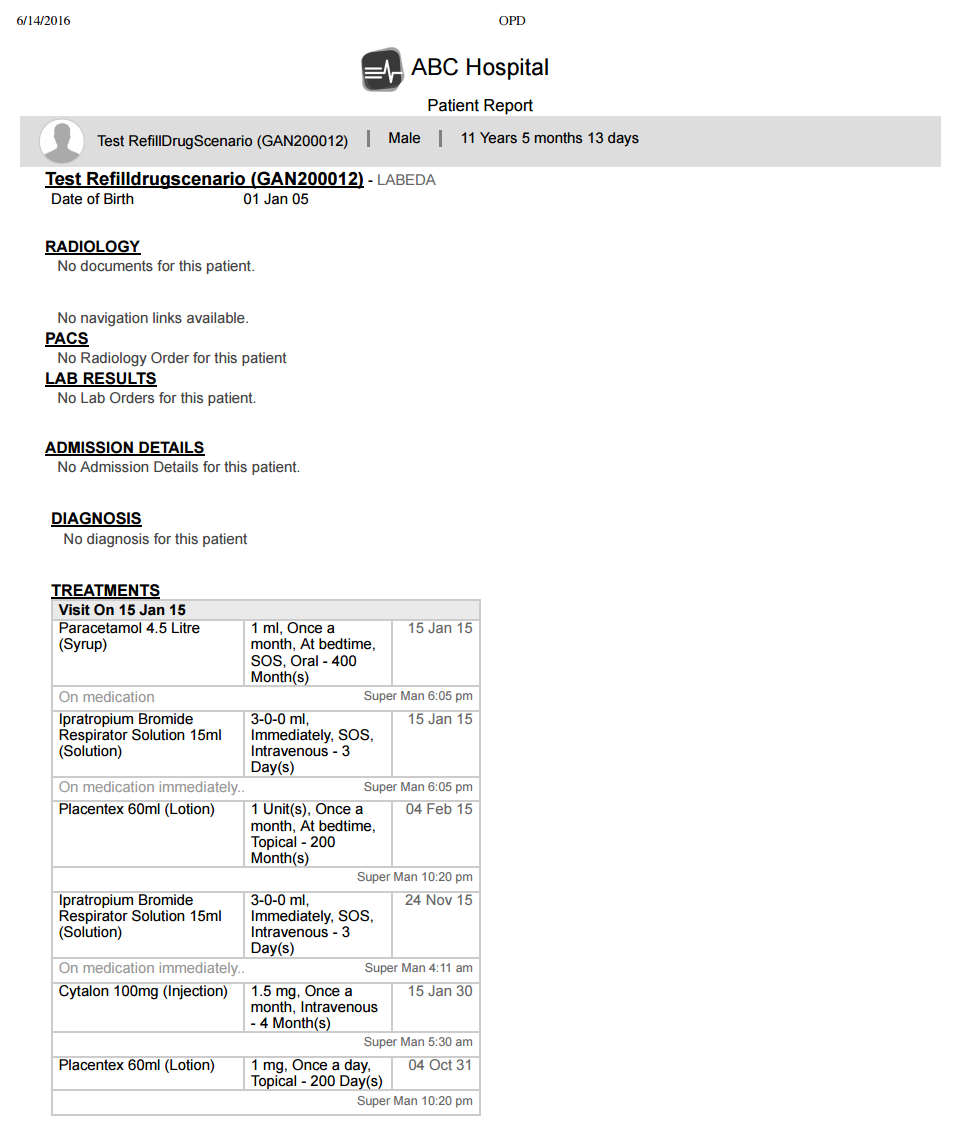
환자 이름과 이미지 숨기기
showNameAndImage를 false로 설정하면 아래와 같이 인쇄 페이지에서 환자 이름과 이미지를 숨깁니다.
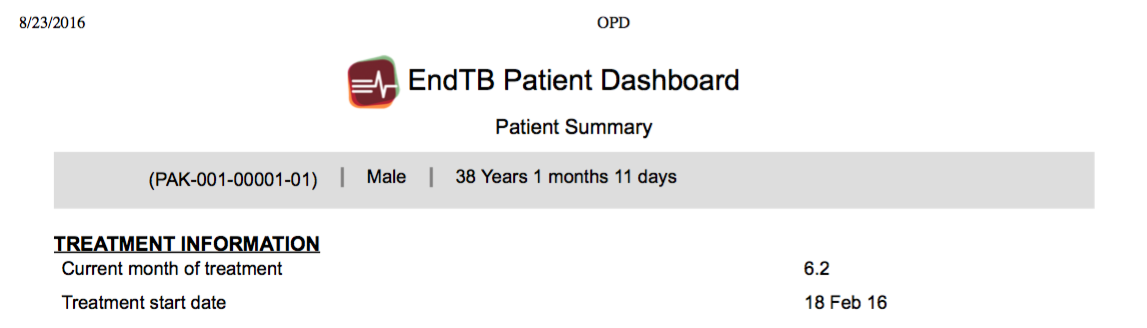
Quick Print
Quick Print를 사용하면 환자 대시보드에서 모든 대시보드/탭, 즉 환자 또는 방문 대시보드와 탭을 인쇄할 수 있습니다. 현재 보고 있는 페이지만 인쇄하는 일반 동작을 확장한 기능입니다. 활성화하려면 clinical app.json에 구성을 추가합니다. 기본 동작은 Print를 클릭한 현재 탭이나 페이지를 인쇄하는 것입니다. Quick Print를 활성화하면 구성된 여러 환자 대시보드와 하나 이상의 방문 대시보드 중 인쇄 대상을 선택할 수 있습니다.
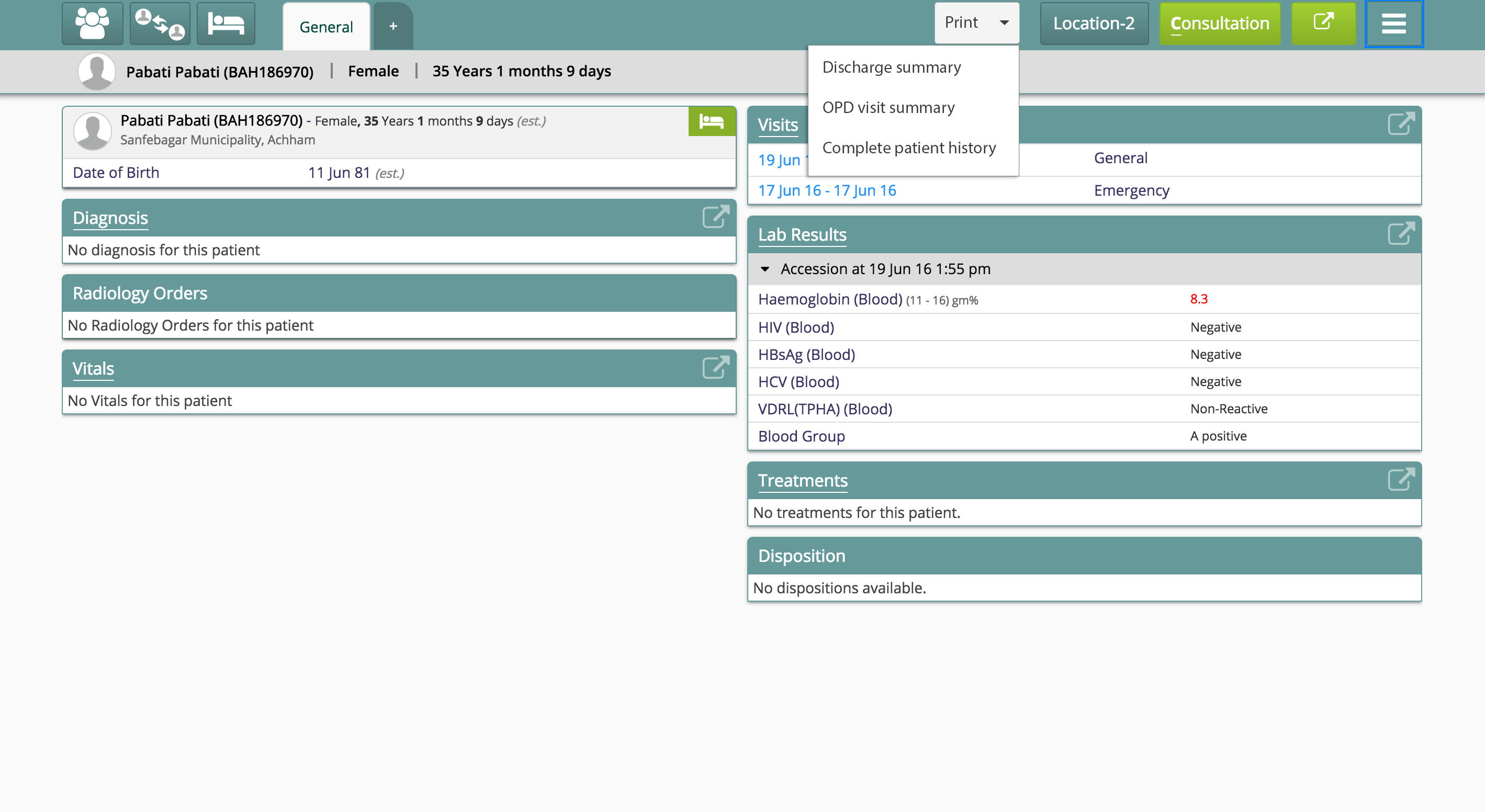
Quick Print를 활성화하려면 다음 단계를 따릅니다.
- 구현별 구성 폴더인 bahmni-config로 이동합니다. 설정 파일은 bahmni-config/openmrs/apps/clinical/app.json입니다.
- 파일의 config 섹션에 아래 구성을 추가합니다.
Quick Print 활성화 구성
Enable Quick Print
"quickPrints": true환자 대시보드에 환자 속성 추가
어떤 대시보드 탭이든 sections 범주 아래에 구성을 추가할 수 있습니다. 아래 구성은 환자 대시보드에서 환자 나이를 연 단위로만 표시합니다.
"general":{
        "translationKey":"DASHBOARD_TAB_GENERAL_KEY",
        "displayByDefault":true,
        "maxRecentlyViewedPatients":10,
        "sections":{
            "patientInformation":{
                "translationKey":"DASHBOARD_TITLE_PATIENT_INFORMATION_KEY",
                "type":"patientInformation",
                "displayOrder":0,
                "ageLimit":23
             }
        }
      }
원문 정보
원문 보기 ↗Bahmni Wiki · CC BY-SA 4.0