Generate Lab Reports
About the Feature
OpenELIS provides a functionality to generate three types of reports:
- Status Reports
- Audit Reports
- Aggregate Reports
Used By
Reports are used by the hospital/laboratory administrator for extracting data in predefined formats and is used for generating metrics and analysis.
How is it Used?
1. Access OpenELIS Reports
The user has to log-in to OpenELIS and mouse-over the Reports button. This opens a drop-down where the user can select the type of report they want to generate.

OpenELIS Reports
2. Generate Various Lab Reports
Select the Lab Report that is to be generated. The options available are as follows:
a. Aggregate Reports
This report is generated for a date range and gives the information of all the tests performed in the given date range. It shows the number of times a test was ordered and the status of the orders.
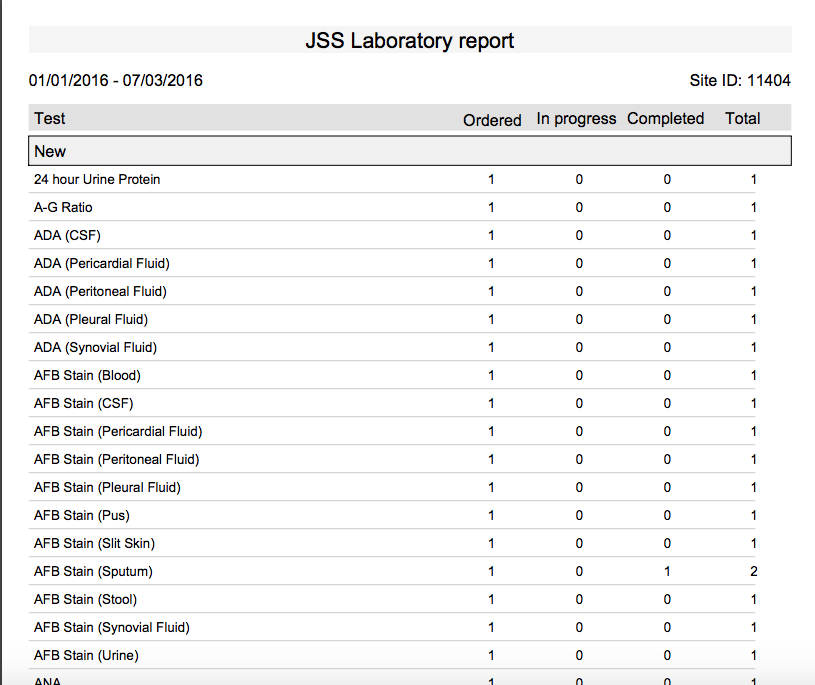
Aggregate Reports
b. Audit Reports
This report is generated by the accession number and gives the audit information of the tests performed. It shows if the values of test results were changed and displays the old value and new value. It lists the reason for changing the result and also records the date and time of capturing the old and new values of the test result.
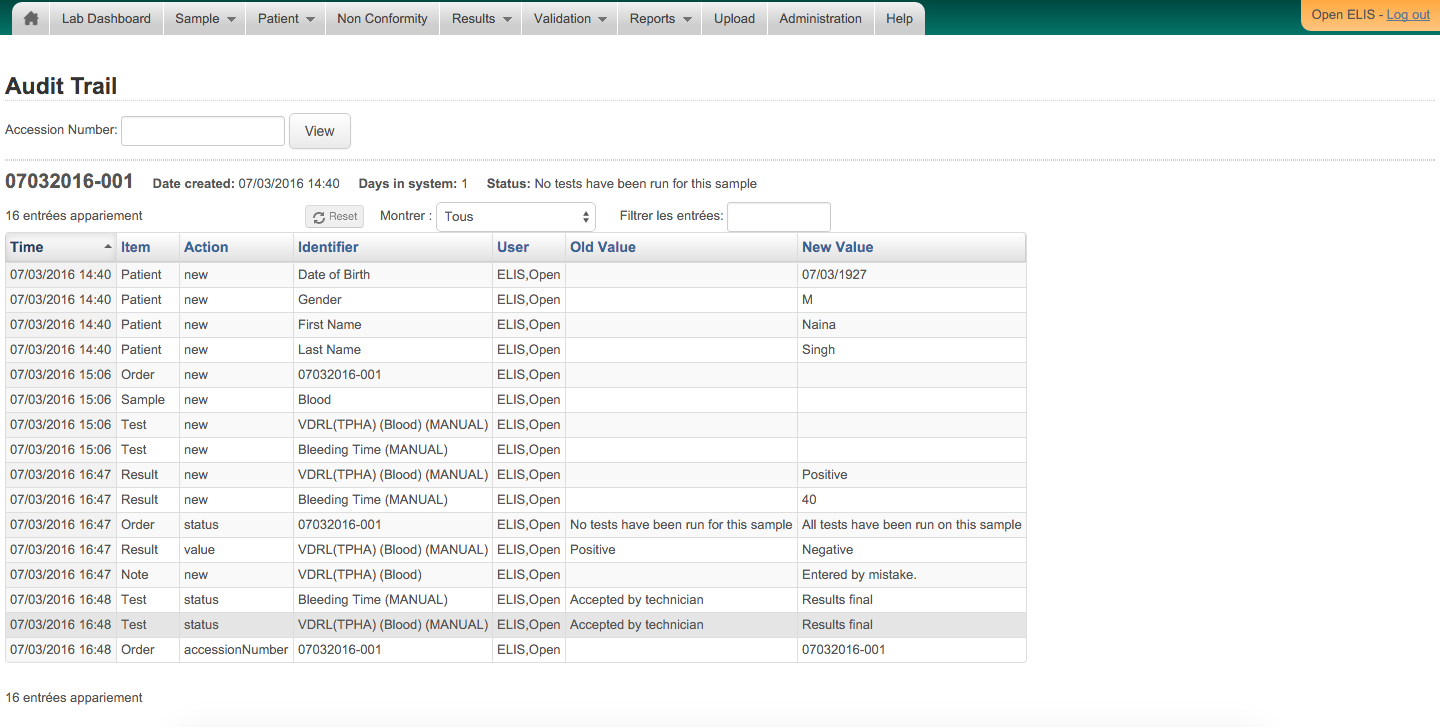
Audit Reports
c. Status Reports
This report can be generated by accession number or patient ID. This report gives the status of a patient's lab tests and the results of the tests.
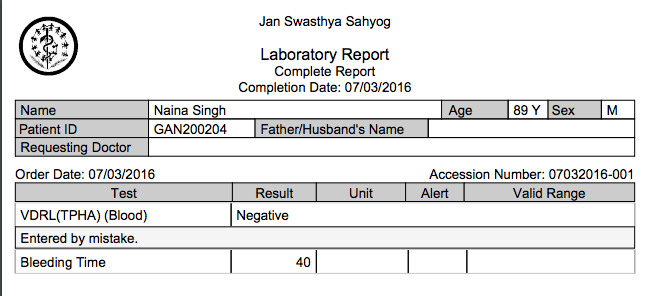
Status Reports
Bahmni Wiki · CC BY-SA 4.0