Vagrant 및 VirtualBox 팁
VirtualBox 디스크 크기 조정 방법
vagrant up 실패
포트 충돌 오류
bahmni-environment 루트에 있는 Vagrantfile을 편집하고 관련 줄을 주석 처리합니다. Vagrantfile은 Ruby 파일이므로 ‘#’이 해당 줄을 주석으로 표시합니다.
#config.vm.network :forwarded_port, guest: 8080, host: 8081
#config.vm.network :forwarded_port, guest: 443, host: 8082
#config.vm.network :forwarded_port, guest: 80, host: 8083
#config.vm.network :public_network
인증 실패
네트워크 관련 오류
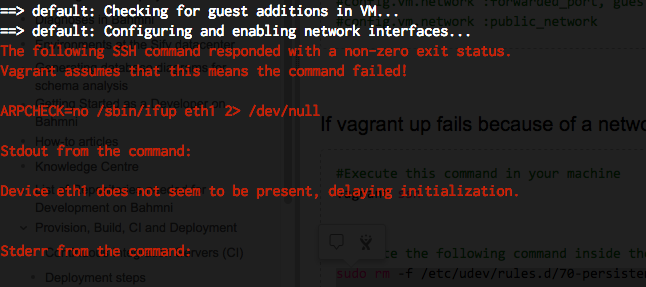
#Execute this command in your machine
vagrant ssh


#Execute the following command inside the Vagrant VM
sudo rm -f /etc/udev/rules.d/70-persistent-net.rules
sudo rm -f /etc/sysconfig/network-scripts/ifcfg-eth1
sudo rm -f /etc/sysconfig/network-scripts/ifcfg-eth2
exit

#Execute these commands in your machine
vagrant halt
vagrant up
네트워크 인터페이스 관련 오류
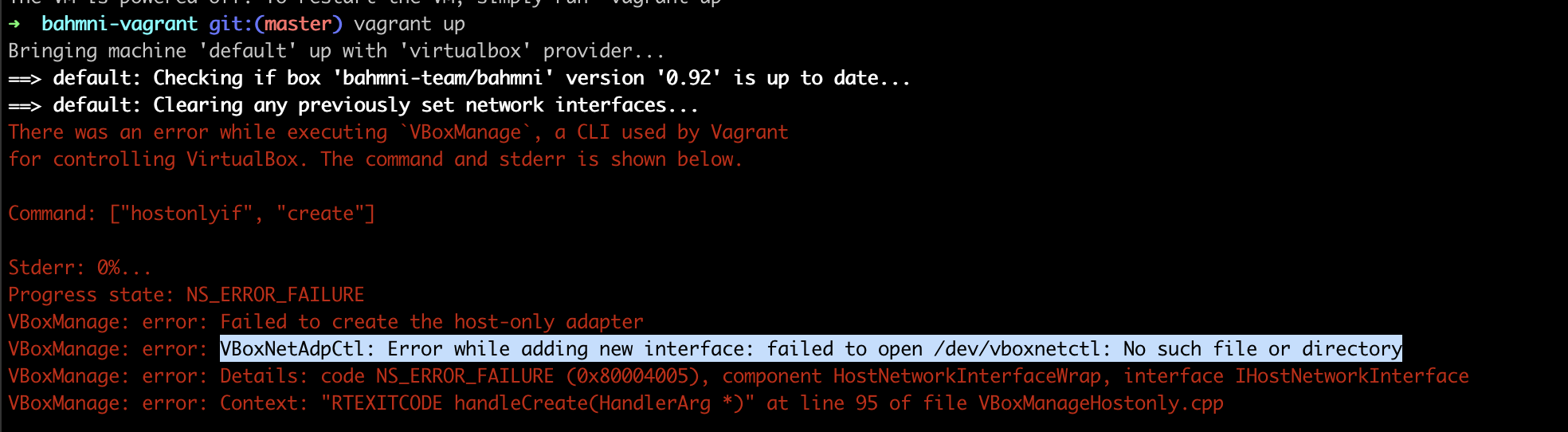
자세한 내용은 안내된 Stack Overflow 링크를 읽어보세요.
- System Preferences > Security & Privacy > General에서 VirtualBox에 권한을 부여합니다. 터미널을 열고 sudo "/Library/Application Support/VirtualBox/LaunchDaemons/VirtualBoxStartup.sh" restart를 실행합니다. vagrant up을 실행합니다.
마운트 실패
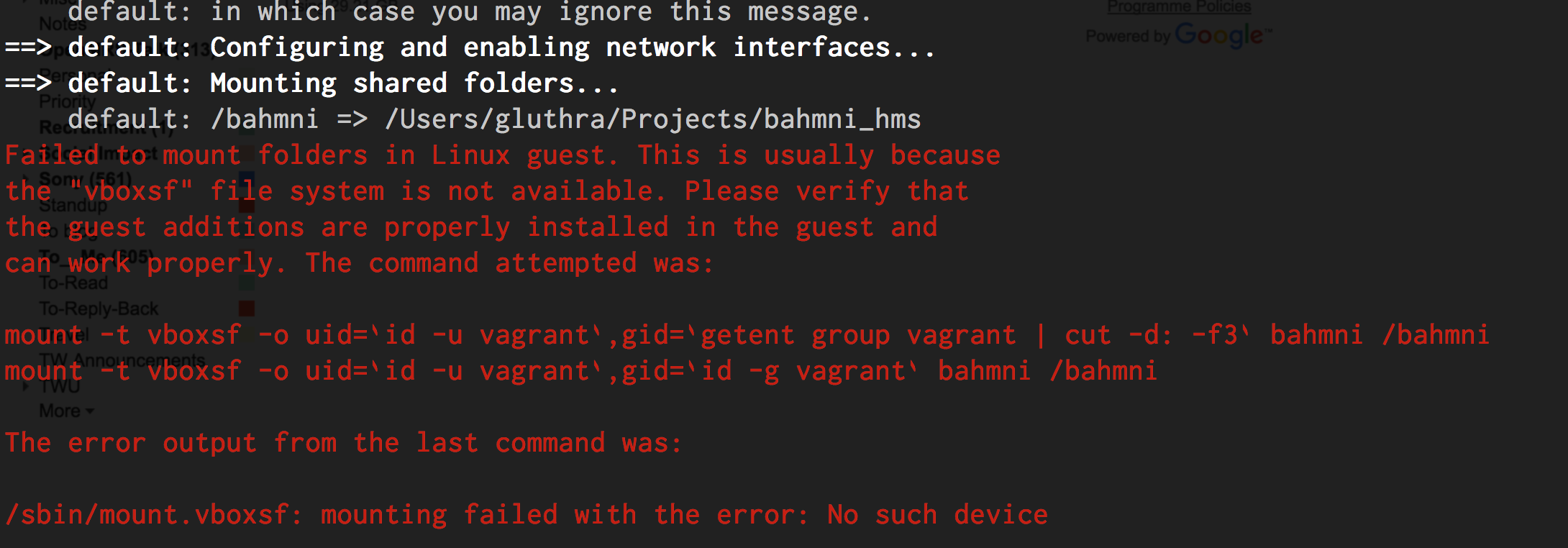
자세한 내용은 안내된 Stack Overflow 링크를 읽어보세요.
지원되지 않는 Provider
문제:
Linux/Fedora 25에서 vagrant up 명령을 실행하면 다음 오류 메시지가 나타납니다.
$ vagrant up
Bringing machine 'default' up with 'libvirt' provider...
==> default: Box 'bahmni-team/bahmni' could not be found. Attempting to find and install...
    default: Box Provider: libvirt
    default: Box Version: >= 0
==> default: Loading metadata for box 'bahmni-team/bahmni'
    default: URL: https://atlas.hashicorp.com/bahmni-team/bahmni
The box you're attempting to add doesn't support the provider
you requested. Please find an alternate box or use an alternate
provider. Double-check your requested provider to verify you didn't
simply misspell it.

If you're adding a box from HashiCorp's Atlas, make sure the box is
released.

Name: bahmni-team/bahmni
Address: https://atlas.hashicorp.com/bahmni-team/bahmni
Requested provider: [:libvirt]
해결 방법:
Windows 7/8의 Vagrant 문제
일부 Windows 7/8 환경에서는 PowerShell을 업데이트해야 합니다. 해당된다면 vagrant up 실행 후 최신 PowerShell 버전으로 업데이트하라는 메시지가 나타납니다. PowerShell 업그레이드 및 Windows Microsoft Framework(WMF) 설치 해결 방법은 관련 페이지를 참고하세요.
Windows 10의 Vagrant 문제
Windows 10의 Vagrant에는 알려진 문제가 있습니다. 해결 방법은 다음 토론을 읽어보세요: https://talk.openmrs.org/t/unable-to-download-vagrant-box-cannot-find-box-error-windows-10/6734/2
로컬 Bahmni Config 폴더를 Vagrant Box에 연결
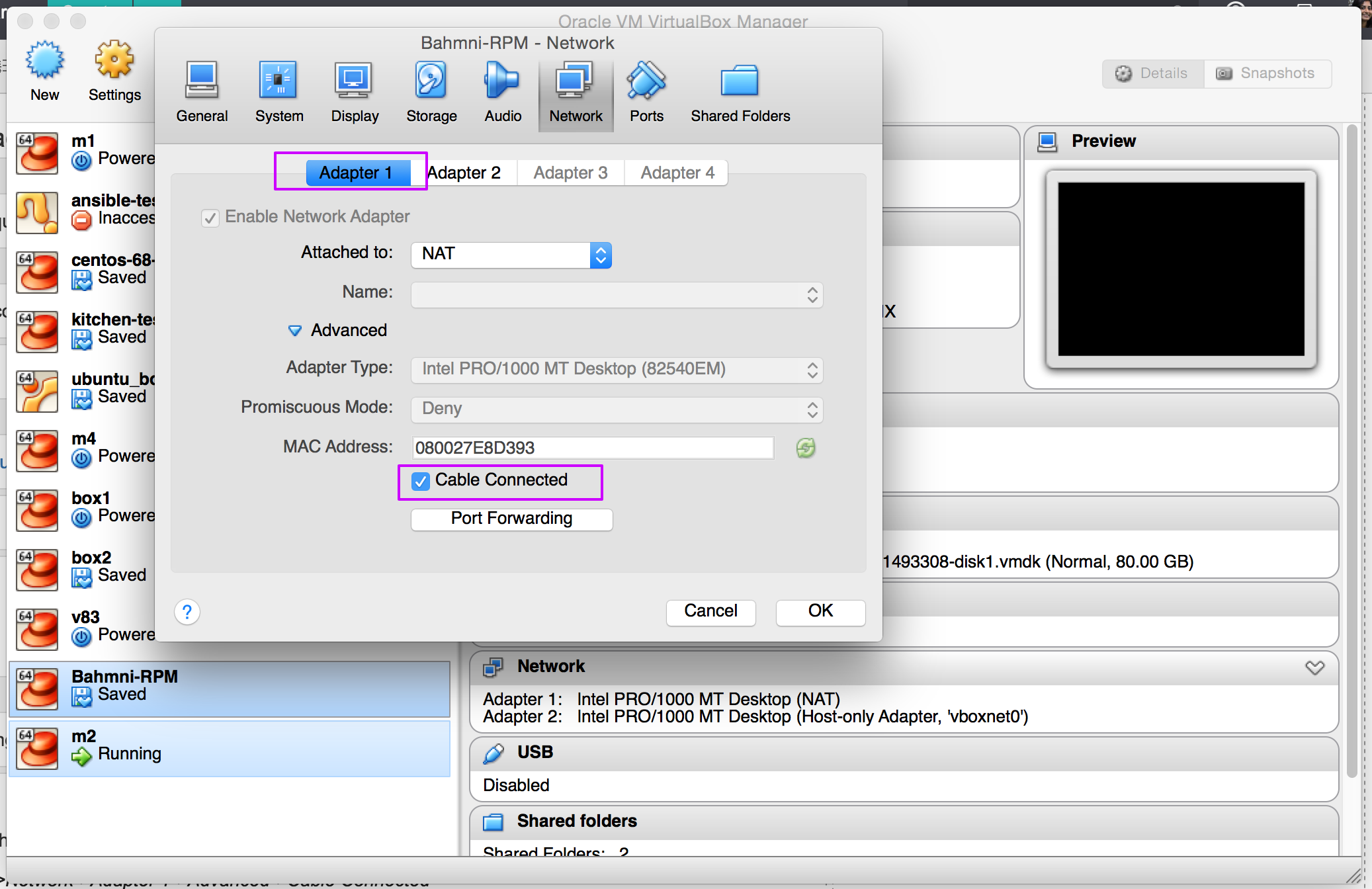
VirtualBox 시간 초과 오류
VirtualBox를 열고 관련 Box를 선택합니다.
Network를 클릭하고 Adapter 1을 선택한 뒤 아래와 같이 Cable Connected 체크박스를 선택합니다.
Mac Intel Core에서 VirtualBox 7.0 오류
문제:
Stderr: 0%...NS_ERROR_FAILURE
VBoxManage: error: Failed to create the host-only adapter
VBoxManage: error: VBoxNetAdpCtl: Error while adding new interface: failed to open /dev/vboxnetctl: No such file or directory
VBoxManage: error: Details: code NS_ERROR_FAILURE (0x80004005), component HostNetworkInterfaceWrap, interface IHostNetworkInterface
VBoxManage: error: Context: "RTEXITCODE handleCreate(HandlerArg *)" at line 105 of file VBoxManageHostonly.cpp
해결 방법:
VirtualBox 6.X 버전을 사용하면 작동합니다.
Bahmni Wiki · CC BY-SA 4.0