Weekly Summary View
About The feature
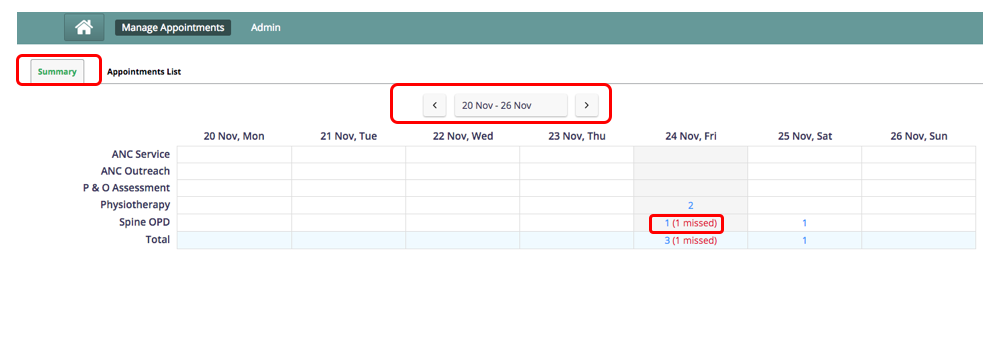
The weekly summary view is a summary of the week’s load for each service.
Used By
Can be used by anyone who is involved in scheduling appointments and managing Patient loads. This hopes to serve as a summary snapshot of the scheduled load of patients. Based on this users can choose to schedule more appointments or not.
How is it used
- This View is the default landing page when the user accesses the appointment scheduling module. This view can be accessed anytime by clicking on the "Summary" Tab
- The current week is displayed by default, with the current day highlighted.
- Users can also use the date picker to select a week they choose to view. And can navigate to previous and next weeks.
- Clicking on the count (blue) will take the user to a list of appointments filtered for that day and service in the .
- The missed appointments are shown in red. It cannot be clicked on.
원문 정보
원문 보기 ↗Bahmni Wiki · CC BY-SA 4.0