Configure Concept or Concept Set
Description
The concept is the basic element of flexibility in OpenMRS. Concepts are the individual data points collected from a population of patients. Concepts include both questions and answers. You can find more info at
Create New Concept
When you want to create a concept you need to goto Dictionary. By selecting "Add New Concept", you will see the screen as below. You must provide 'Fully Specified Name'. Concept Data Types specifies the type of data the concept is configured to hold, such as such as coded, text, etc. Refer to the screenshot below to know the various data types in OpenMRS:
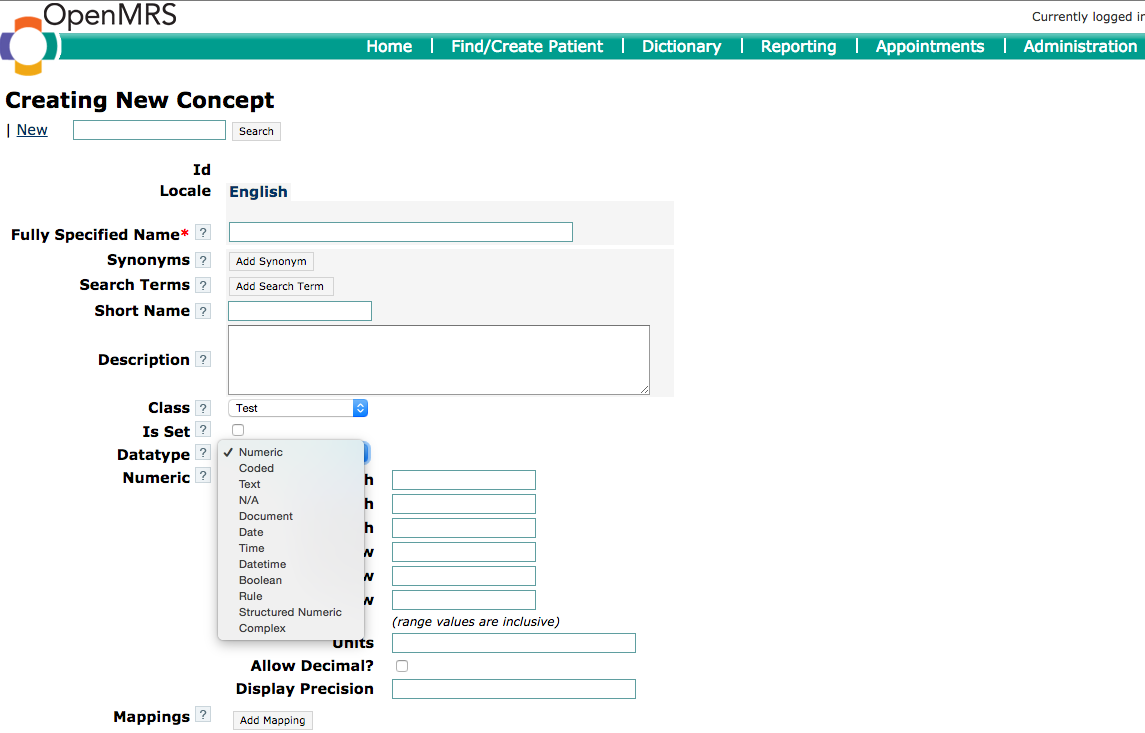
Example: Fully Specified Name = Anaemia Templates, Short Name = Anaemia
Create New Concept set
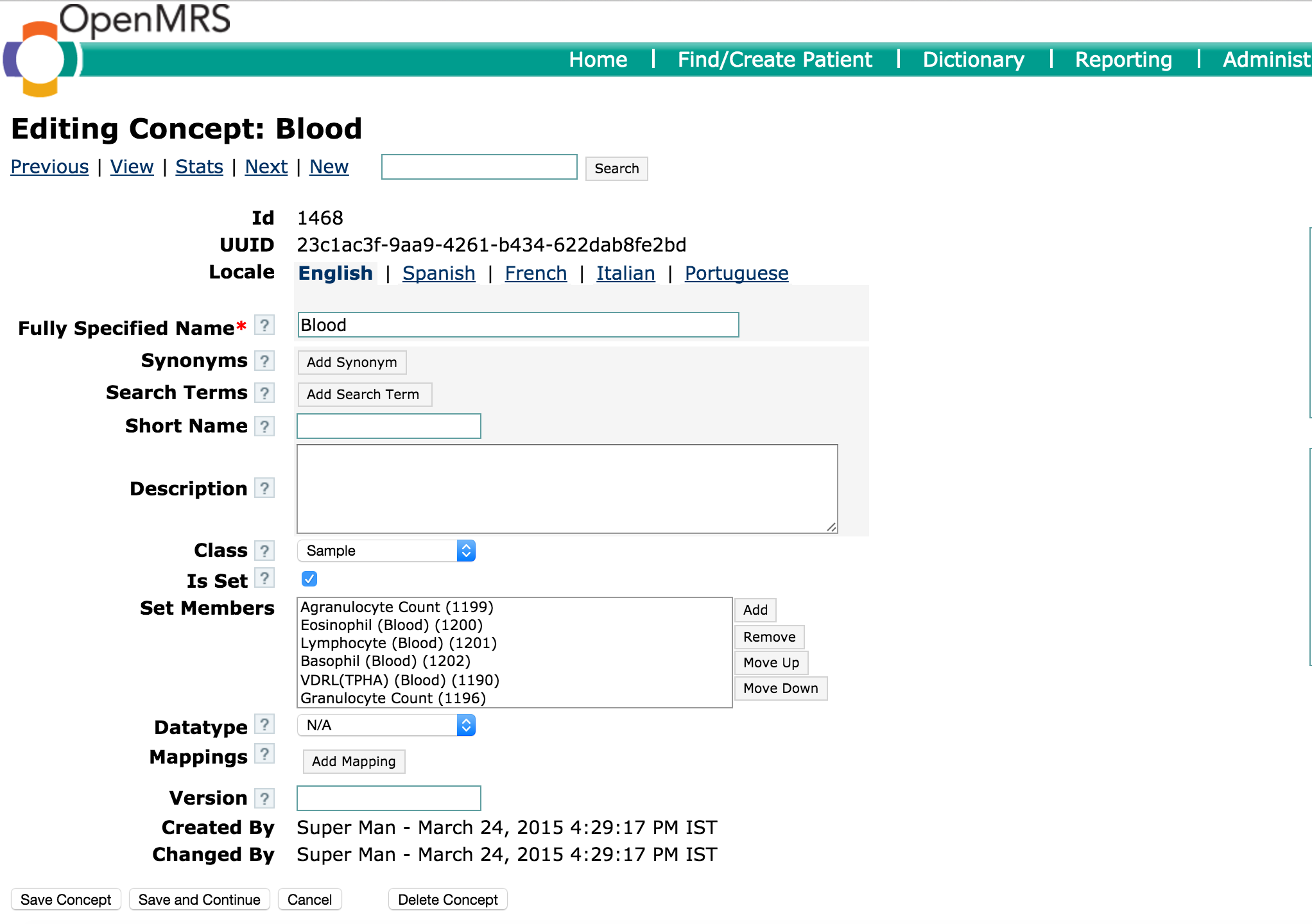
When concepts are required to be grouped then we use concept set. For eg: Blood is a sample and many lab tests can be performed with it. So, we use concept set for Blood and define lab tests as its members. The concept set is nothing but a concept with specific property enabled (Is Set?). When set is enabled, we can add members to it. The member should be another concept. You can find more info at .
Bahmni Wiki · CC BY-SA 4.0