Configuring OWA in Bahmni
Description
OWA’s are simple web apps developed using web technologies like JS, HTML and CSS. OpenMRS REST API can be used for the server side calls. It is configured using an OpenMRS OMOD. Please refer this OpenMRS wiki page before configuring the OWA.
Configure OWA module in Bahmni
- Download the latest version of owa-X.X.omod from here.
- Copy the omod to /opt/openmrs/modules in bahmni instance. And restart the openmrs service.
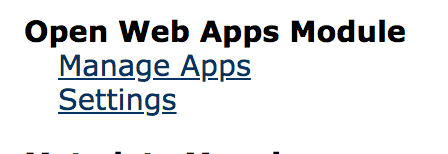
This will create owa folder inside /opt/openmrs path. And you will be able to see Open Web Apps Module in OpenMRS Administration page as shown in the below screenshot.
Once the above setup is done, we can add our custom OWA to OpenMRS. This can be done in either of two ways. Check this openmrs owa repo for reference. This repo has detailed instructions on how to deploy the code in server.
- Copy your custom OWA folder inside /opt/openmrs/owa path. Then you can access the app from “Manage Apps” page.
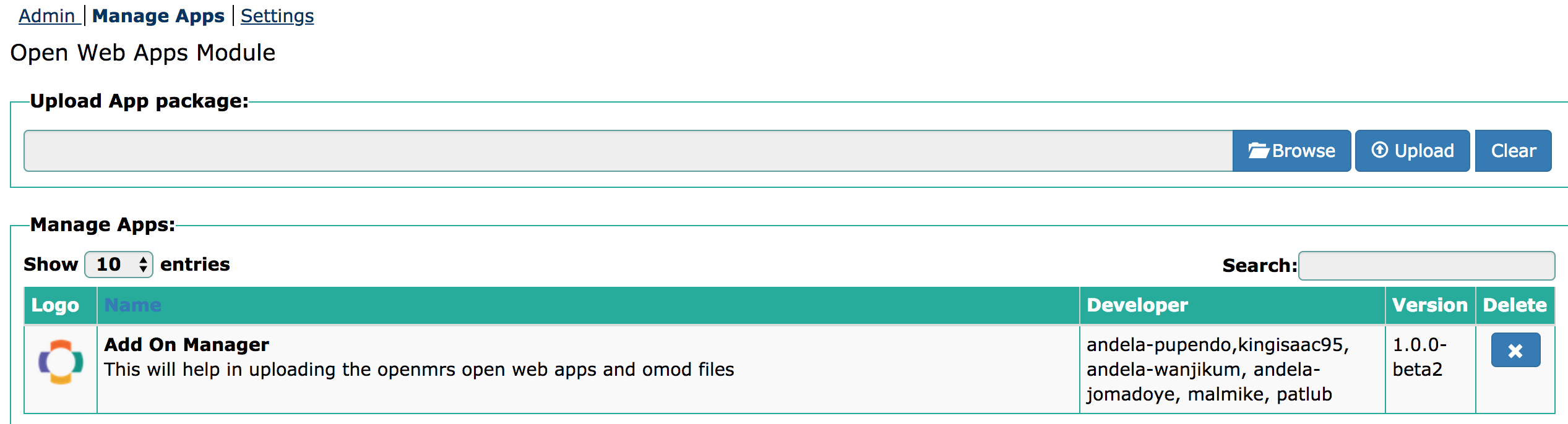
2. Create a zip file out of your custom owa folder. Browse and Upload it from OpenMRS UI as mentioned in the below screenshot.
To upload it from OpenMRS UI, you need to set module.allow_web_admin value to true in /opt/openmrs/etc/openmrs-runtime.properties file. This value is set to false by default.

Access Custom OWA from Bahmni Home page:
If you want to access this custom OWA from Bahmni home page follow below steps. Add below configuration in /var/www/bahmni_config/openmrs/apps/home/extension.json file.
"openMRSAddOnManager": {
    "id": "bahmni.addOnManager",
    "extensionPointId": "org.bahmni.home.dashboard",
    "type": "link",
    "translationKey": "OpenMRS Add On Manager",
    "url": "/openmrs/owa/openmrs-addonmanager/index.html",
    "icon": "icon-bahmni-reports",
    "order": 8,
    "requiredPrivilege": "app:admin"
  }
Make sure to update the url with the relevant custom OWA url as shown in the above configuration. Then you will be able to see the app in Bahmni home page.
Bahmni Wiki · CC BY-SA 4.0