Inventory Management System
Purpose and Benefits
Bahmni uses Odoo mostly for Sales Management, Purchase Management, and for Inventory and Accounting. OpenERP has been adapted for health facilities to work seamlessly with Bahmni.
Steps
1. Configure OpenERP/Odo
Please on details to Configure OpenERP/Odoo.
2. Setup Syncing between Odoo and Bahmni
Please refer to this link to setup Syncing between OpenERP/Odoo and Bahmni.
3. Configure Location, Warehouse and Shop
Please refer to this link to configure locations, warehouses and shops.
4. View Inventory at Different Locations
Since we have different locations we can analyze the current inventory or inventory over a date-range.
To do this navigate to Warehouse → Choose location → Select the required option.
A new location can be created by clicking on the "Create" button and giving appropriate parameters.
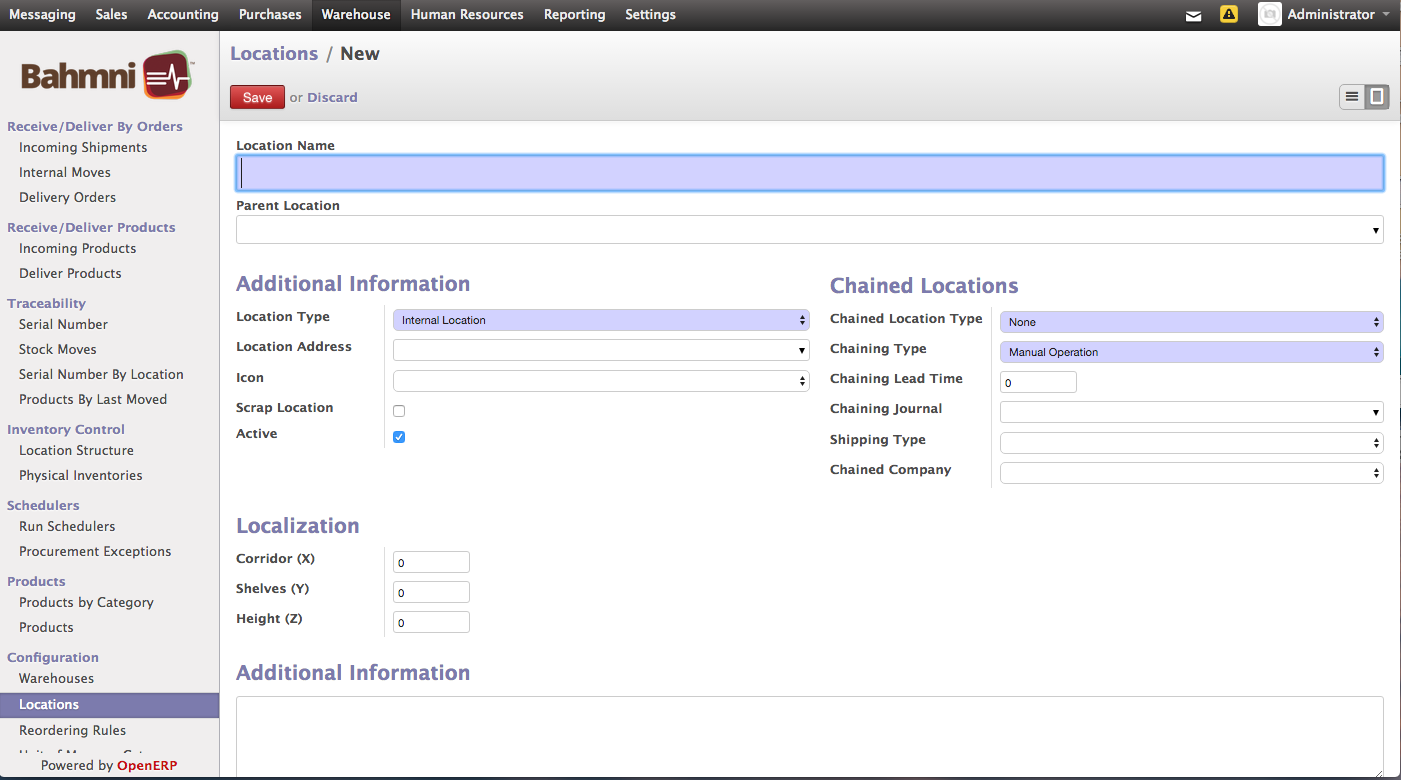
Creating a New Location in OpenERP
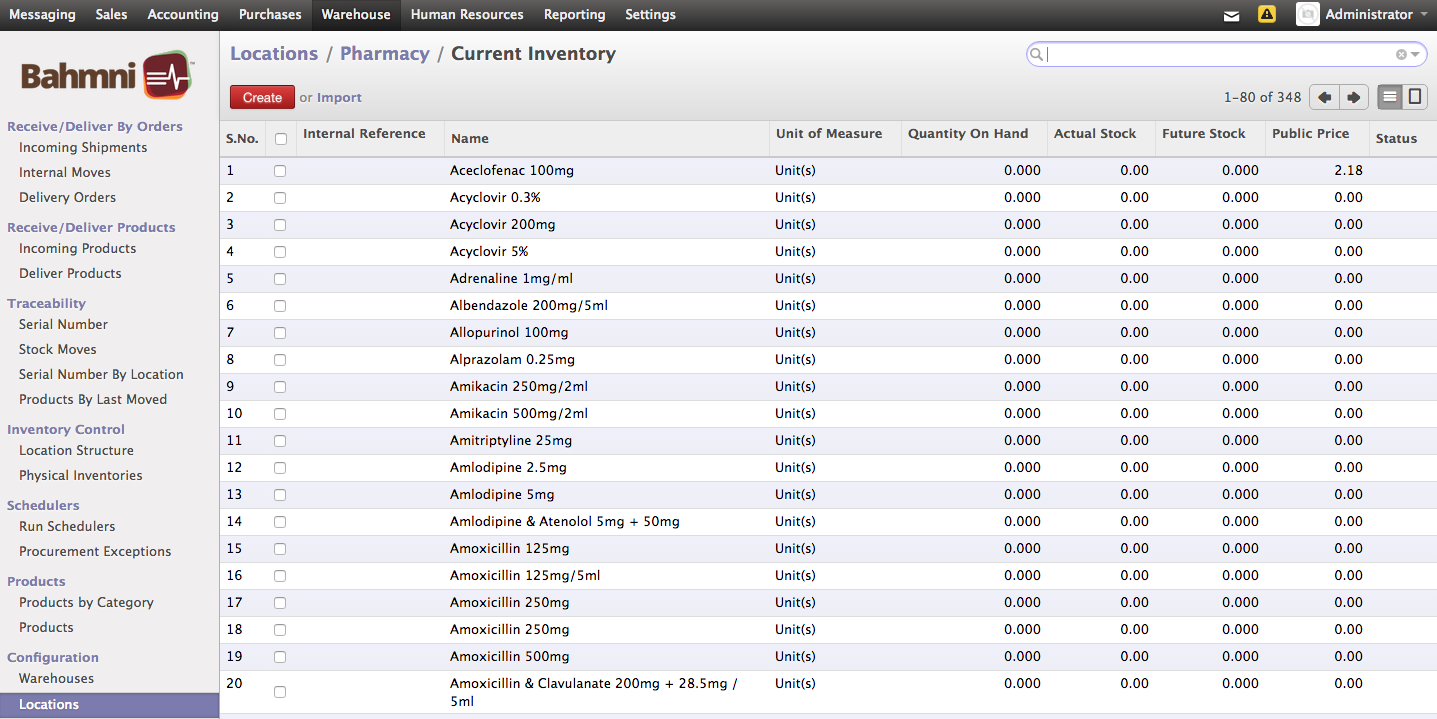
Current Inventory at Pharmacy Location
5. View Product Quantity at a Particular Location
Search for the product in the search bar to view the actual stock and the future stock for the particular location.
Aceclofenac Stock at Pharmacy Location
6. View Batch Level Stock Units Per Location
Navigate to "Serial Number by Location" to view batch level stock units per location.
Batch Level Stock Units of Aceclofenac across Locations
7. Move Stock across Locations
This is used to move stock units across locations, such as X units of Aceclofenac from Stock Room to Pharmacy. This can be achieved by creating a new internal move from a configured source location to a configured destination location.
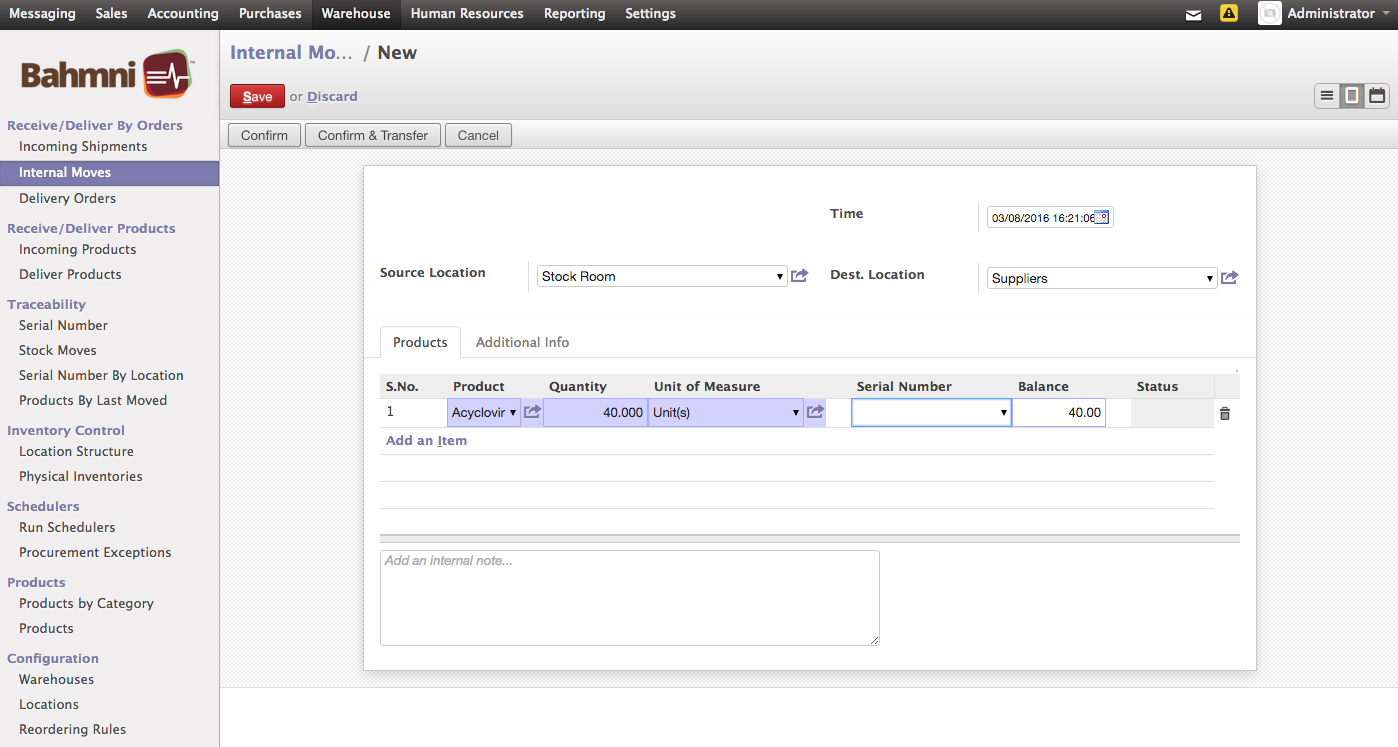
Moving Acyclovir Stock Units Across Locations
Bahmni Wiki · CC BY-SA 4.0