Configuring OpenERP in PyCharm For Development
- Download PyCharm from the Jetbrains site. The community edition should be sufficient. https://www.jetbrains.com/pycharm/
- Ensure that Homebrew is installed in your Mac machine.
- If Python is not installed, run the following command: brew install python
- Install local Postgres server or we can use the one that is available in vagrant box or docker container.
- Install relevant python modules using the following command: brew install freetype jpeg libpng libtiff webp xz
- Perform the following link operation to freetype2 ln -s /usr/local/include/freetype2 /usr/local/include/freetype
- Installing Python modules using pip will be a cleaner option. Please follow the commands. pip install virtualenv virtualenv ~/odoo-env . ~/odoo-env/bin/activate
- At this point, the command "which python" should point us to /Users/youruser/odoo-env/bin/python
- Download the OpenERP version used in Bahmni. https://www.dropbox.com/s/wjf7jlcm4c3txbc/openerp-7.0-20130301-002301.tar.gz?dl=0
- Unzip it to some location. Lets say (~/openerp-7.0-20130301-002301)
- Run the openerp setup using the following command from the unzipped folder: python setup.py install
- Once the installation is complete, you can start the openerp using the following command. ./openerp-server --database openerp --without-demo all --db_host <your_database_host> --update all
- Start the PyCharm and Open the project. Select the folder (~/openerp-7.0-20130301-002301)
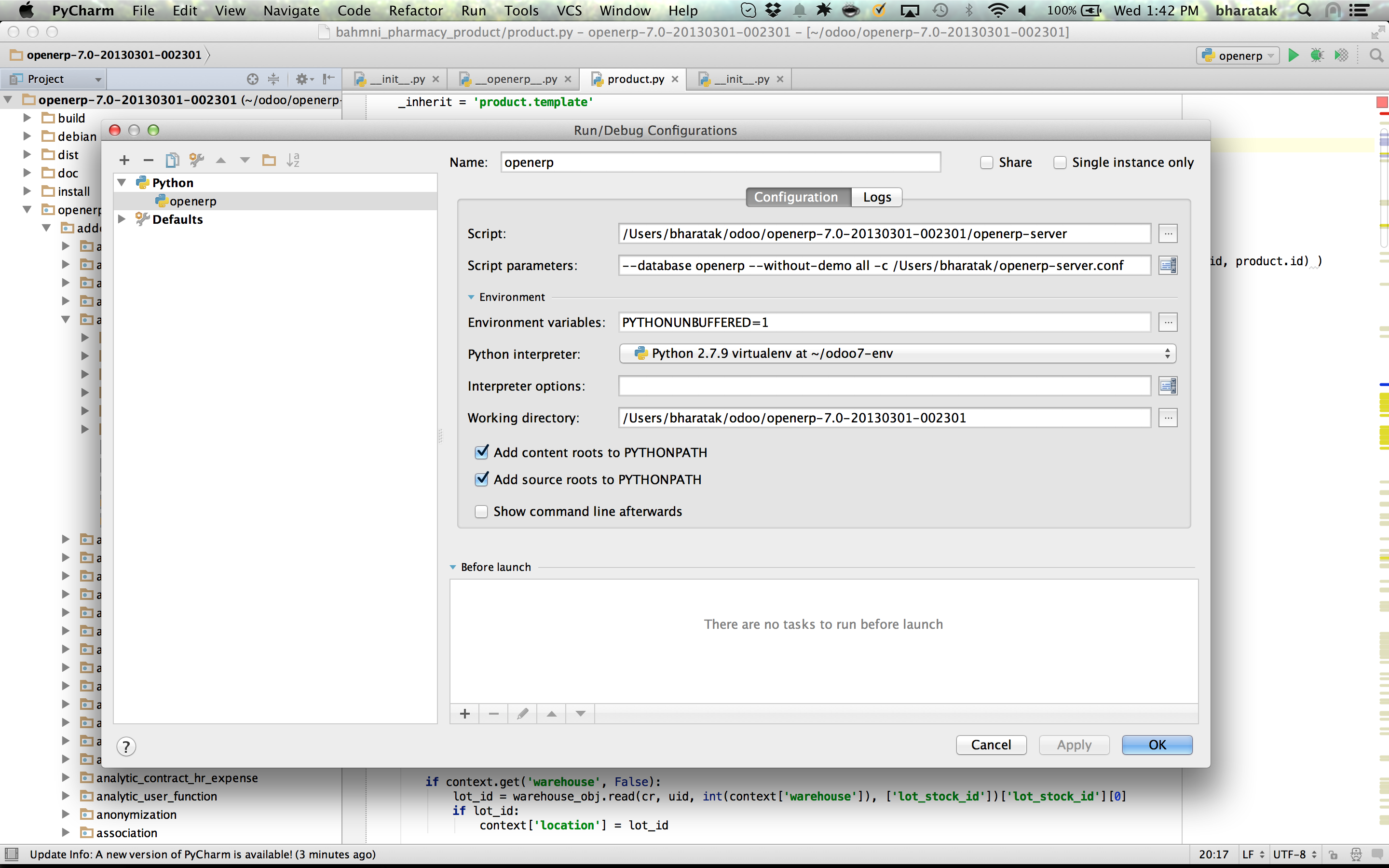
- Configure the "Run..." settings (Run > Run ...)
- Ensure that the Python Interpreter is selected as the one created in Step 7.
Bahmni Customizations:
- Checkout https://github.com/Bhamni/openerp-modules
- Copy the modules to addons folder of your openerp installation (~/openerp-7.0-20130301-002301/openerp/addons)
- PyCharm's "Run" command will start OpenERP.
원문 정보
원문 보기 ↗Bahmni Wiki · CC BY-SA 4.0