Form Status and Versioning
Form Status
The concept of "Form Status" means where the form will have "Draft" status till the form is WIP (working in process) and user will be able to "Publish" the form after which it will start showing up on Bahmni apps and will be ready to use. The status of one form can be found on the form list like shown bellow.
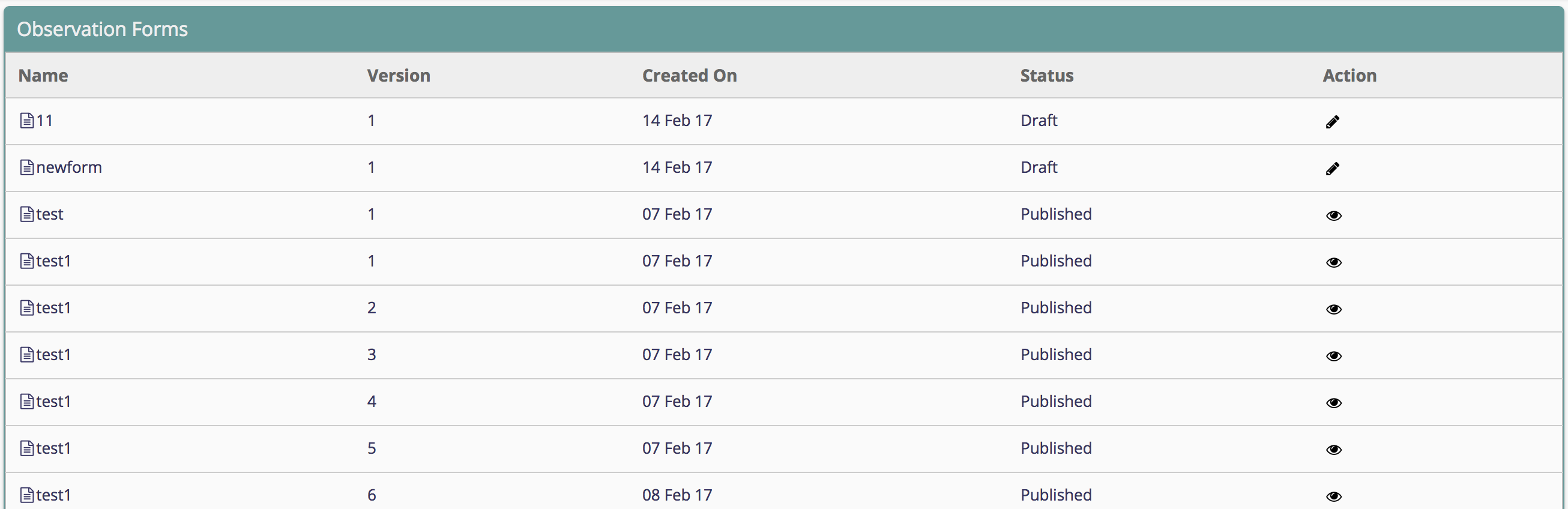
Draft Status
User can save a form as draft which will not show up on Bahmni apps. In the form builder, one draft form can be edited directly.

Published Status
Which means the form is ready to use on Bahmni apps. In the form builder, one pulished form can't be edited directly. But it can be edited once use click the edit button and confirm it.

Versioning
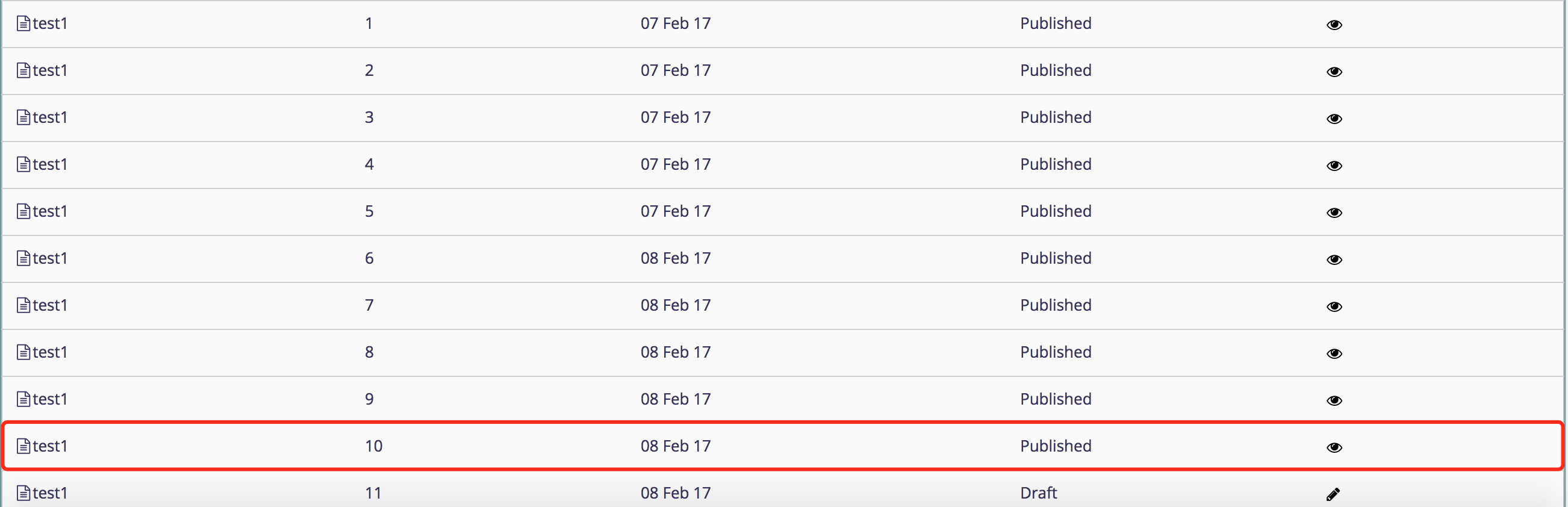
once the form is published, it will be given a version number. This will be helpful when a form bank is created as users will not have to recreate forms can different versions of forms will be available to be used in different instances of Bahmni. Users will be able to pick older versions of the form, make changes to it and start using the new form in their respective hospital.
For example, only the red marked form will show up on Bahmni apps.
Bahmni Wiki · CC BY-SA 4.0