Clinical App - Retrospective Data Entry
Purpose and Benefits
The retrospective entry mode feature is currently supported only within the clinical app. It is a useful feature that allows data to be entered into Bahmni that was captured on paper by a doctor or that was missed due to a system/network outage.
Note
Steps
1. Click on Registration Desk
2. On clicking the above button, the below pop up dialog appears to choose date, location and on behalf of (provider).
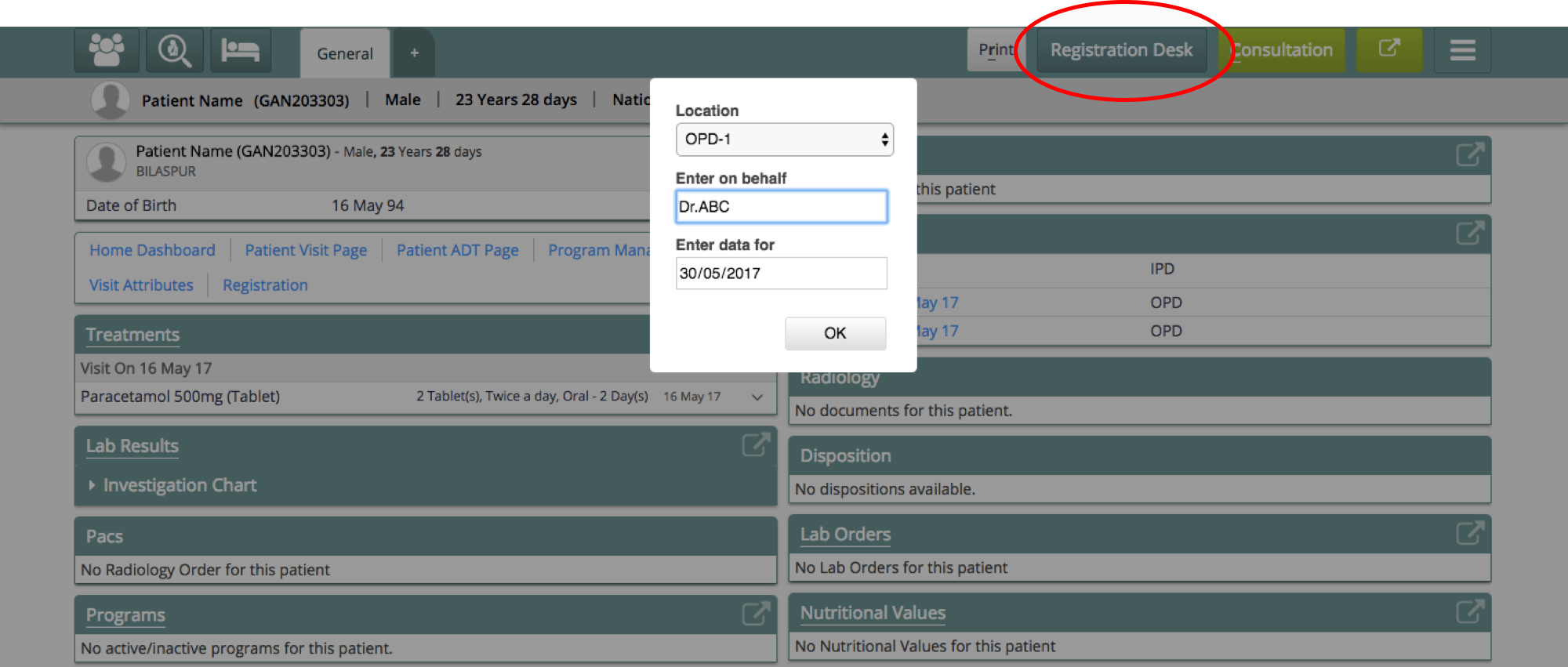
User with appropriate privilege can change the following:
- Date - choose a past date for which data is to be entered
- Location - record data against a particular login location
- Provider - inform Bahmni of the actual provider to record data with
3. On selecting an older date the system enters into retrospective entry mode. All the data recorded in this mode will get recorded with the selected date, location and provider.
Retrospective Mode: Patient Listing
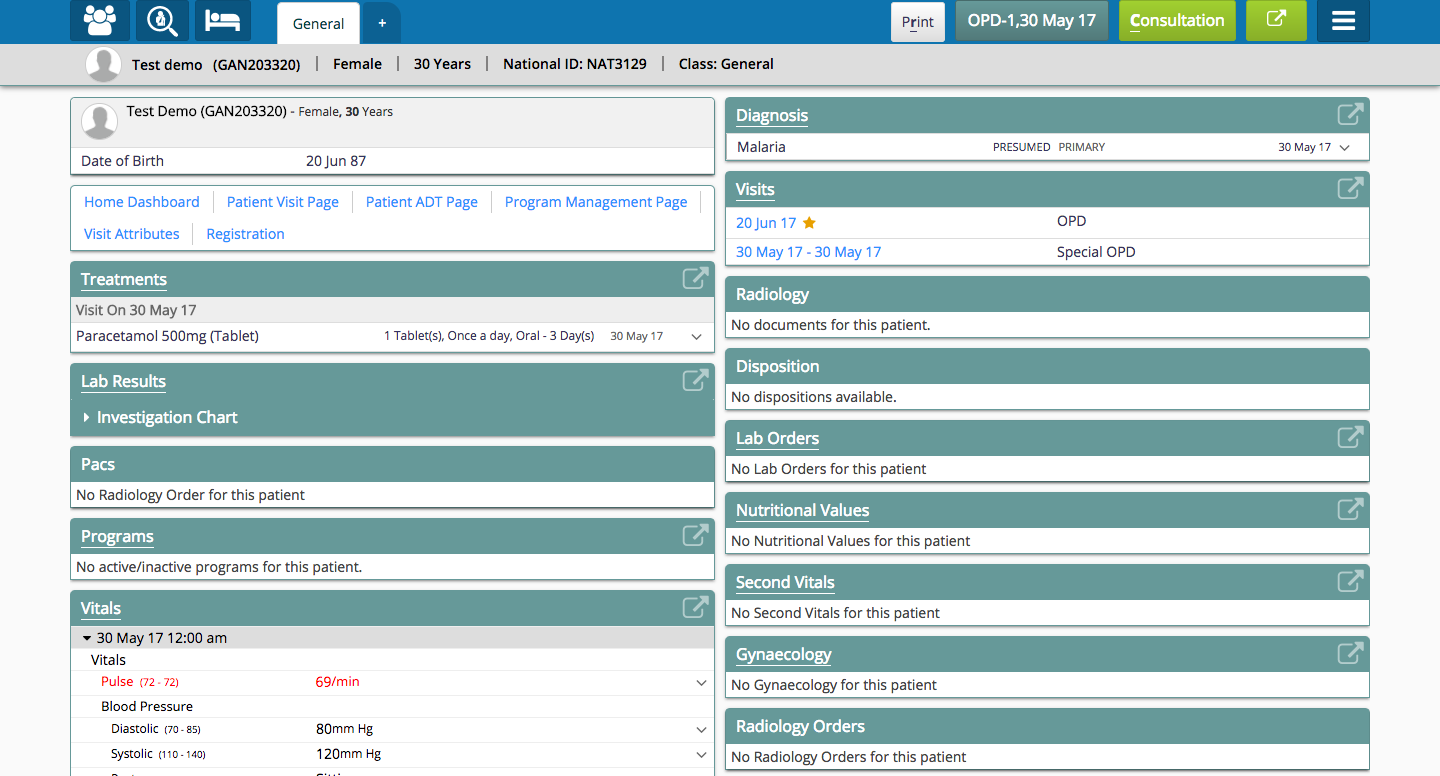
Retrospective Mode: Patient Dashboard
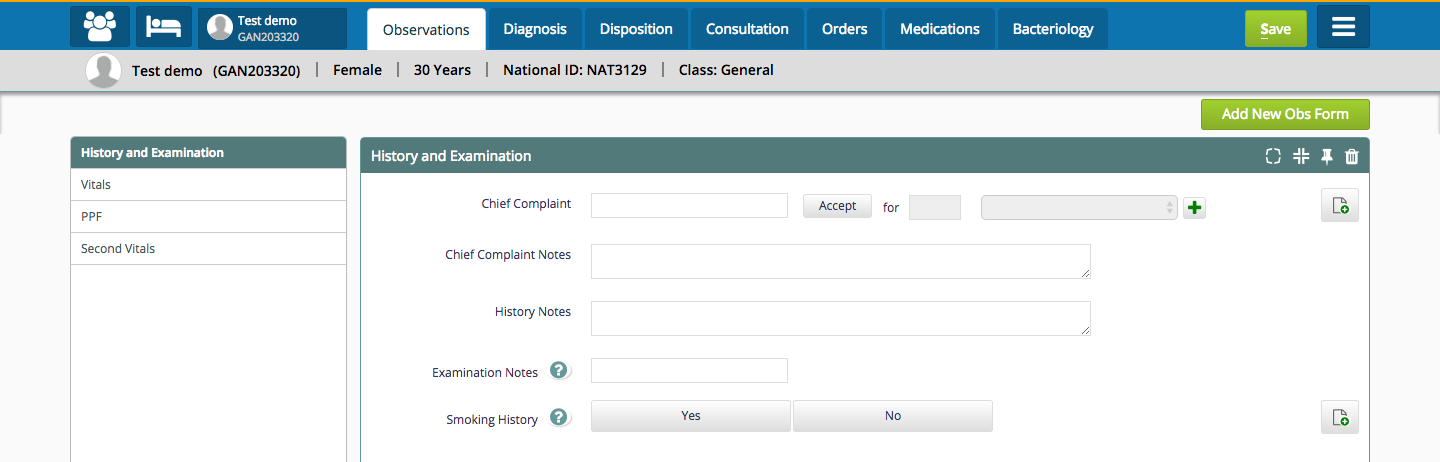
Retrospective Mode: Observations Tab
4. When the data is recorded retrospectively, the data is recorded with the selected location, date, provider and default visit type.
The data in display control shows up date and provider information like below:
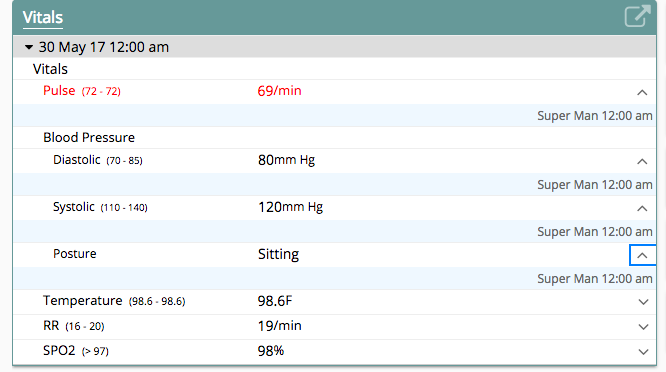
Note that the time shown is start of the day (12:00 am) -- see screenshot above.
4. Retrospective Mode is not available on tabs like Orders, Disposition and Bacteriology. When entry from a particular tab is not available a message is displayed to indicate the same
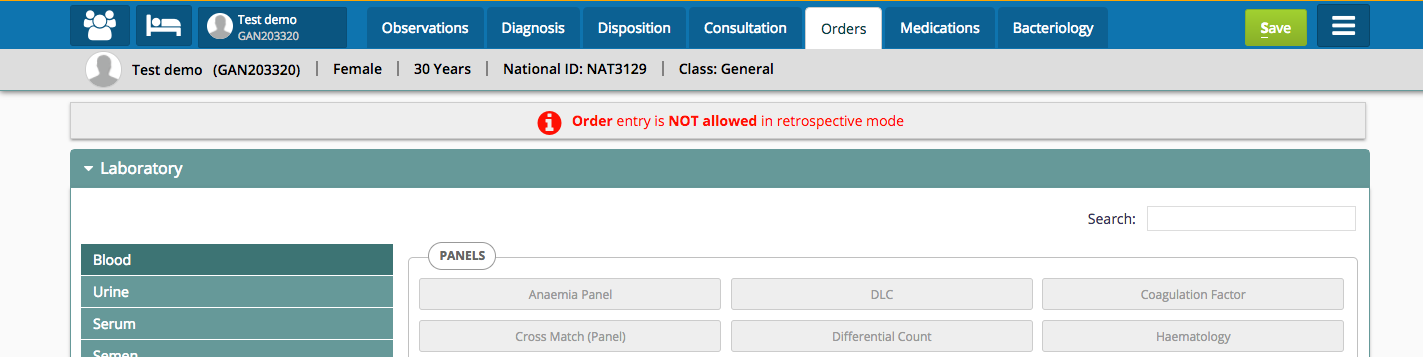
Retrospective Mode: Orders Tab

Retrospective Mode: Disposition

Retrospective Mode: Bacteriology
Configuration
The visit type for retrospective entries can be configured in clinical/app.json of config.
"config" : {
       "visitTypeForRetrospectiveEntries": "OPD"
}Bahmni Wiki · CC BY-SA 4.0