Bed Management
About the Feature
This feature provides the ability to admit, discharge and transfer a patient. A patient can be assigned to a selected bed. The bed details can also be viewed including tags. This is a new features that replaces the old ADT/IPD module since V0.91.
Used By
This feature is used by the IPD nurses to monitor the admitted patients.
How is it Used?
If you click on app, you will navigate to Patient List/Queue page where you can see the patients to be admitted, patients who are already admitted and patients who to be discharged etc. This queues are configurable.
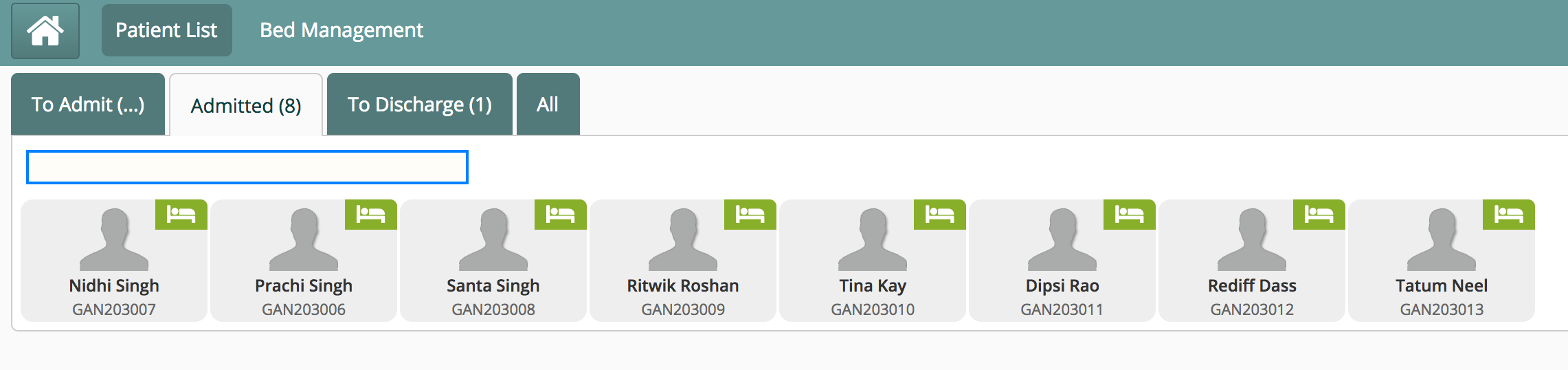
You will also see a link 'Bed Management' which will show you the views of wards - ward layout or a list view.
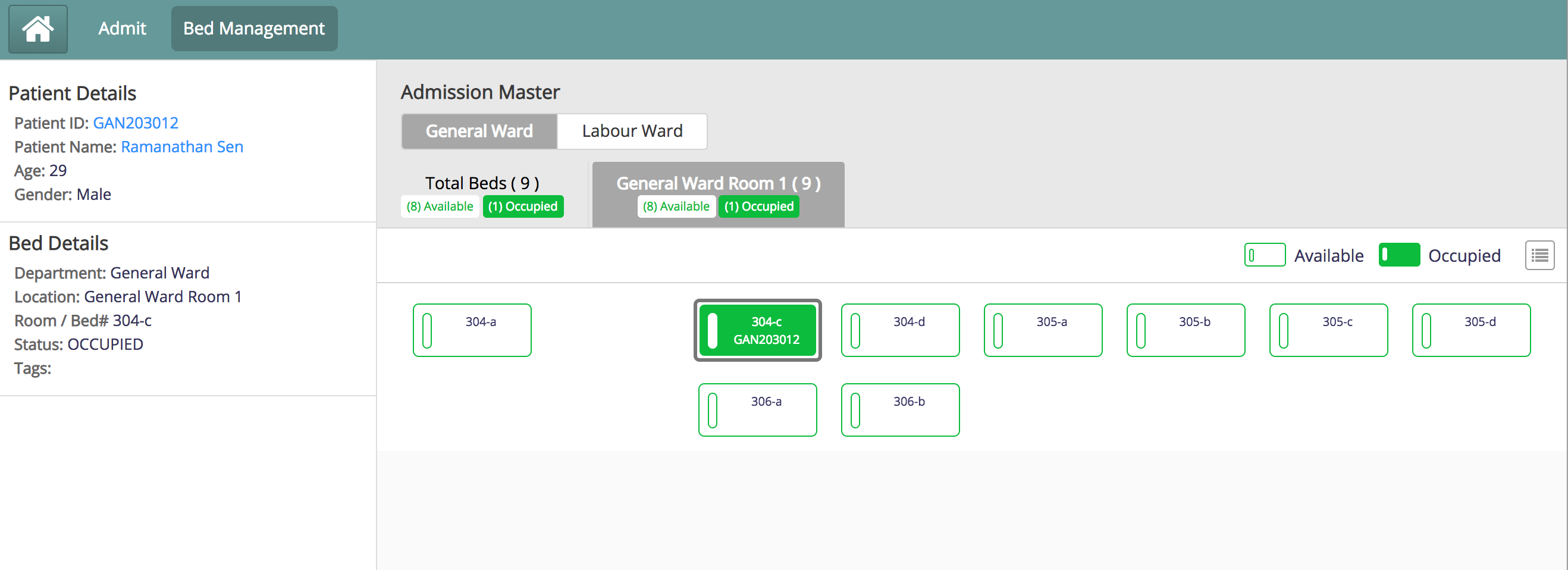
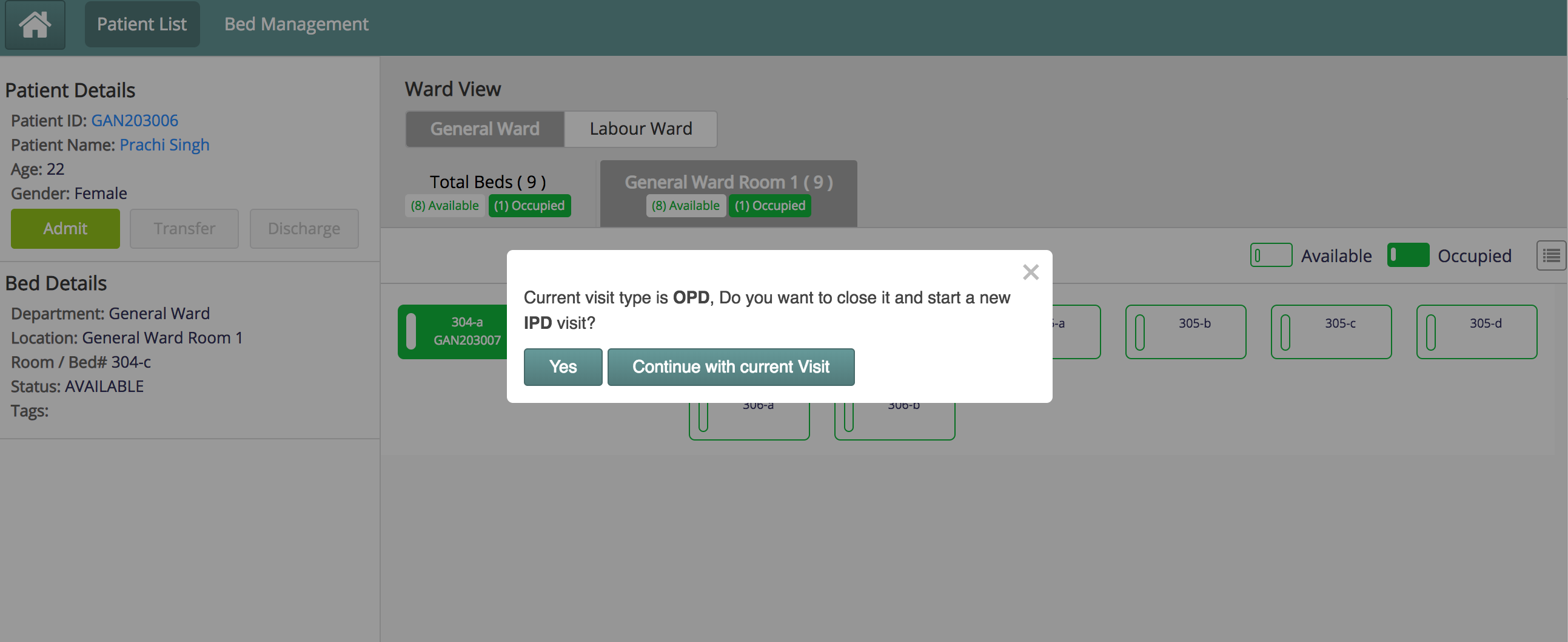
From the queues, if you would select any patient, you will be forward to the the page shown below, where you can choose a ward and within it a bed, where you may assign a bed for the patient. If you want to admit the patient, you maybe prompted like below if the patient had a visit different than IPD.
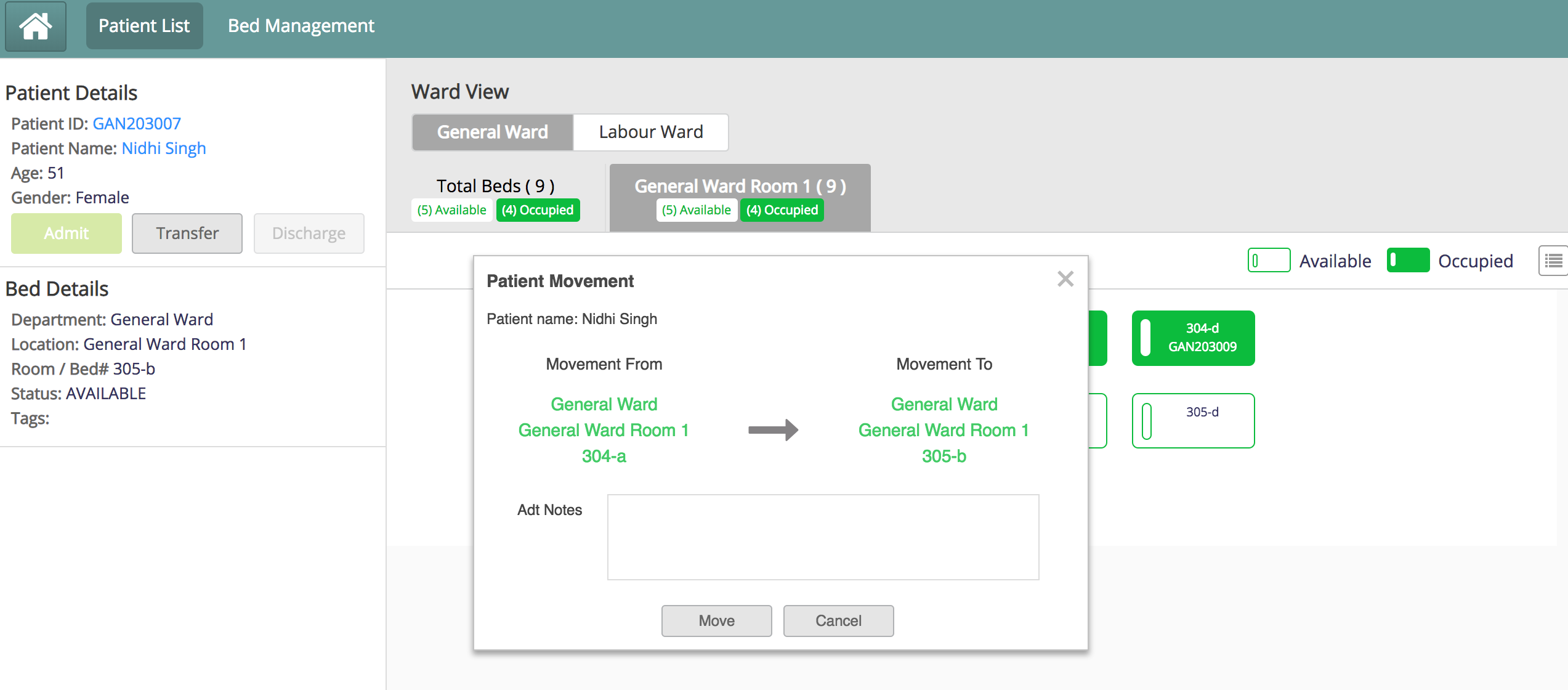
From the patient queue, upon selection of an admitted patient, you will be taken to the ward view displaying the patient details. You may select another bed in the same ward or at a different location and initiate a transfer process if such is the disposition given.
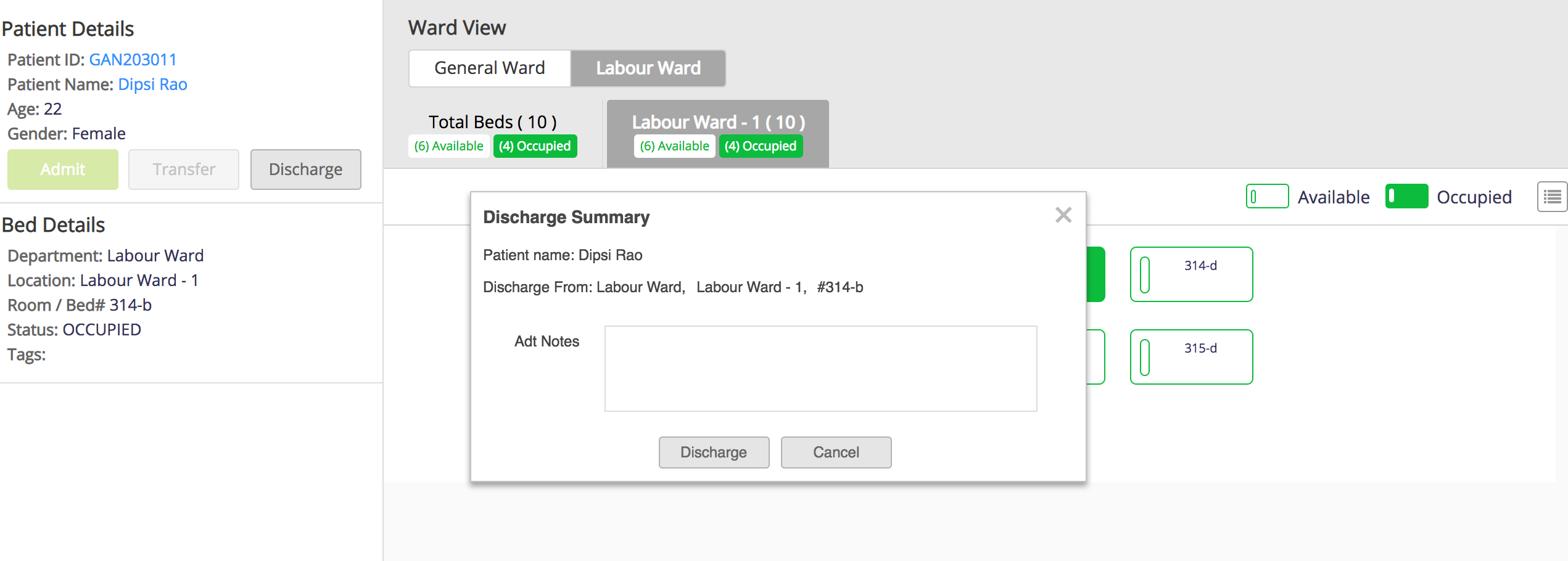
Or discharge an admitted patient
Bahmni Wiki · CC BY-SA 4.0