PACS Integration and Support
About the Feature
- Send the radiology order created in Bahmni to PACS server.
- Provide the ability to view the image stored in PACS against the corresponding radiology order.
Used By
The orders are usually placed by doctors and sometimes by other staff on behalf of the doctor based on pre-decided protocols. The radiology images are seen by Doctors for diagnostic purposes.
How is it Used?
Step 1: Place the Radiology Order
Select an option from the radiology Orders section of the Orders Tab. This will send the radiology order to the PACS server.
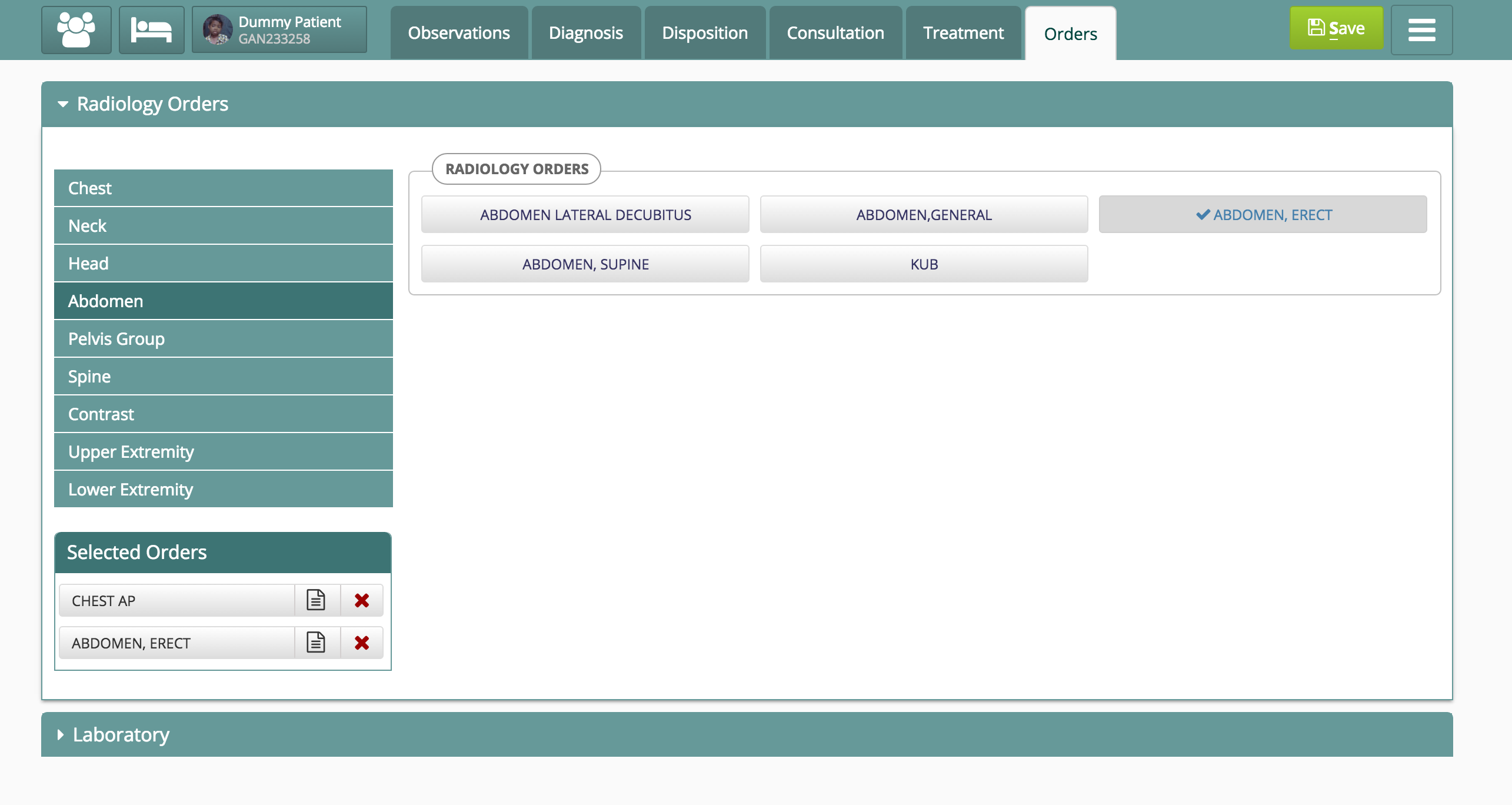
Image 1: Screen to place Radiology Orders
Step 2: Access the Radiology Image
After the XRay is taken, the radiology image can be automatically accessed from the "Digital Radiology" widget on the Radiology Orders screen (Image 2). The Radiology images will be displayed using the inbuilt DICOM viewer (Image 3).

Image 2: Digital Radiology widget with links to access Radiology Images
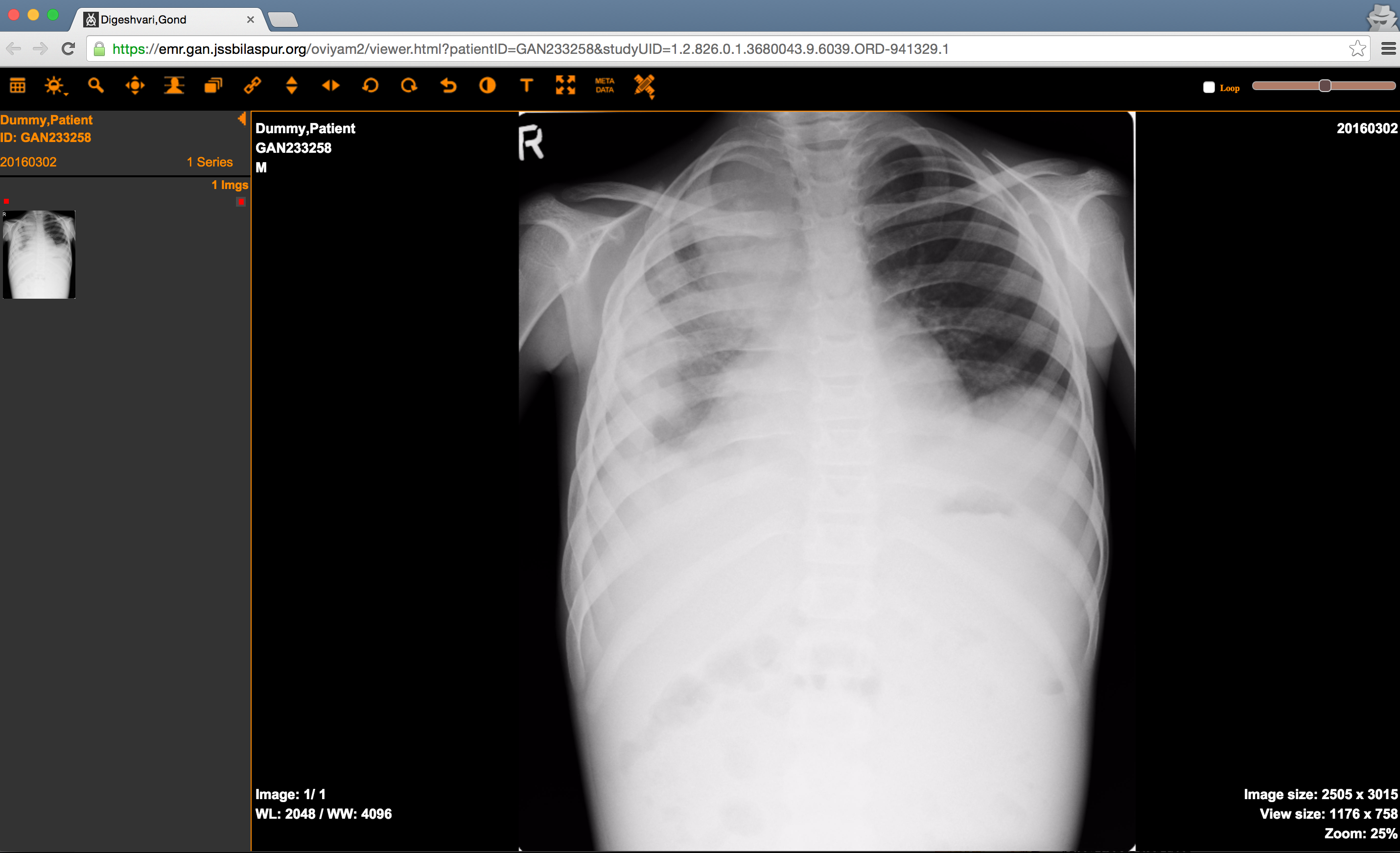
Image 3: Radiology Images seen in a DICOM viewer
원문 정보
원문 보기 ↗Bahmni Wiki · CC BY-SA 4.0