Programs
About the Feature
Used By
The person at the Registration desk of the facility would predominantly use this feature.
How is it Used?
Using Bahmni, a program can be defined with a specific workflow and patients can be enrolled into this program. The patient's state changes over a timeline can be easily visualized. Separate reports can be generated for encounters within a program and for encounters that are not part of the program.
With the program module, it is possible to :
- Enroll a patient in a program
- Track patient progress
- Remove a patient from the program
Steps
1. Enroll a patient in a Program
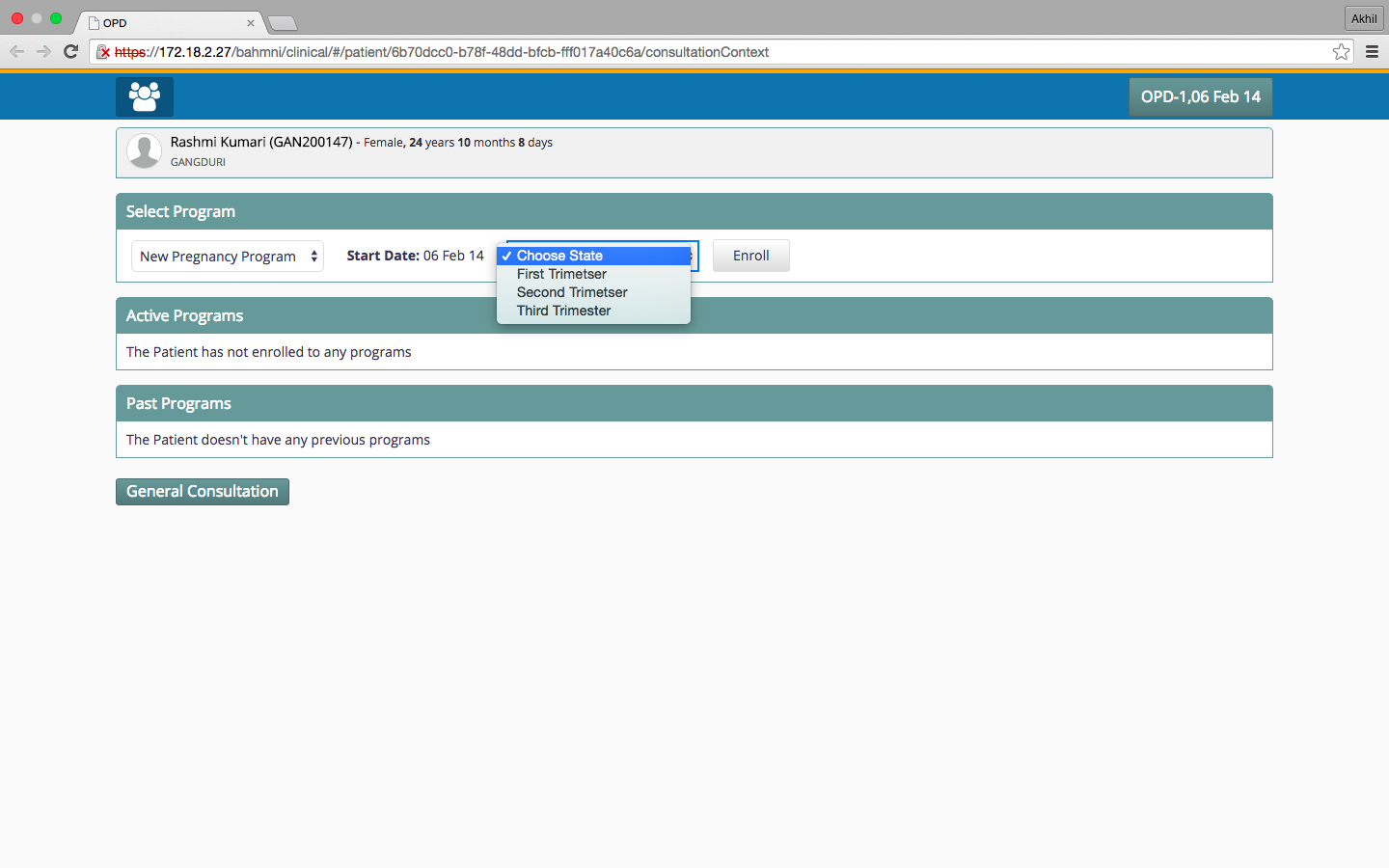
To enroll a patient in a program, go to the program management page on the patient dashboard and select the program from the list, then select the state you want to assign to the patient and click enroll. A timeline will appear on the program page as well as the patient dashboard and the program will be visible as Active Program on the patient dashboard.
2. Track Patient Progress
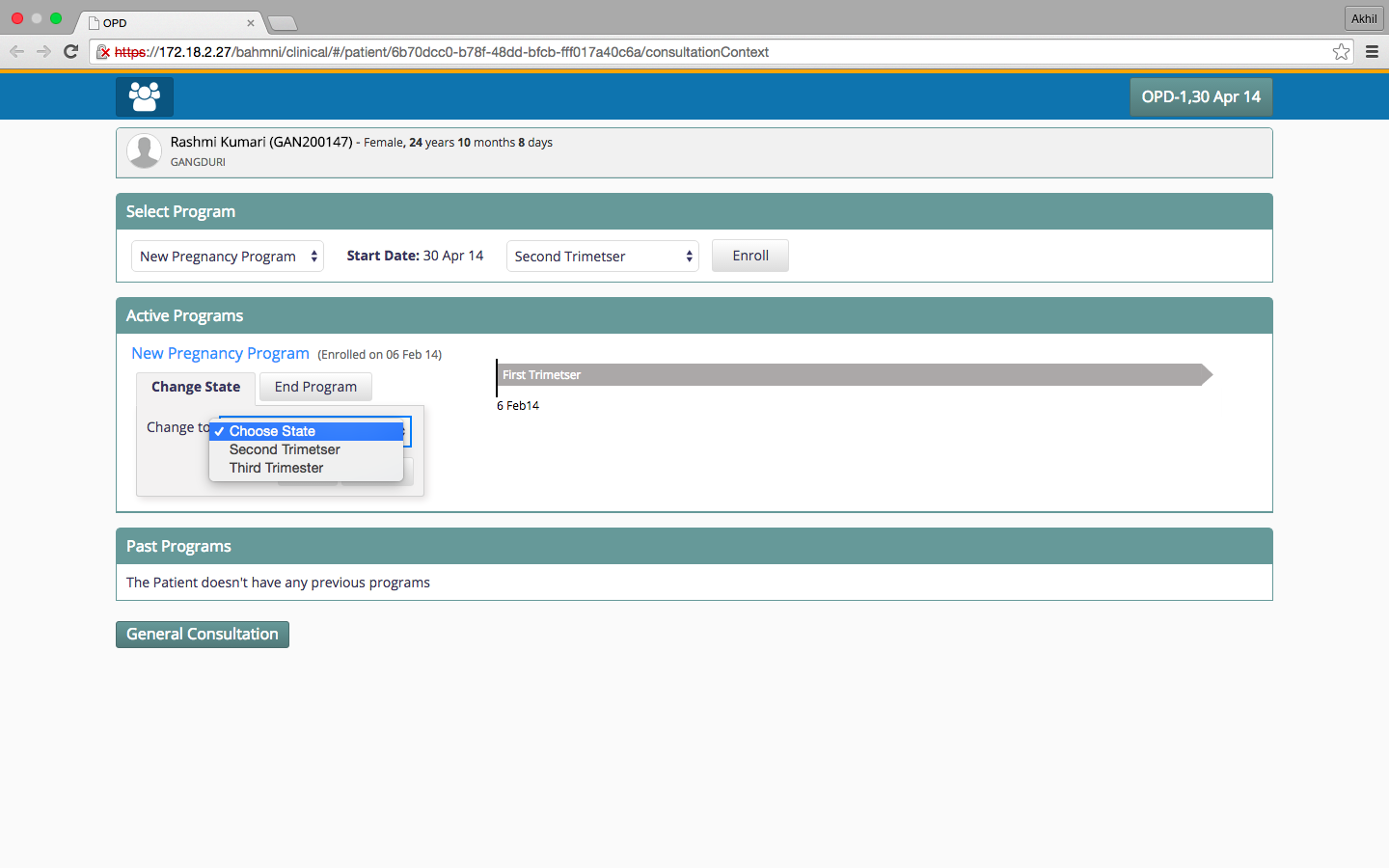
To change the state of the patient, select the program and click on "Change State".
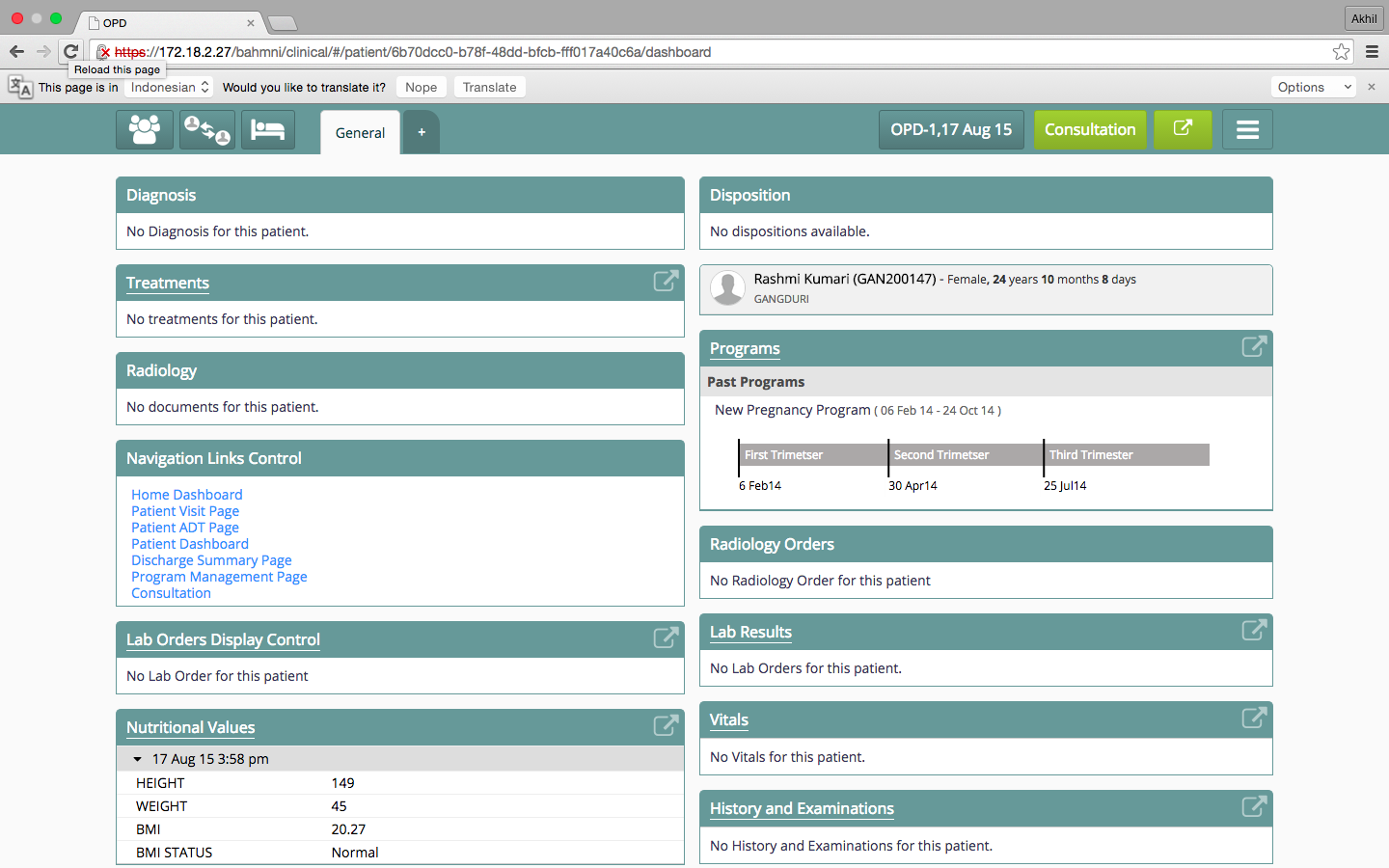
To see a snapshot of a patient's enrollment in various programs, see the "Programs" widget in the patient display control for a timeline of the programs the patient has been a part of.
3. Remove a Patient from a Program
To end the program for the patient, choose the program on the programs page and select an Outcome.
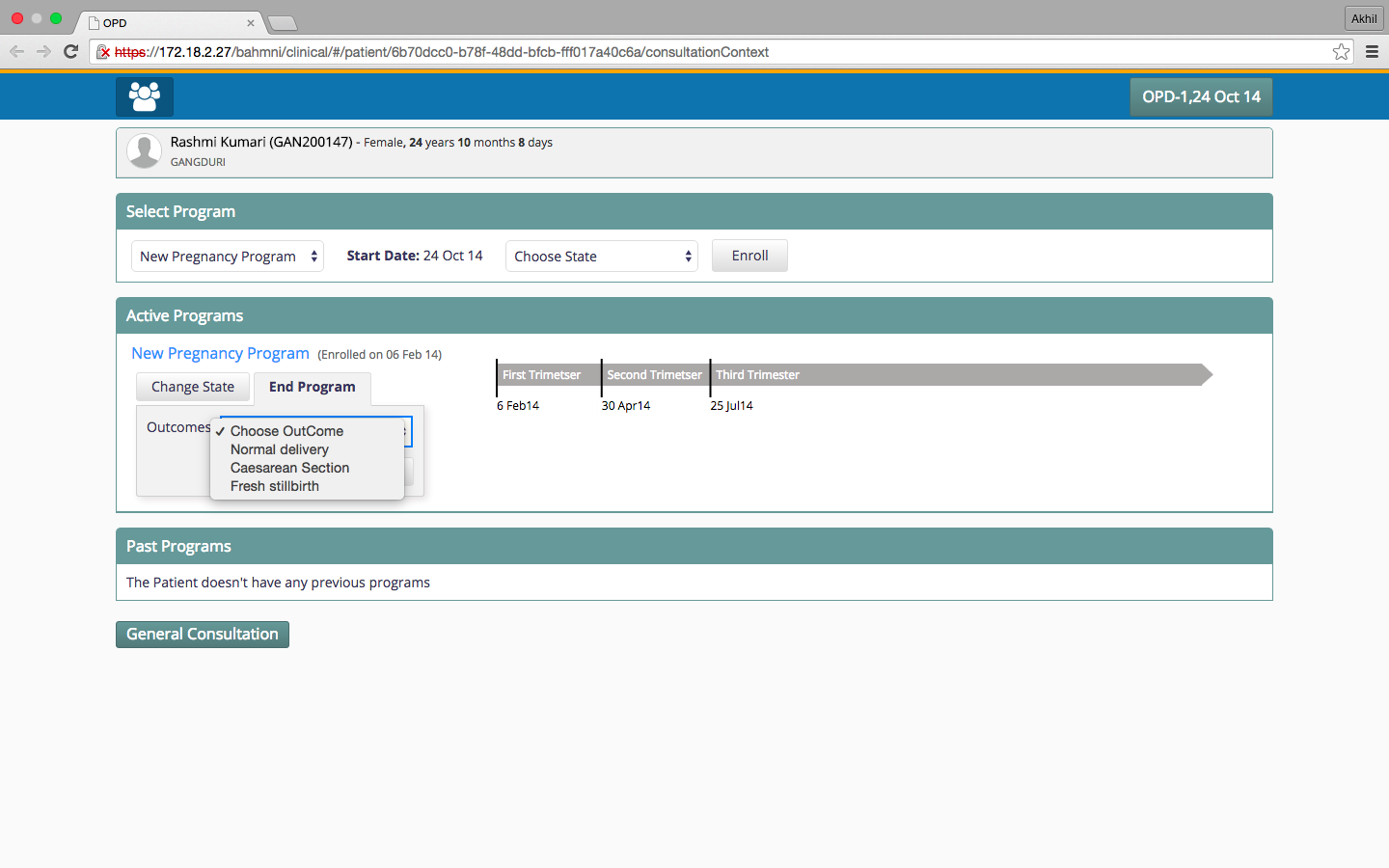
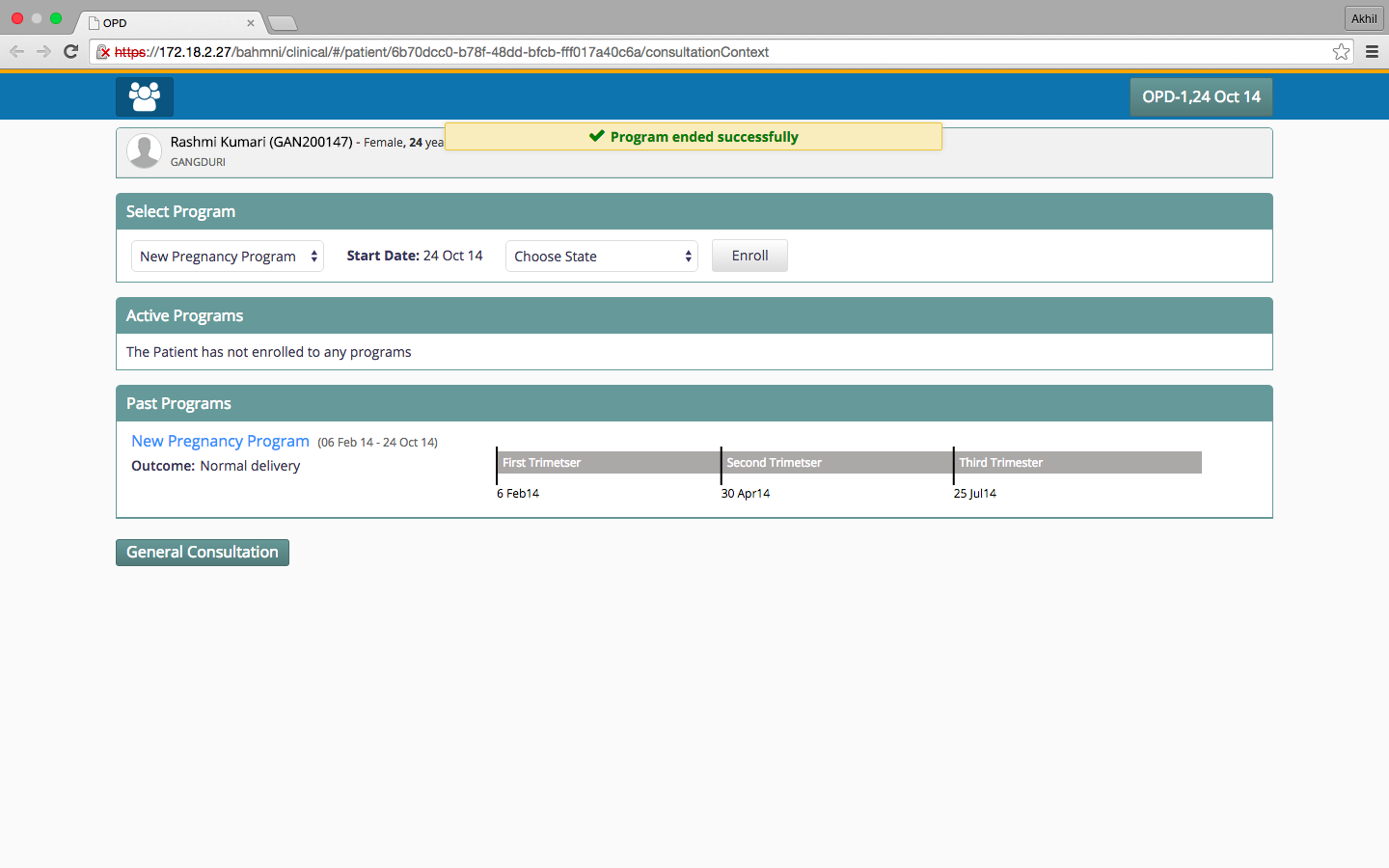
On ending the program, it will be shown as past program for the patient along with the outcome of the program.
4. Void a Patient Program
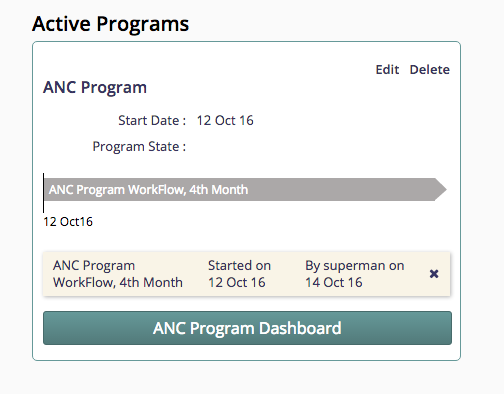
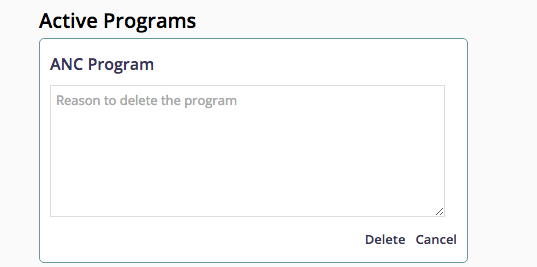
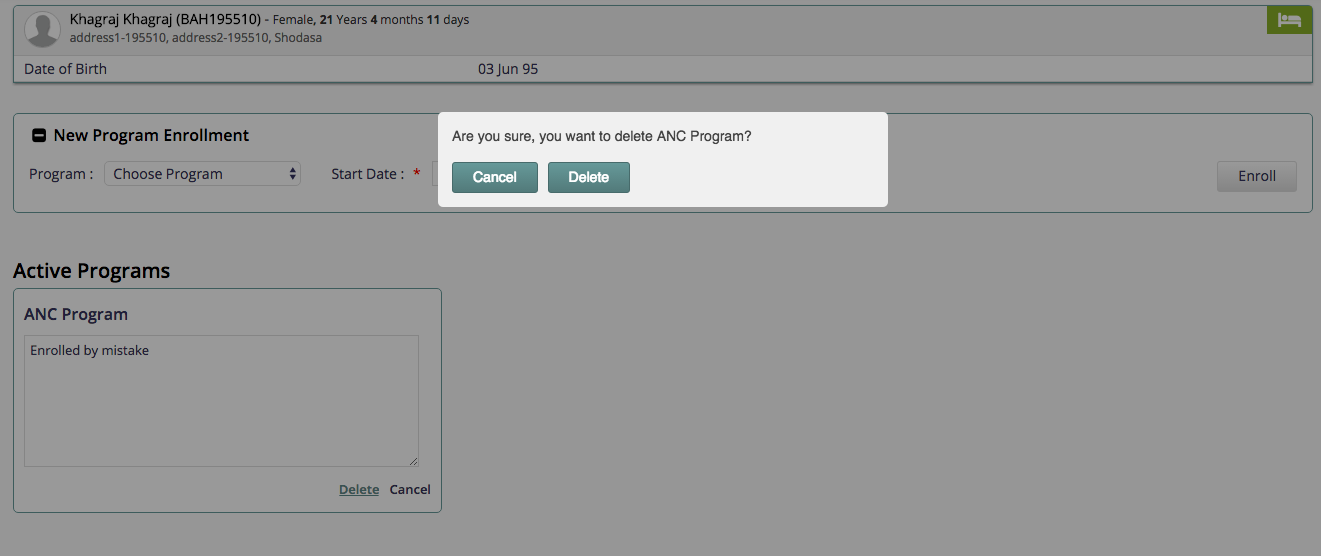
A patient program can be voided from the UI. The user will have to enter a reason for voiding the program. The program will no longer be seen on the patient dashboard but a log entry will be created about the voided program with audit information of who voided the program, reason to void the program and when the program was voided.
Bahmni Wiki · CC BY-SA 4.0