Appointment Scheduling in Bahmni
About the Feature
Hospitals and other clinical set ups often offer multiple services to their patients. These services may have defined days and times when they are offered. For e.g Diabetic clinic runs every Monday 10.00 AM - 12.00 PM. Further, we have providers in the hospital who provide these specific services to patients. Appointments are the means by which hospitals and clinics tend to manage their resources and time to offer services to a patient.
Appointment scheduling feature is intended to provide the users the ability to schedule and manage appointments for patients in a typical hospital/clinical set up. With the help of this feature one will be able to:
- Set up services in a hospital
- Create and manage appointments for a patient
- View the appointments and patient load per service
Used By
This feature can be used by multiple users in a typical clinical set up. The number and the type of users will vary across hospitals.
Some examples:
- Registration Clerk: To assign appointments and to check in patients.
- Provider: To view and schedule appointments for patients.
- Screener: Keep track of patient load and manage queues
- Administrator : To set up services and their availabilities
How is it used?
The Appointment scheduling App is available on the Home page of Bahmni.
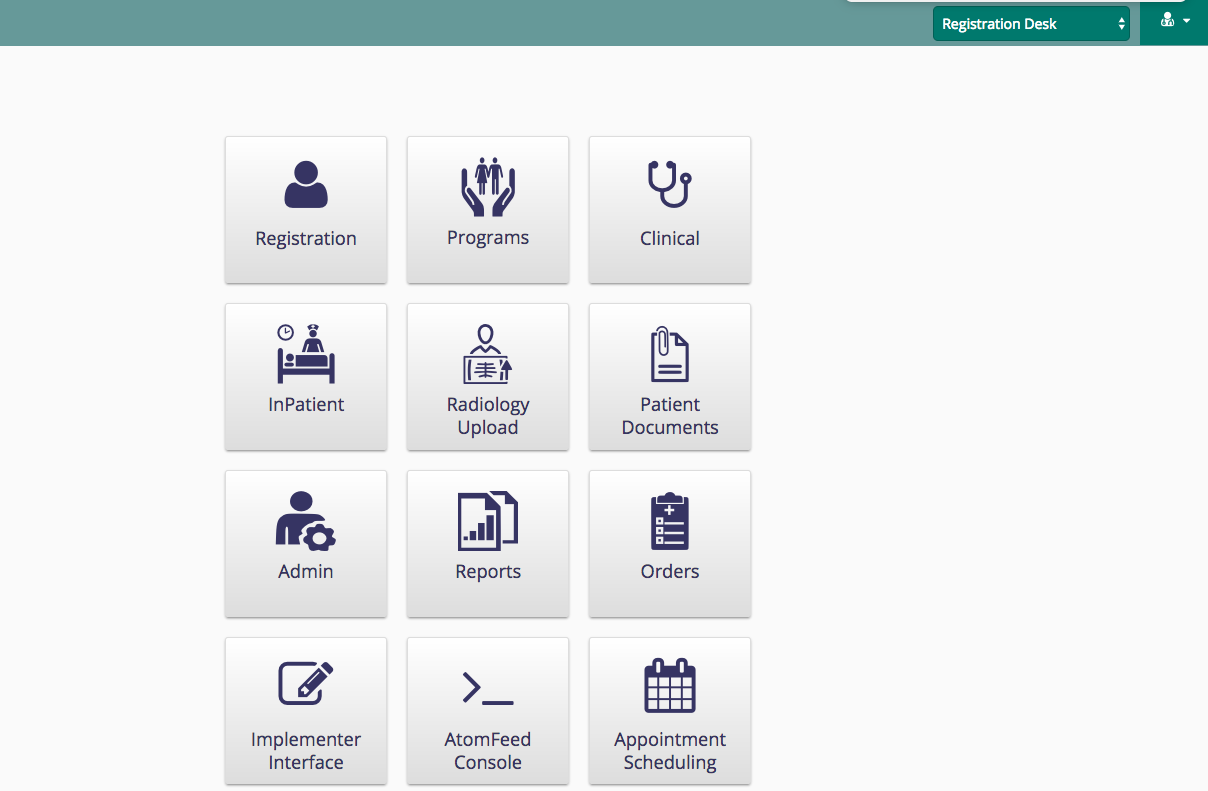
The steps to set up and configure Appointment scheduling can be found here.
To read about the details of using the Appointment scheduling feature, refer to the links below:
- Create & Manage Appointments
- View Appointments
하위 문서
Bahmni Wiki · CC BY-SA 4.0